Ideas here run from a monitor stand to a dedicated room with a door that shuts, and the rest fall between: mats, lamps, drawer units, a standing desk.
What decides which ones are yours is how much of the house you can claim for work.
A spare room or basement nook can hold a heavy wood desk and 2 screens, while a shared corner calls for a pad, a lamp and wireless gear that packs away.
1. Ergonomic Chair
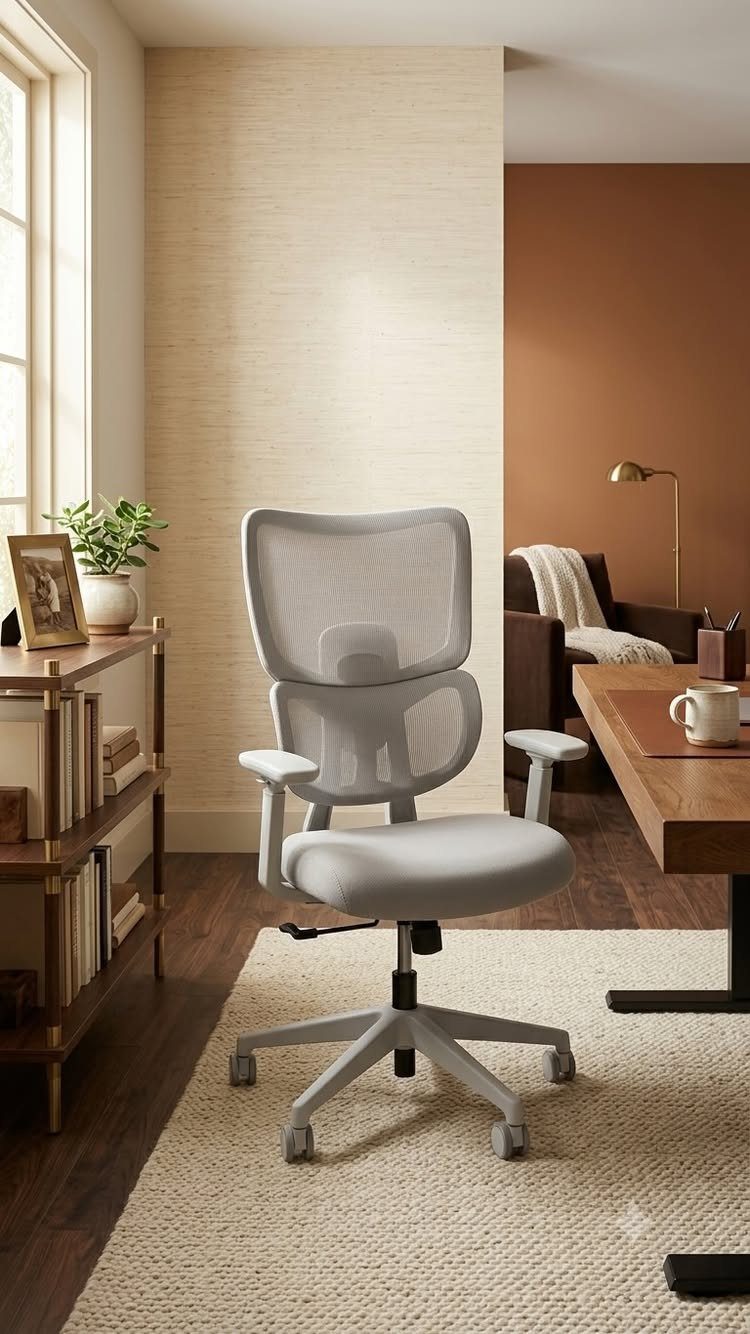
A mesh back, like the one on this light gray chair, is what I look for first when the workday runs long.
Mesh lets air through, and a chair you can sit in for hours is worth more than any desk upgrade.
Before buying, check that the seat height lets your feet rest flat while the desk edge sits near elbow height. Test the backrest too: it should meet the curve of your lower back instead of leaving a gap.
A chair like this also reads as part of the room, so it won’t fight a wooden desk.
2. Monitor Stand
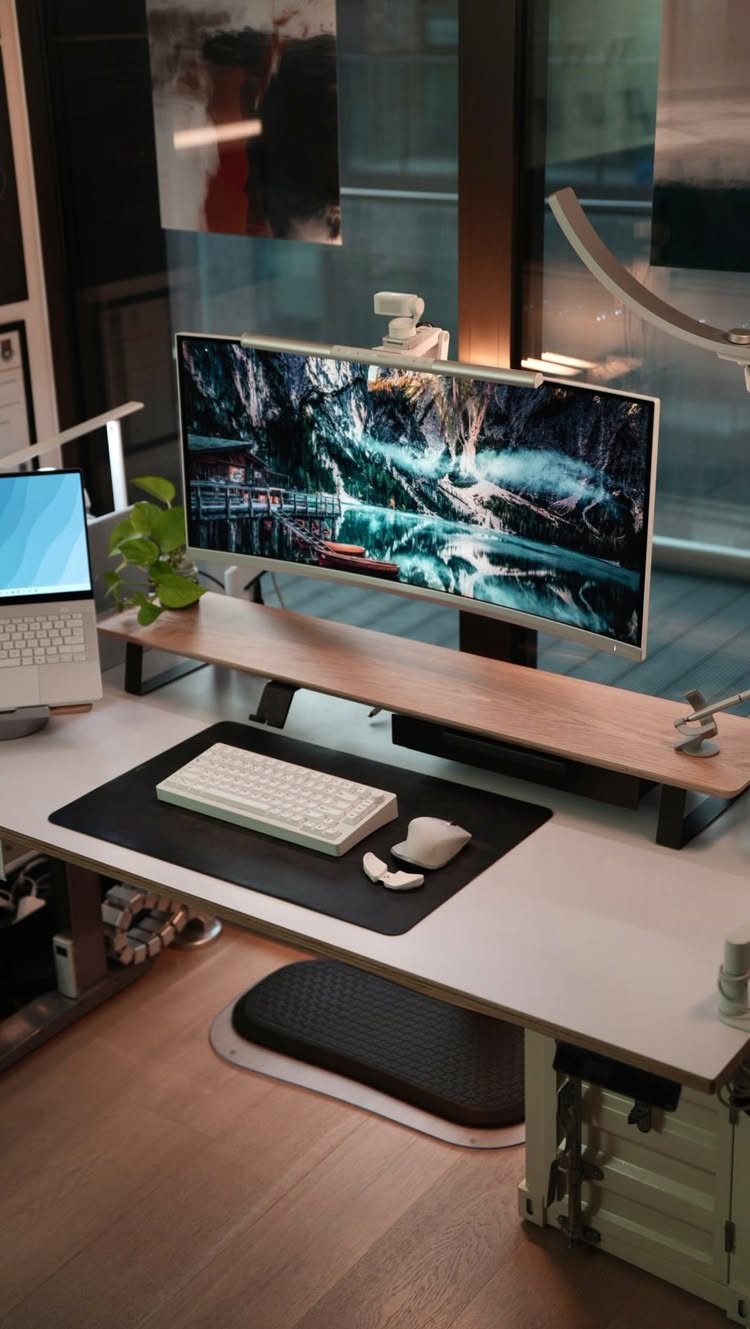
Raising the screen is the cheapest fix for a sore neck, and a wood stand like this one does it without looking like office equipment.
The top edge of the monitor should land at or just below eye level when you sit up straight.
A stand also frees the desk surface underneath, so the keyboard can slide beneath it when you step away. On a white desk, light wood keeps the setup warm and calm.
If a stand is too short for you, a few sturdy books can stand in until you find the right height.
3. Wireless Keyboard and Mouse
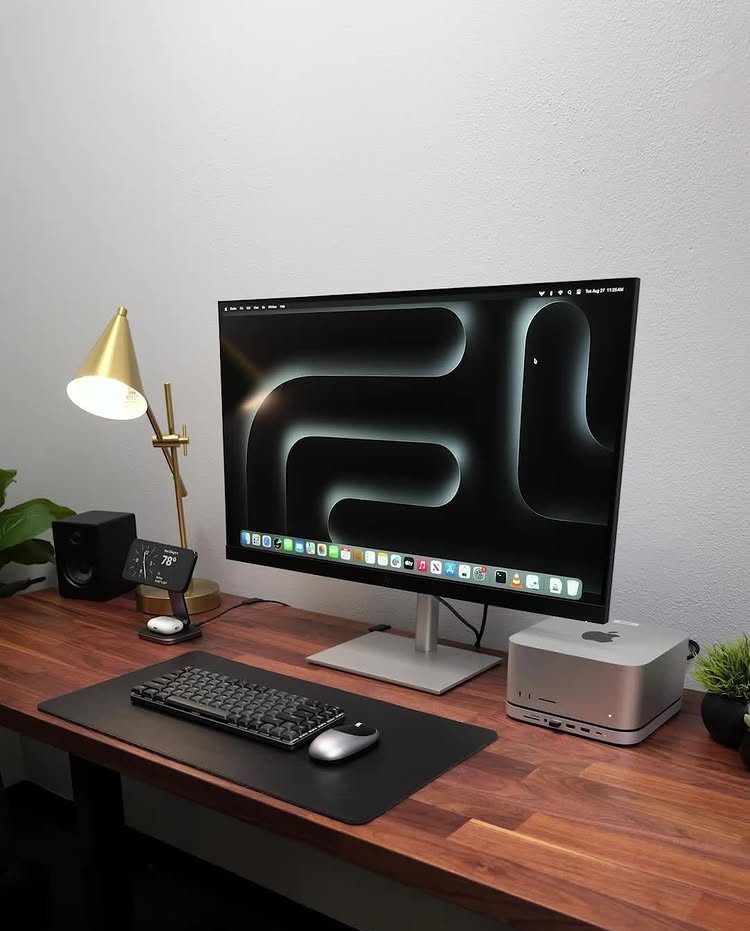
Cords are the reason a wireless keyboard and mouse matter most on a desk that moves.
If you plan to get a standing or adjustable desk, make sure your mechanical keyboard and mouse are wireless, because cables snag and pull as the surface rises and lowers.
Even on a fixed desk, cutting 2 cables leaves the tabletop cleaner, which suits a wood surface and a single lamp.
I’d pick a keyboard you can also use by cable as a backup, so a dead battery never stops your day.
4. Dual Monitors
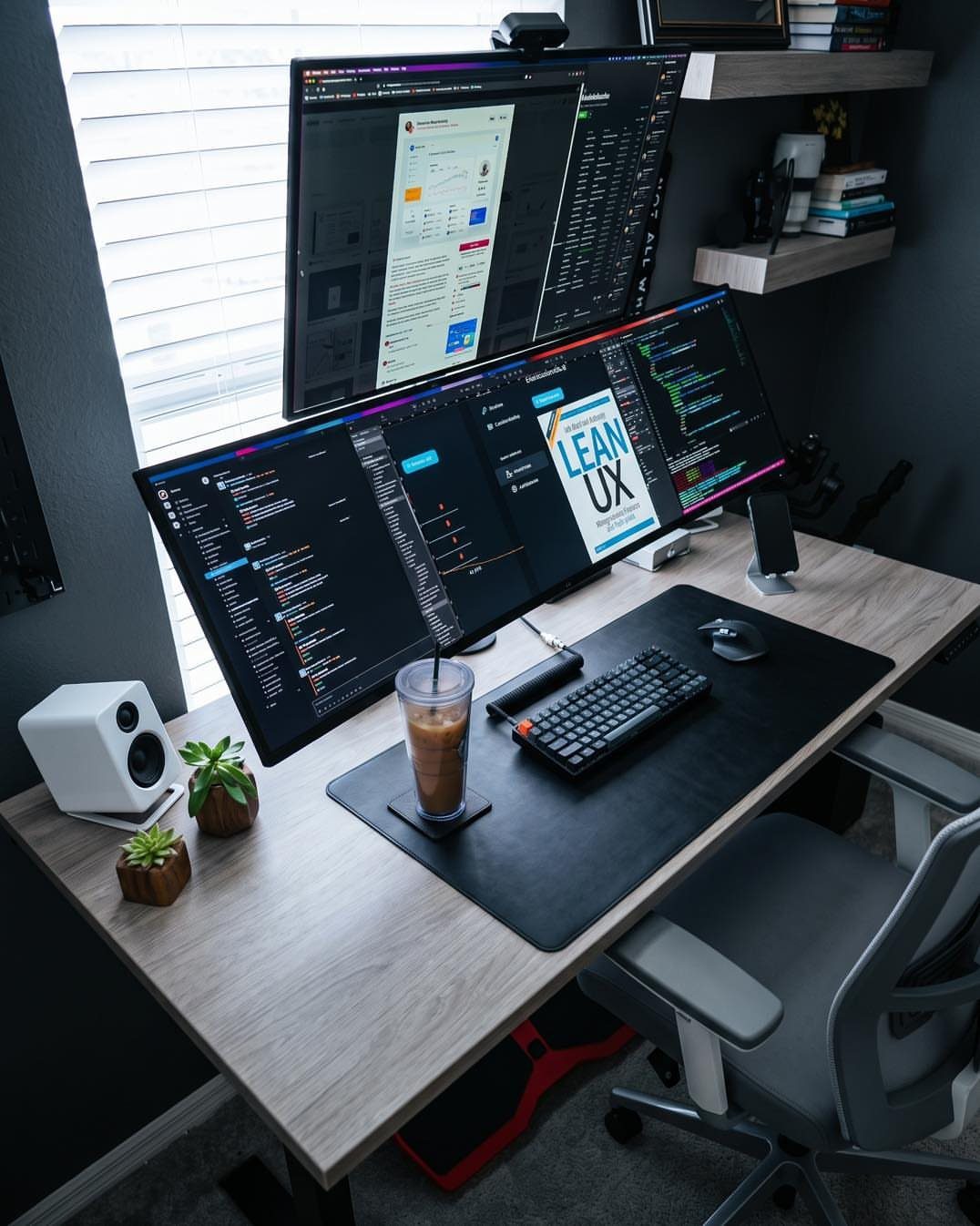
Two screens let one hold your main work while the other keeps reference material open, so you stop flipping between windows. That extra screen space is the whole appeal.
Set the monitors side by side with the main one directly in front of you, and the second angled slightly inward. A desk mat under the keyboard, as here, helps keep the space between them tidy.
Check desk depth first. 2 screens on a shallow desk push you too close, and that eats the comfort you were after.
5. Dedicated Office Space
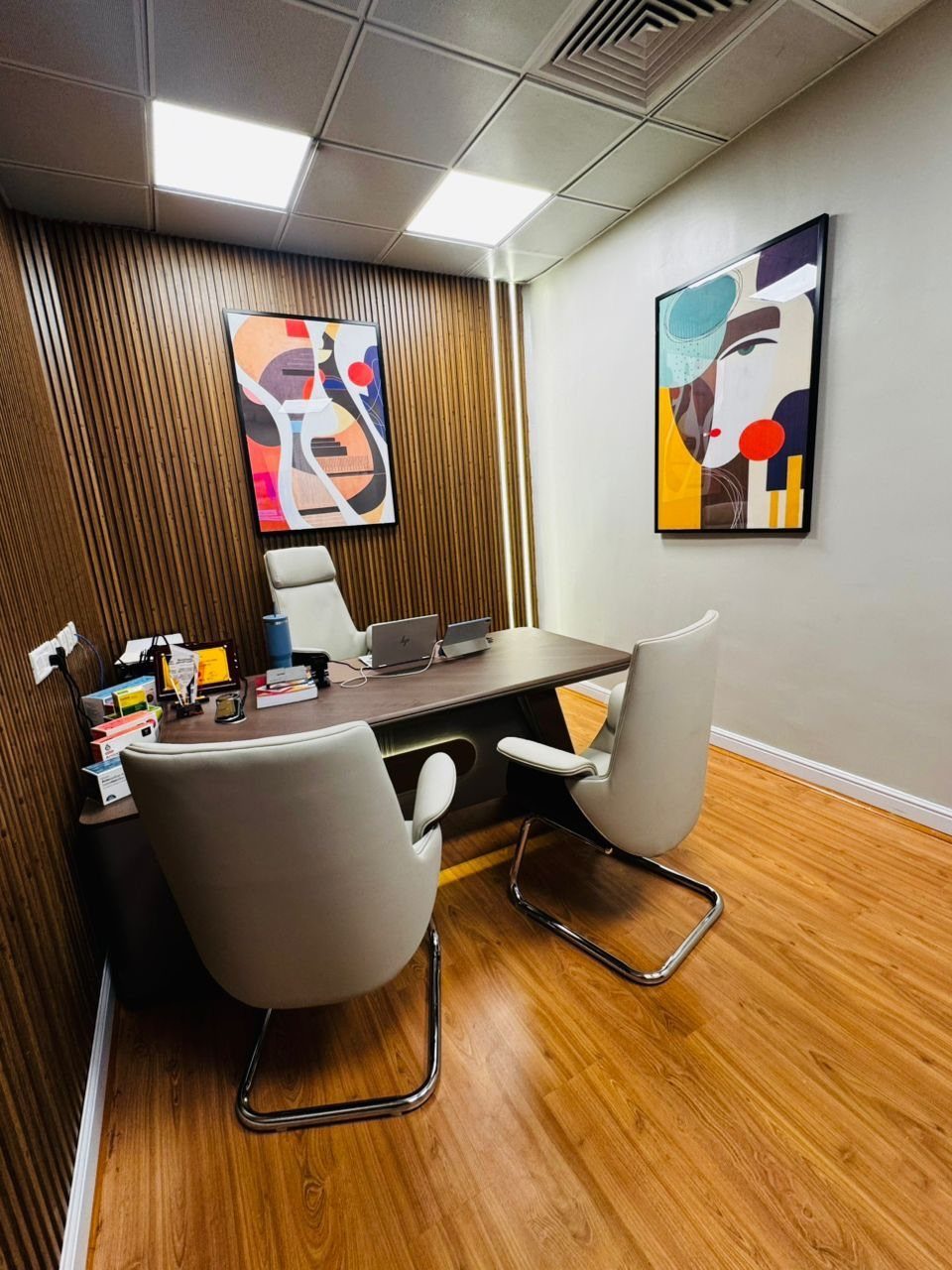
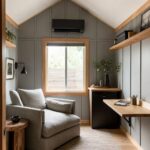
A room that closes keeps work separate in a way no corner can manage. Working from home blurs the line between job and house, and a dedicated space puts that line back.
Keep it simple. A desk, 2 chairs if you take meetings, and a wall treatment like wood slats or art give the room a professional feel without a big spend.
Even a spare bedroom or a basement nook works. Everything in it should be for work alone.
6. Executive Wood Desk
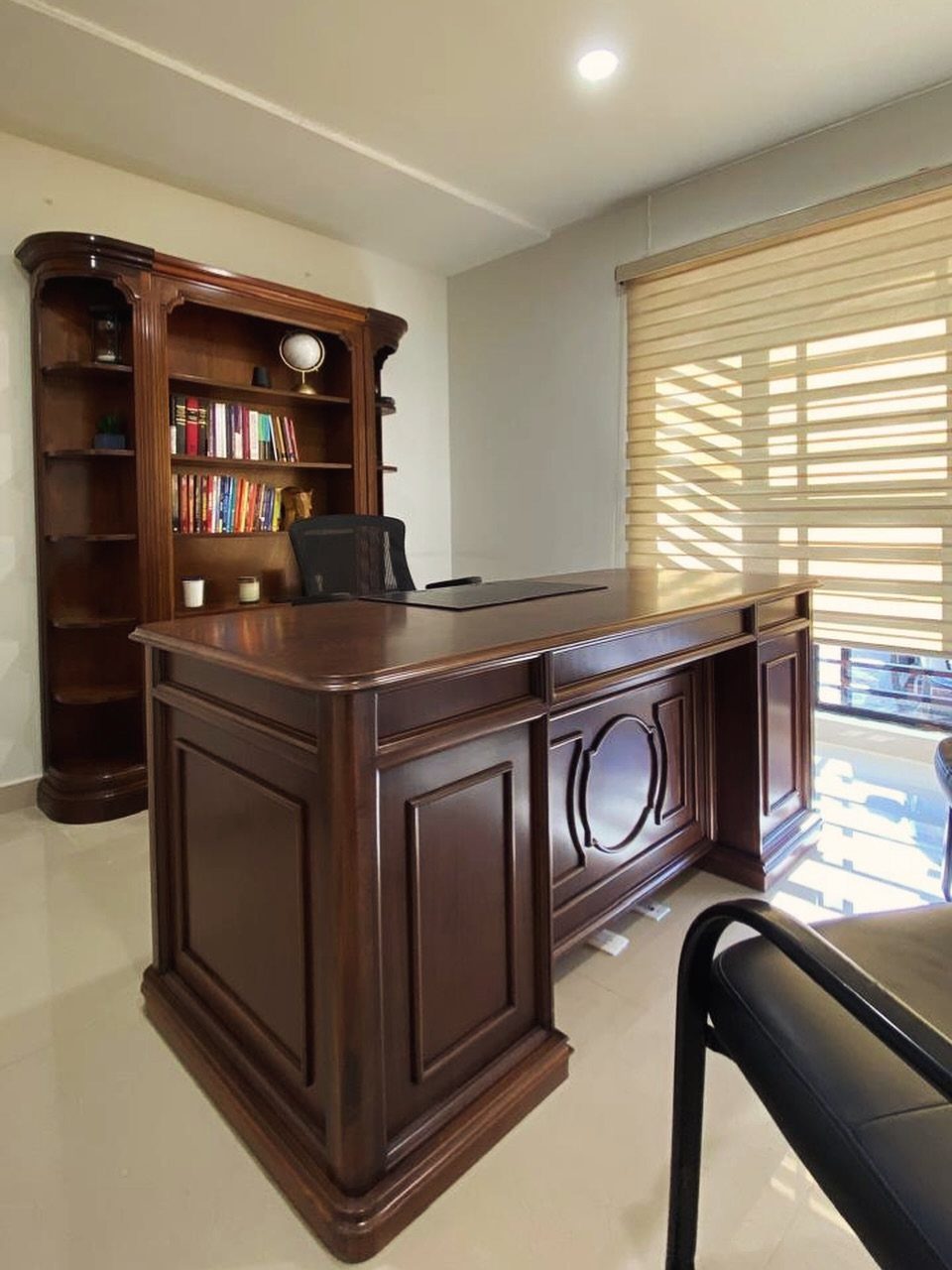
A dark wood executive desk with a matching bookshelf sets a serious tone the moment you walk in. Matching the 2 pieces gives you a room that looks deliberate.
This is the heavy, formal choice, so give it space. A big desk crowds a small room, and dark wood looks best with a window nearby to balance the weight.
Check secondhand listings, since large wood desks often cost less used than new.
7. Adjustable Standing Desk
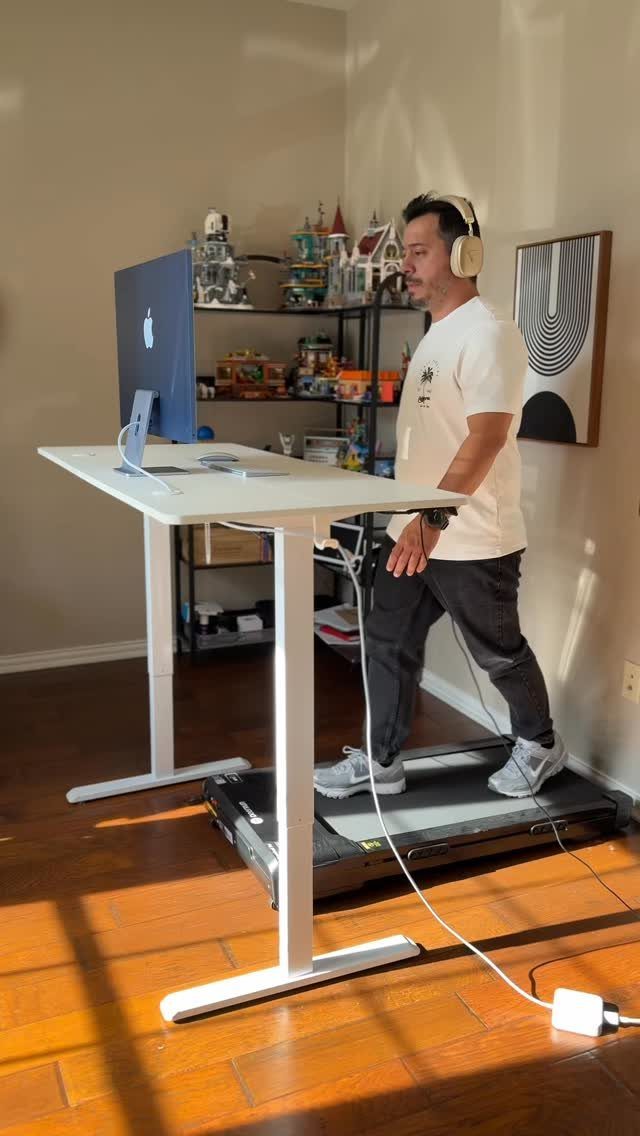
A desk that rises and lowers lets you sit for focused work and stand when your legs want a change.
A treadmill underneath, as in this setup, turns it into a walking desk too, though that only works if the desk has room for a full monitor and a clear floor.
I’d choose a white top for a room with shelves and artwork, since it stays quiet next to the busy wall. Keep every cable long enough to follow the desk up and down.
Try it at standing height for a full afternoon first. Your elbows should sit near the desk edge.
8. Desk with Drawers
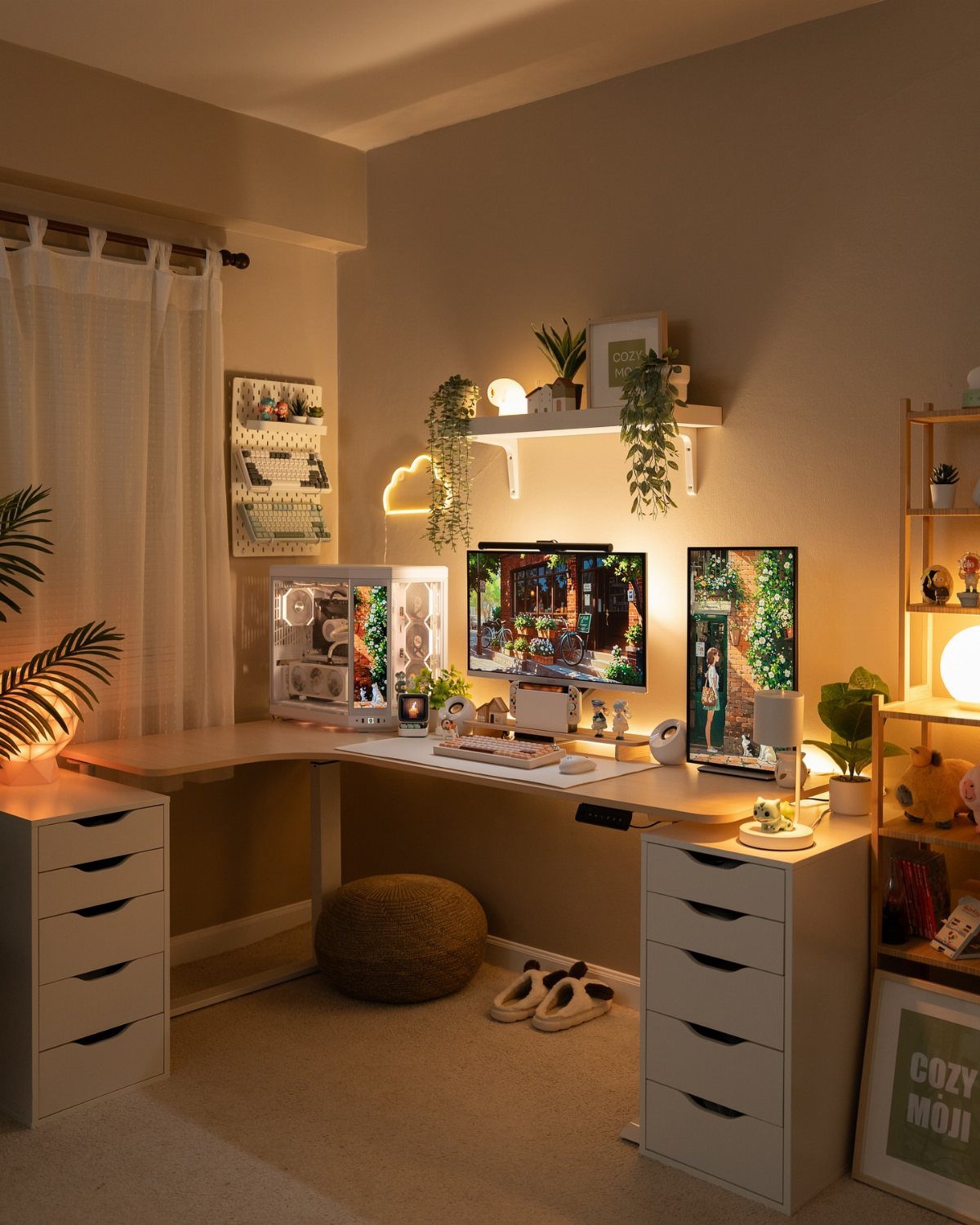
Drawer units turn an L-shaped desk into a place where everything has a home. Pens, chargers and paperwork go inside, so the 2 monitors and PC keep the top surface.
White drawers keep a large desk from looking heavy, and they pair well with plants and a few decor pieces on top.
I’d put the drawers on the side you reach for most, so the files are within an arm’s length of your chair.
Measure leg room before buying. Drawer units eat space under the desk.
9. Clutter-Free Workspace
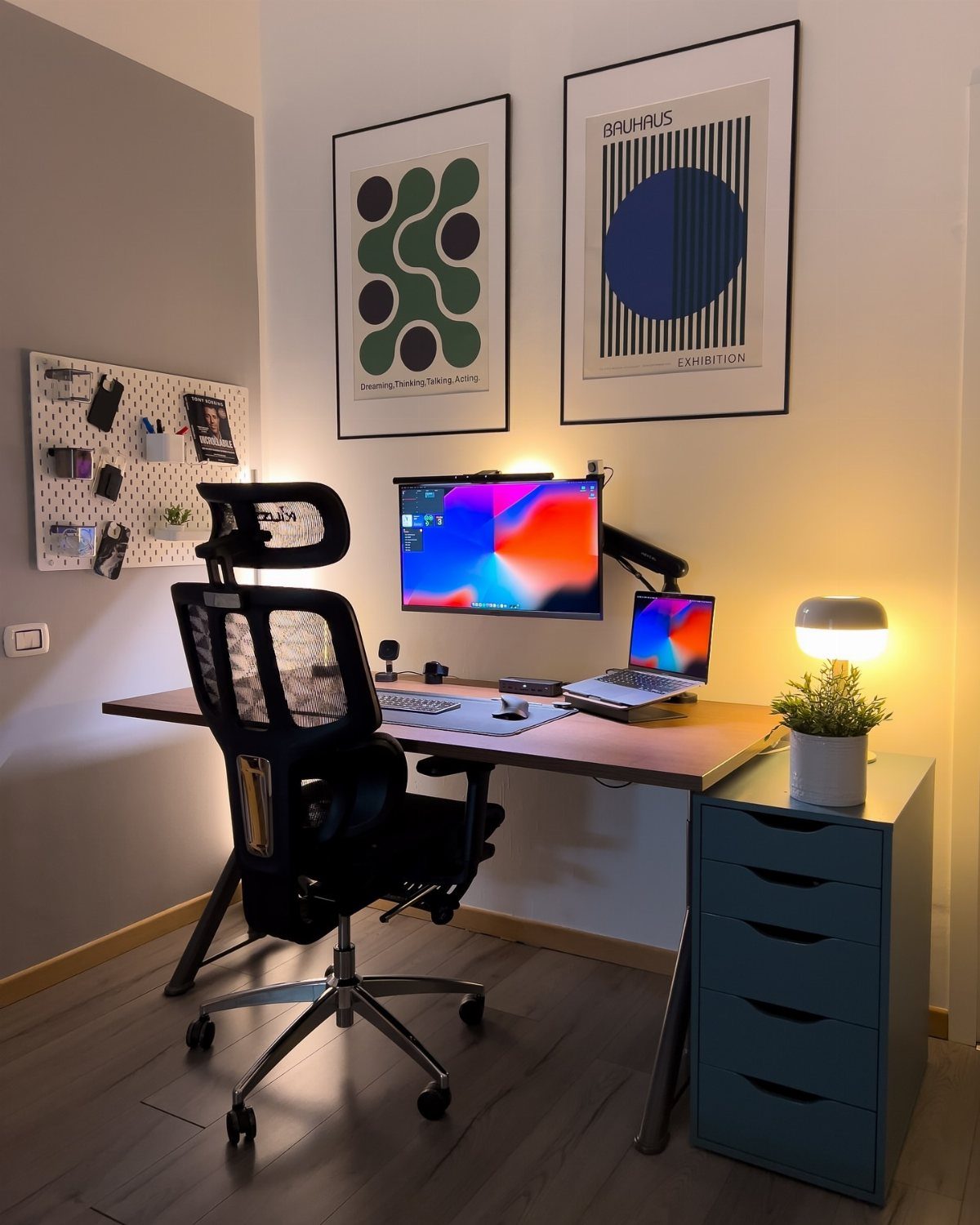
Fewer objects on the desk means fewer things pulling your eyes off the screen. A monitor, a laptop and one lamp is enough to work from.
Anything that doesn’t earn a spot goes on the wall instead.
A pegboard, like the one at the left here, holds supplies off the surface and lets you rearrange as your needs change. Art on the wall adds personality and leaves the desk surface open.
Clear the desk each evening so you start clean the next morning. A bare surface makes it easier to start the next morning.
10. Personal Touches
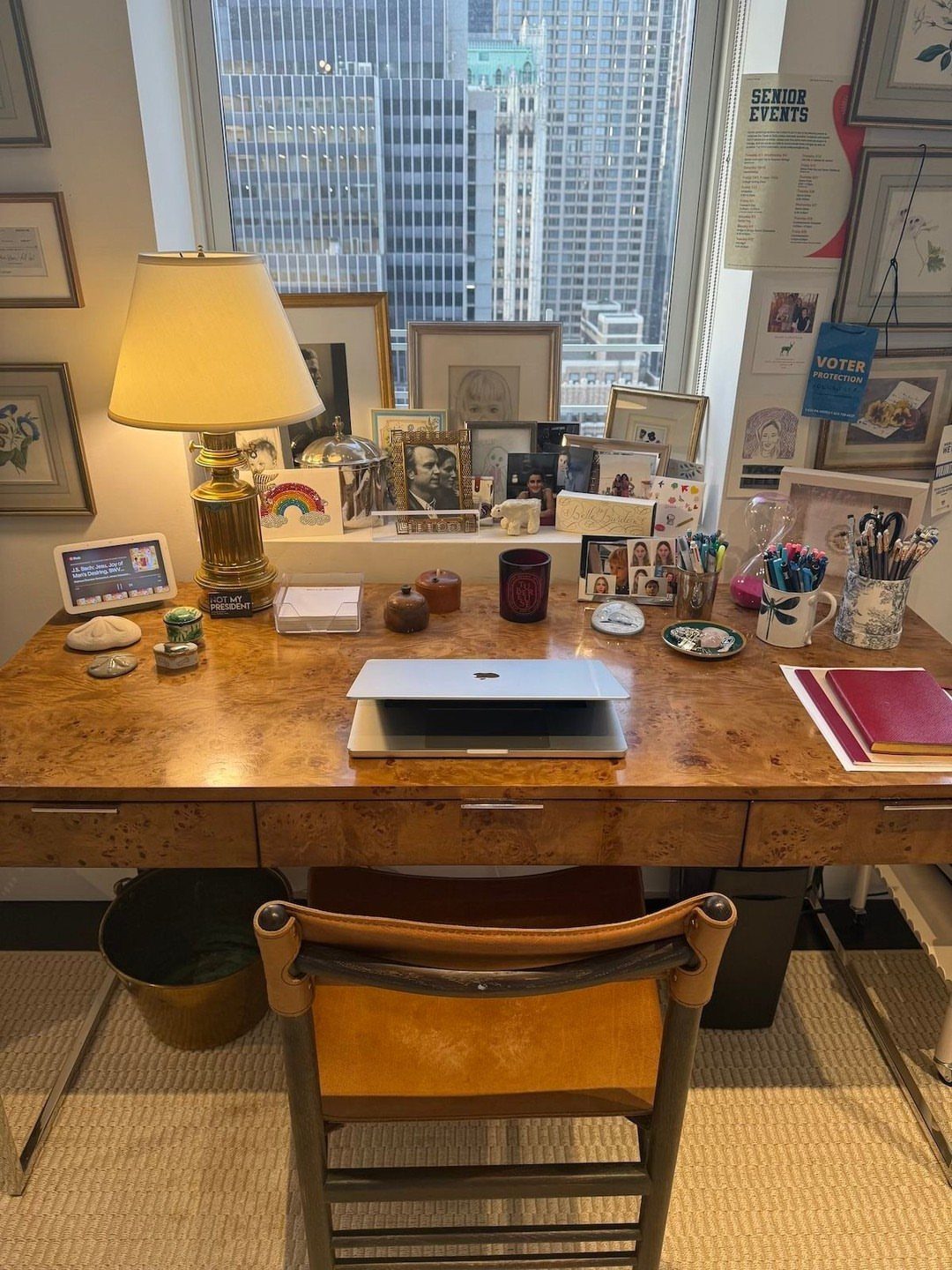
Framed photos along the back of a wooden desk give you something to look at besides the screen. Choose items that remind you why you work: people, places, events that mattered.
I’d keep them to one side or a single row, so the pieces read as a collection and not as clutter. Matching frames help tie mixed photos together.
Leave the center of the desk open for the laptop and your hands. Personal items should frame the work area, not crowd it.
11. Desk Mats
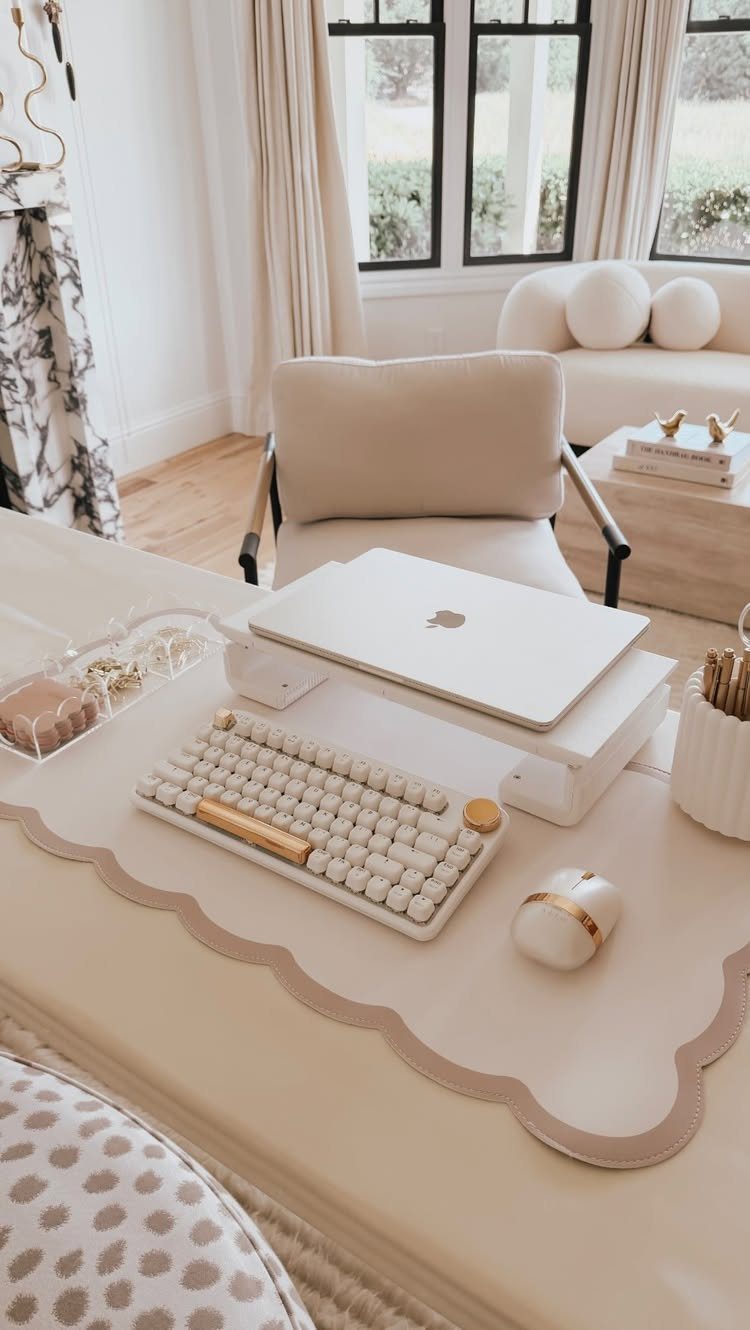
A desk mat defines your work zone and gives the keyboard and mouse a soft, steady surface.
Pick a size that fits the keyboard and mouse together, so your hand never slides off onto bare desktop. Beige or neutral tones go with almost any chair or sofa nearby.
It also protects the desk from scratches and spills, and replacing a mat costs far less than refinishing a desk.
12. Desk Near Windows
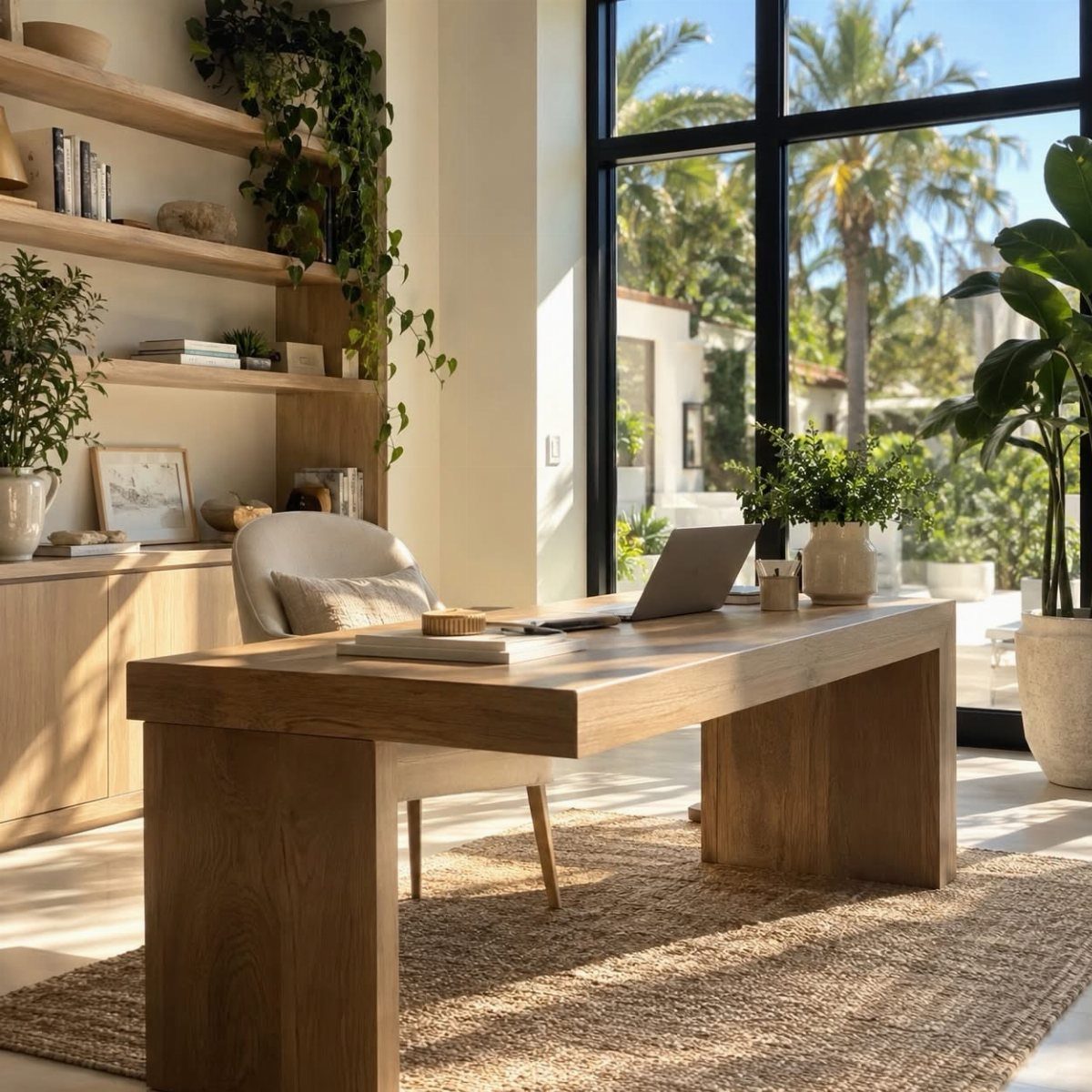
Placing the desk in front of large windows gives you daylight and a view to rest your eyes on between tasks. Palm trees outside, as here, make a calmer backdrop than a blank wall.
I’d set the desk so the window sits to the side. Light behind the screen causes glare, and a sheer shade fixes it on bright afternoons.
Built-in shelves and plants nearby keep the wood desk feeling settled. A laptop suits this spot well, since you can shift it if the sun moves.
13. Desk Pad
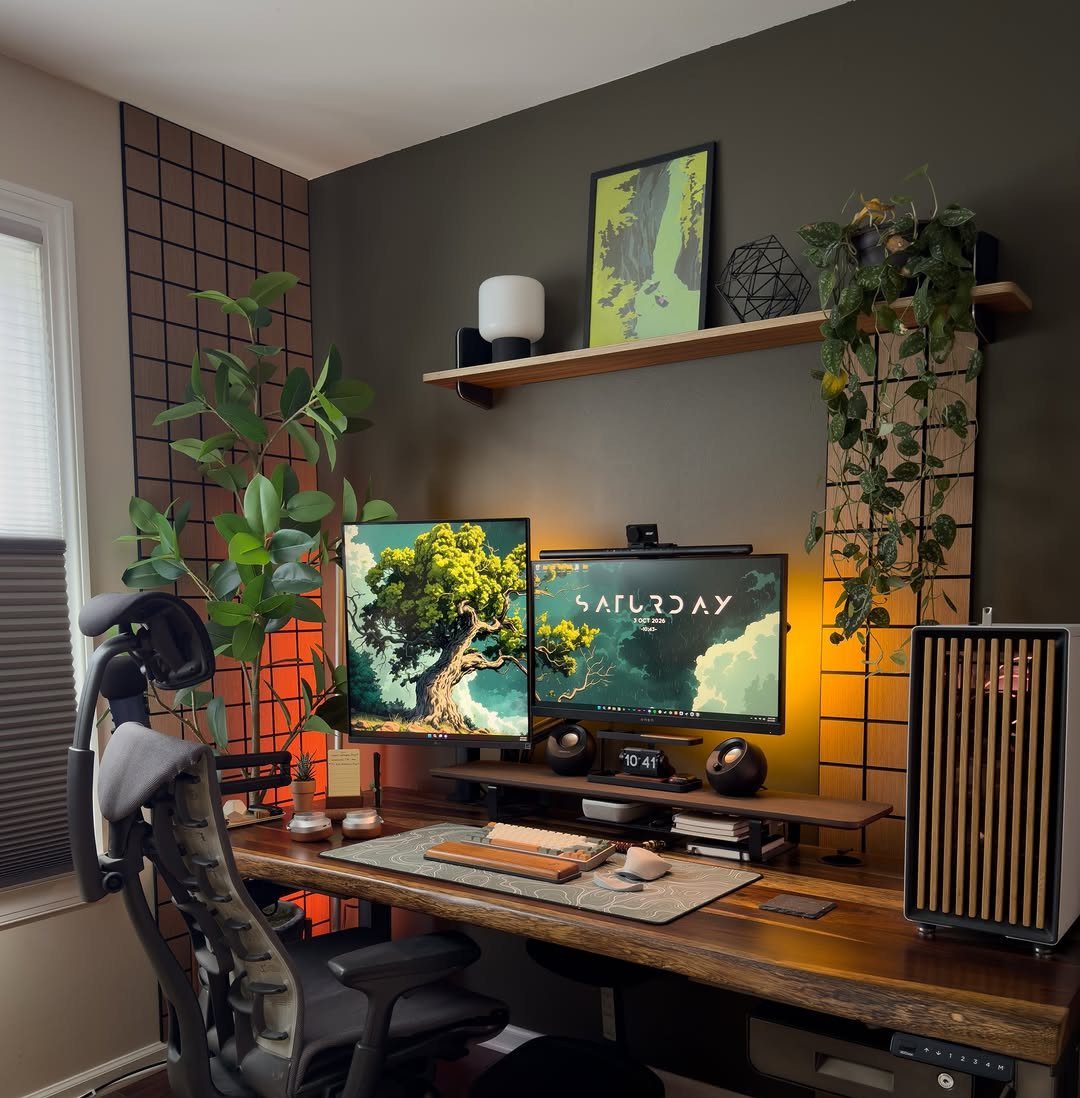
A desk pad in soft gray, like this one, gives a wooden desk a quiet layer between the keyboard and the grain. Against a dark wall, gray stays calm and doesn’t fight the plants for attention.
Size it to the keyboard and mouse together, and leave the monitor stands off it so the pad stays flat. With 2 screens, a wide pad also gives you a clear line where your hands live.
I’d pick a plain, matte finish over a patterned one. It sits well beside a shelf and keeps the setup looking settled.
14. Tech Tools
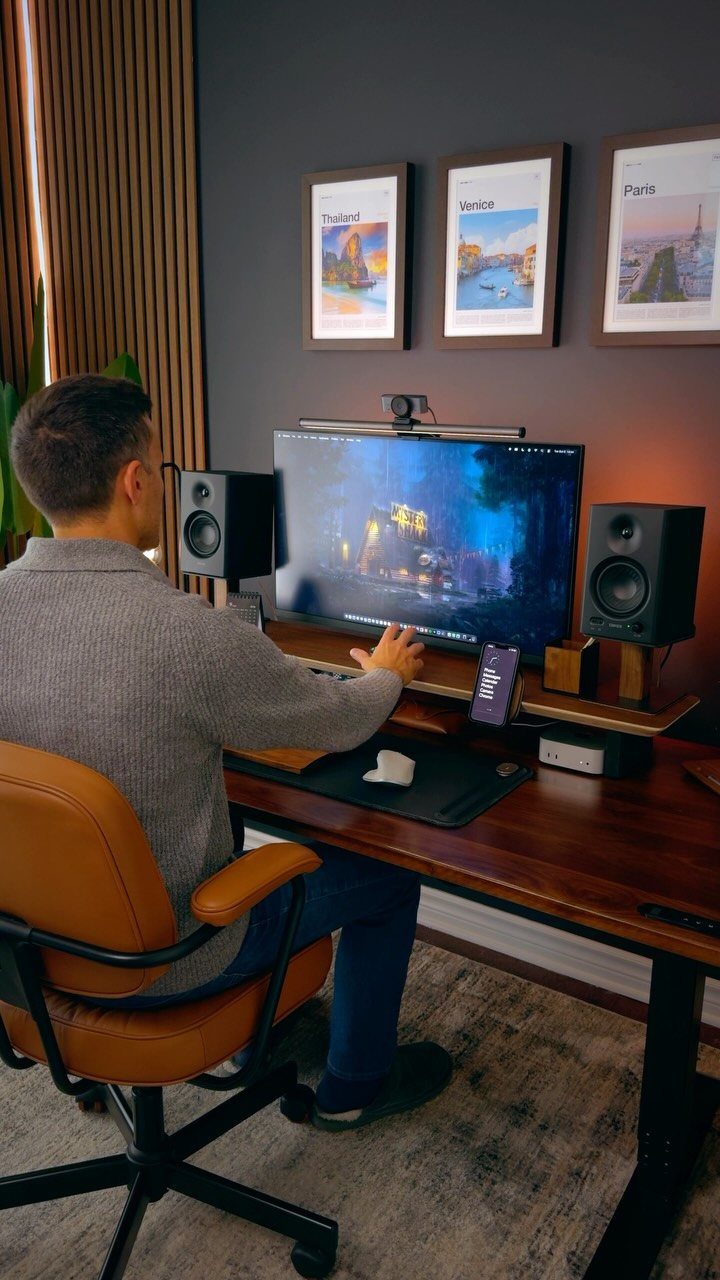
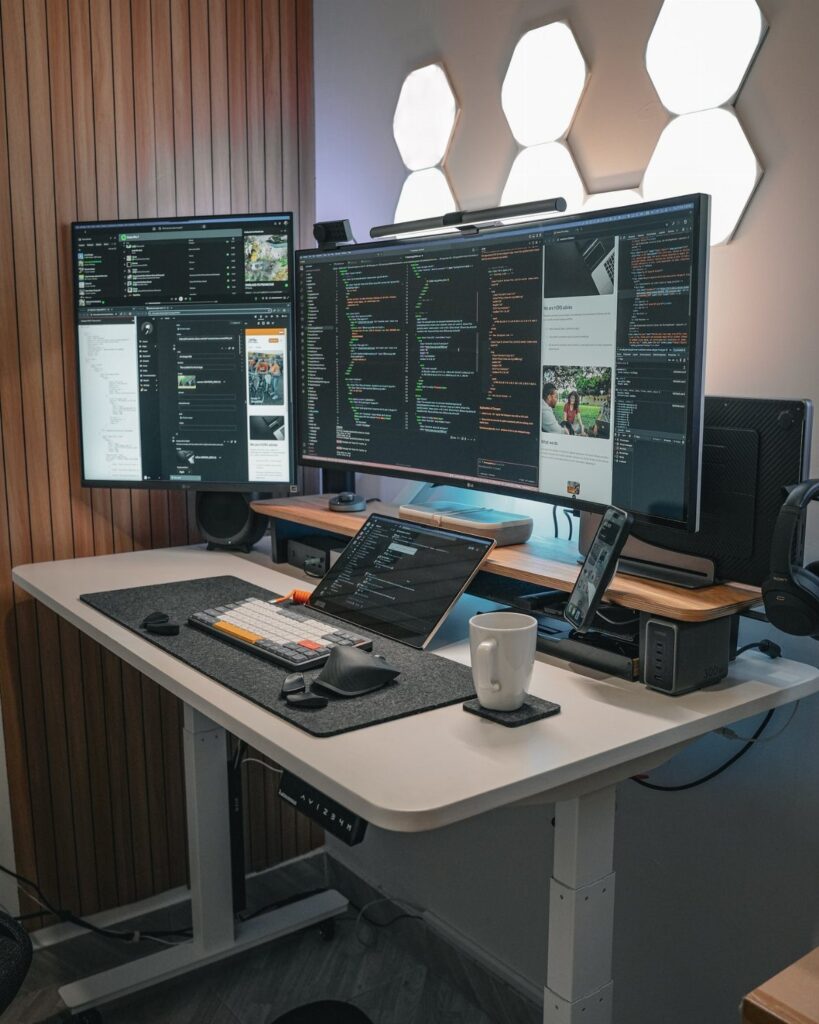
Speakers and a large monitor are the gear I’d buy first for a desk like this. Studio speakers sit on either side of the screen, so sound reaches you evenly instead of coming from a laptop.
Keep the phone off to the side of the desk, within reach but outside the center, so the monitor and your hands keep the middle.
Add tech one piece at a time. Each new device takes desk space and another cable, so buy only what you will use daily.
Importance of Ergonomics
Wrist position is the part of a desk setup people skip, and it’s where strain builds over months of typing.
Keep your wrists flat and straight, not bent up or angled out, with the keyboard and monitor placed so you never have to reach or crane.
A split keyboard with a 10-degree angle is one way to hold that neutral line, especially if you type most of the day.
Pair it with a mouse sized to your hand; the published fit is for hands measuring 7 to 9 inches.
A monitor arm that adjusts for height, swivel and tilt gives you the range to set the screen where your neck stays neutral and your shoulders stay loose.
If you can, try a chair, keyboard or mouse in person before buying.
Lighting Solutions
Window light alone sounds ideal, but it shifts through the day, so add a task lamp. Place it to the side of your work area, not in front, so it doesn’t bounce off the screen.
Choose a lamp with a dimmer that runs from 0 to 100% brightness, and use an LED bulb rated 2700–4000K for close task lighting that won’t strain your eyes.
Plan the monitor position around the sun’s path too, since glare and light in your eyes change with the seasons. A bias light behind the monitor can cut eye fatigue and make contrast look better.
Windows also give houseplants a home. One study tied plants in an office to a 15% rise in productivity.
Creating a Dedicated Workspace
If you’re working from home more than a few days a week, give yourself a real desk instead of borrowing a corner of the dining table every morning.
A little time spent weighing every spot in the house pays off later.
A door you can shut matters most. It protects your focus during calls and deadlines, and it spares roommates or family from tiptoeing around you.
Closing the door behind you at the end of the workday keeps you from wandering back in to check email at 9 p.m.
If you plan to deduct the space on your taxes, the IRS wants it used for nothing else. The IRS simplified method caps the deduction at $1,500.
No matter if you’re working from home full-time or just a few days a week, it’s important to carve out a home office setup that separates your work and personal lives.
— Wired
Frequently Asked Questions
What is the best desk setup for a home office?
A good setup starts with ergonomics: a chair with a mesh back, a monitor raised to eye level, and a keyboard that keeps your wrists flat and straight.
Then add storage, such as a desk with drawers or a wall pegboard, so the surface stays clear, and finish with a few personal items kept to one side.
Comfort keeps you working for hours, while the tidy surface and a few personal pieces keep the space pleasant to sit in.
Can I deduct my home office on my taxes?
Yes, if the space is used for nothing but work. The simplified method stops at $1,500, which is often enough for a small home office without keeping receipts for every repair.
A separate room satisfies the requirement outright, but a permanent desk setup in a larger room can still qualify if you don’t use that spot for anything else.