Desk space decides which of these home office must haves you buy first: a small desk wants a laptop stand, a docking station, and cable clips, while a roomier one can take a rolling utility cart or dual monitors.
The list runs from nearly free, like cable clips or a desk mat, up to the ergonomic chair and standing desk, the two pieces I’d spend extra on because your body feels them by month three.
1. Laptop Stand
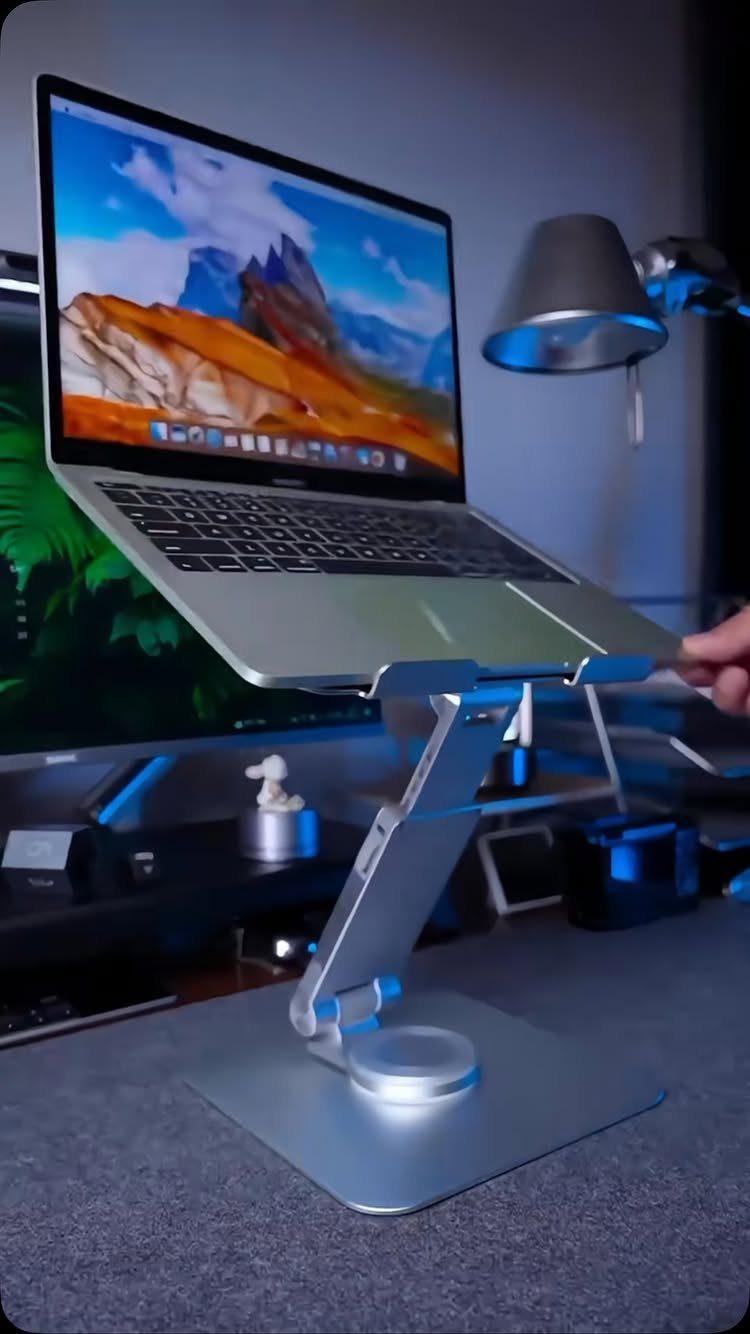
A laptop sitting flat on a desk pulls your head down for hours, and a stand fixes that by lifting the screen to eye level.
Pair it with a separate keyboard and mouse, because raising the screen puts the built-in keyboard out of comfortable reach.
I like an adjustable metal stand over a fixed one, since you can set the height to your own eyes and your chair. Cheap to add, and the neck relief shows up fast.
2. Printer/scanner
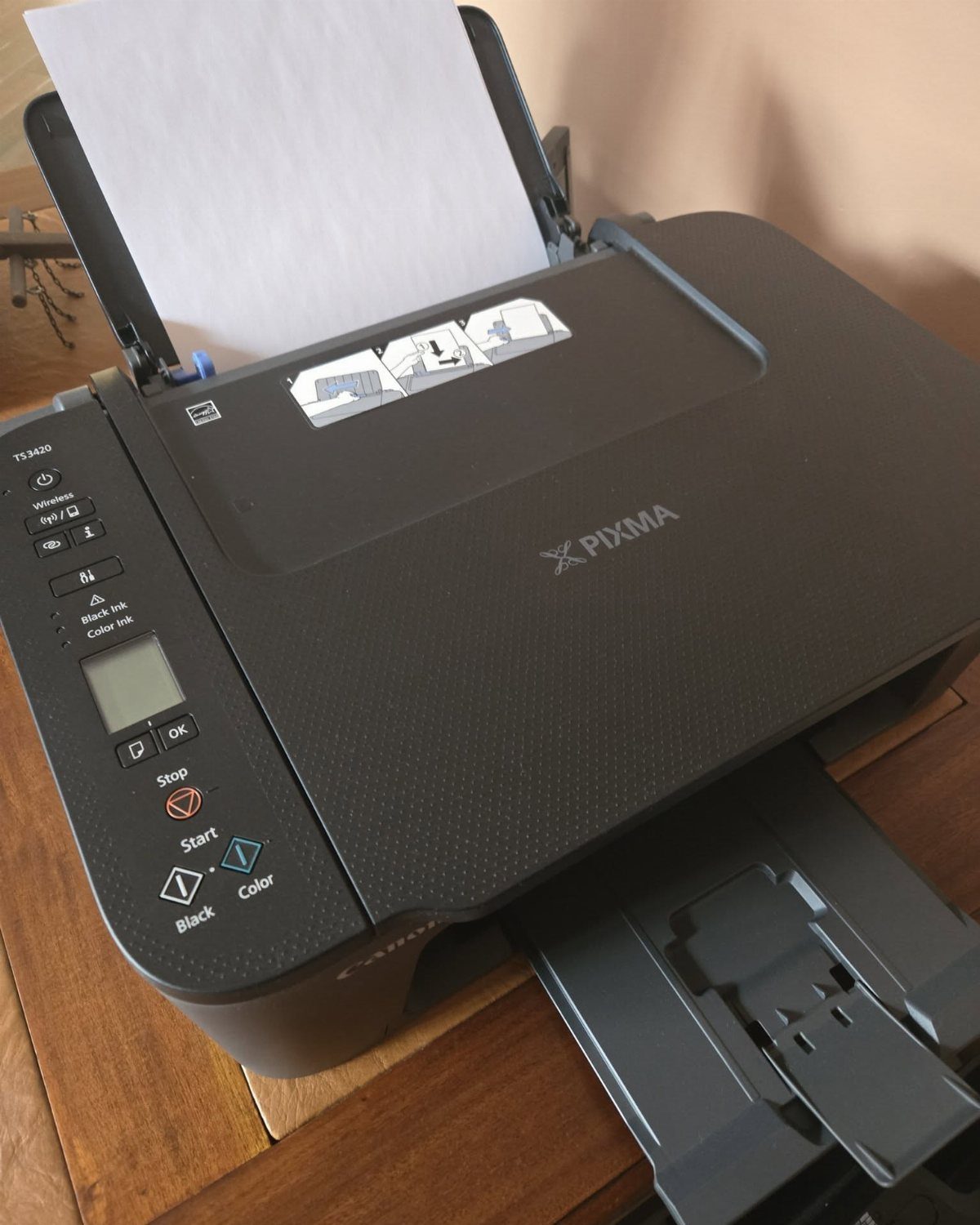
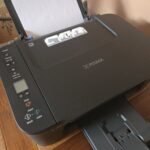
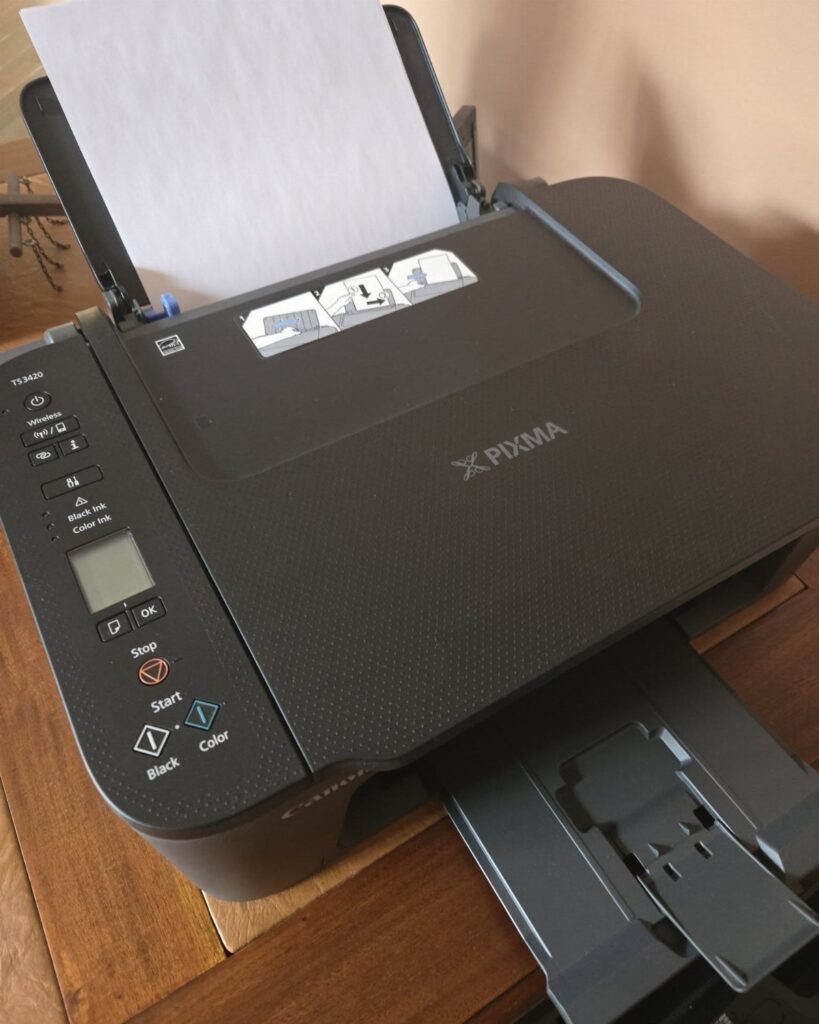
Tax forms, shipping labels, signed leases: a printer with a scanner built in handles all of them, and a basic all-in-one is enough for a home office. Skip anything fancy.
Look for one that scans and prints from a single compact body, since desk space is usually the limit. Ink refills are the running cost, so check what a replacement cartridge runs before you buy the printer.
Keep it on a side table or shelf, not your main desk.
3. Filing Cabinet
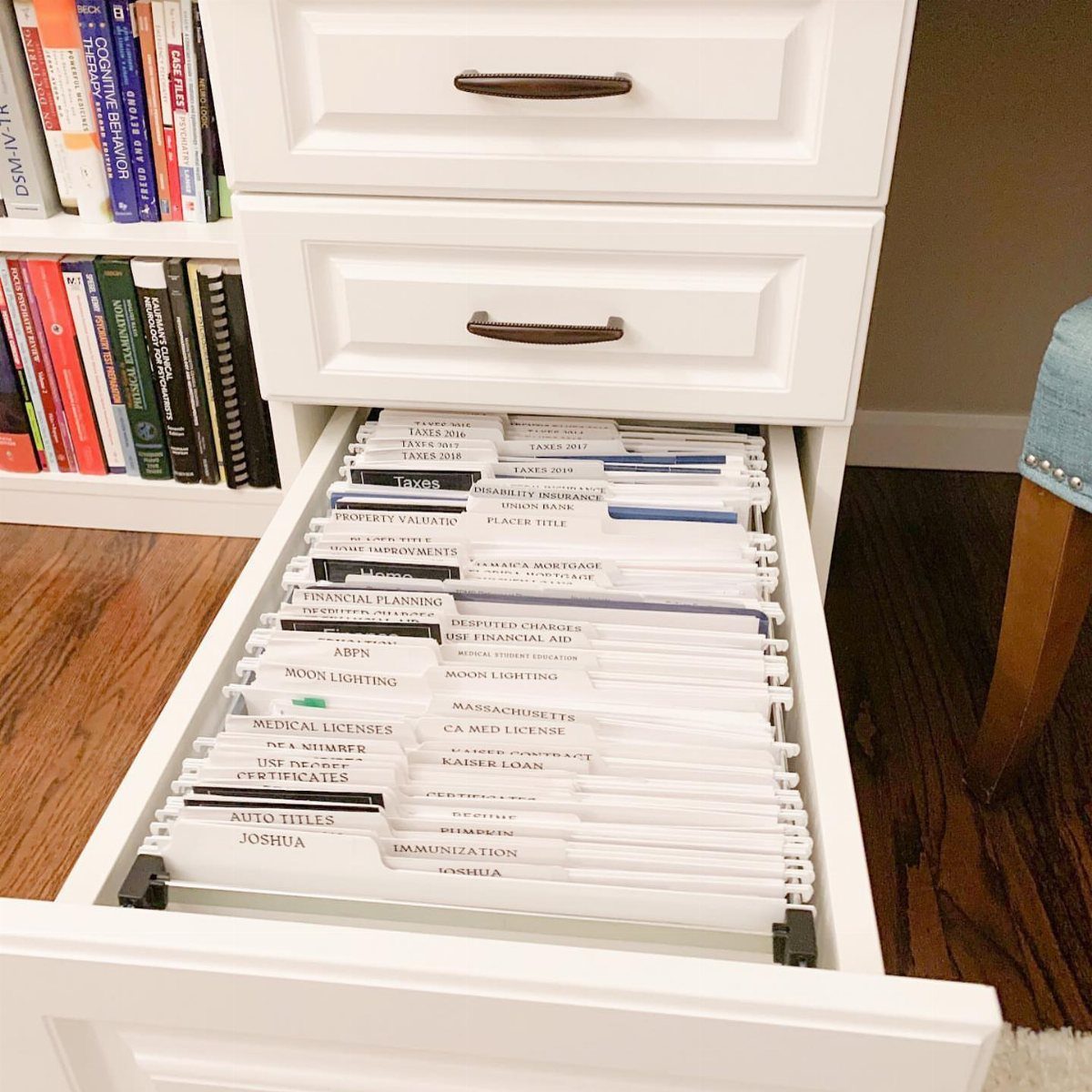
Any drawer can be a filing cabinet if it holds hanging folders. A white dresser drawer does the job here, and it costs nothing if you already own the dresser.
Label every tab in plain words, such as taxes, medical or financial planning, so you can grab a document in seconds. Keep the paper you need to retrieve in the drawer and off the desk surface.
A real cabinet is worth buying once the folders outgrow one drawer.
4. Office Plants
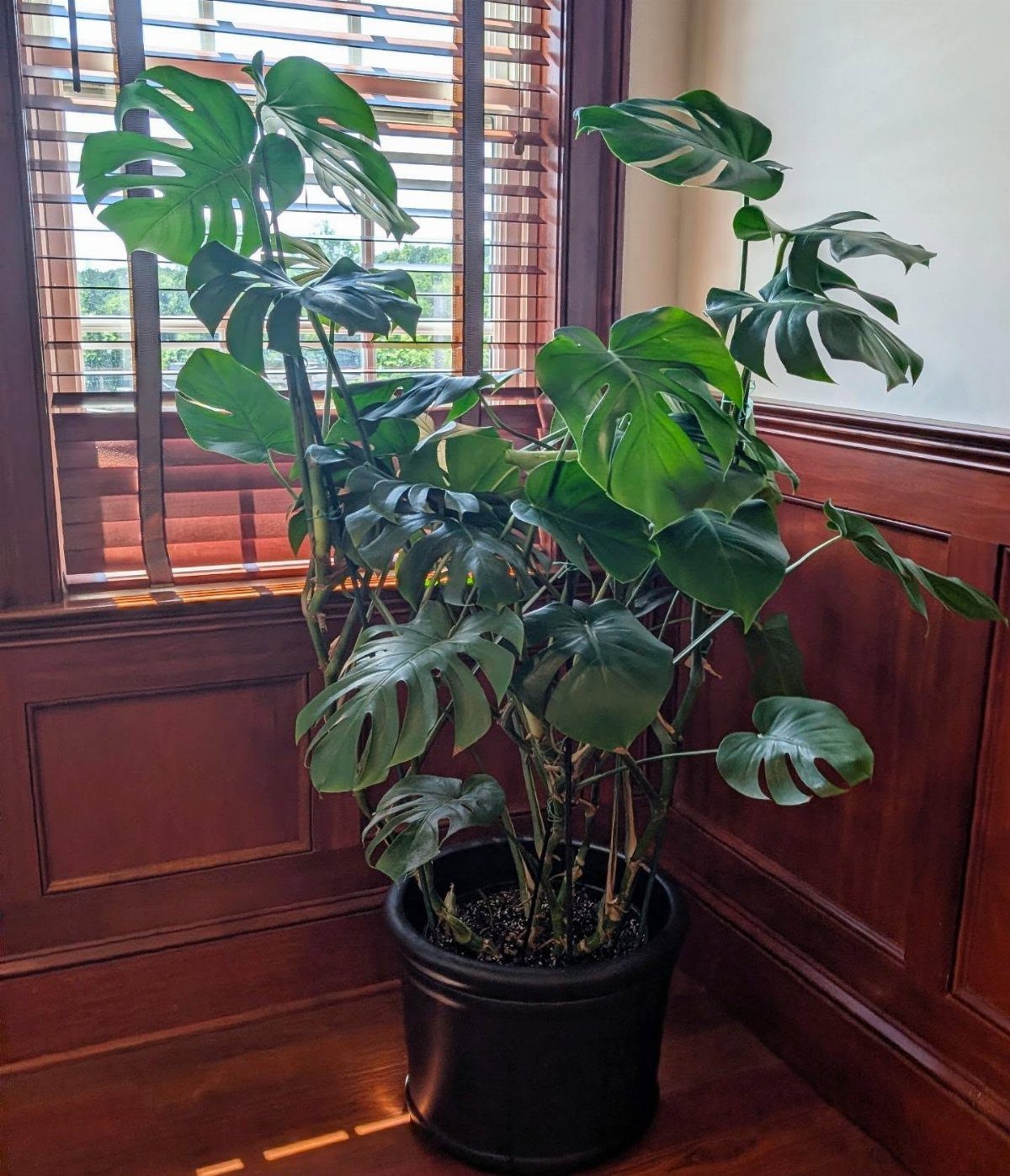
A Monstera in a black pot gives a corner of the room some height, and a plant that size fills empty floor space better than a few small ones on the desk.
Put it near a window, where it gets light, and pick a pot with a drainage hole or a liner.
A green shape in your sightline softens a room full of screens and cords, and most plants cost less than any other piece of gear you’ll buy.
Check the soil with a finger before watering, and a plant that sits near your desk will usually forgive a missed day.
5. Desk Organizers
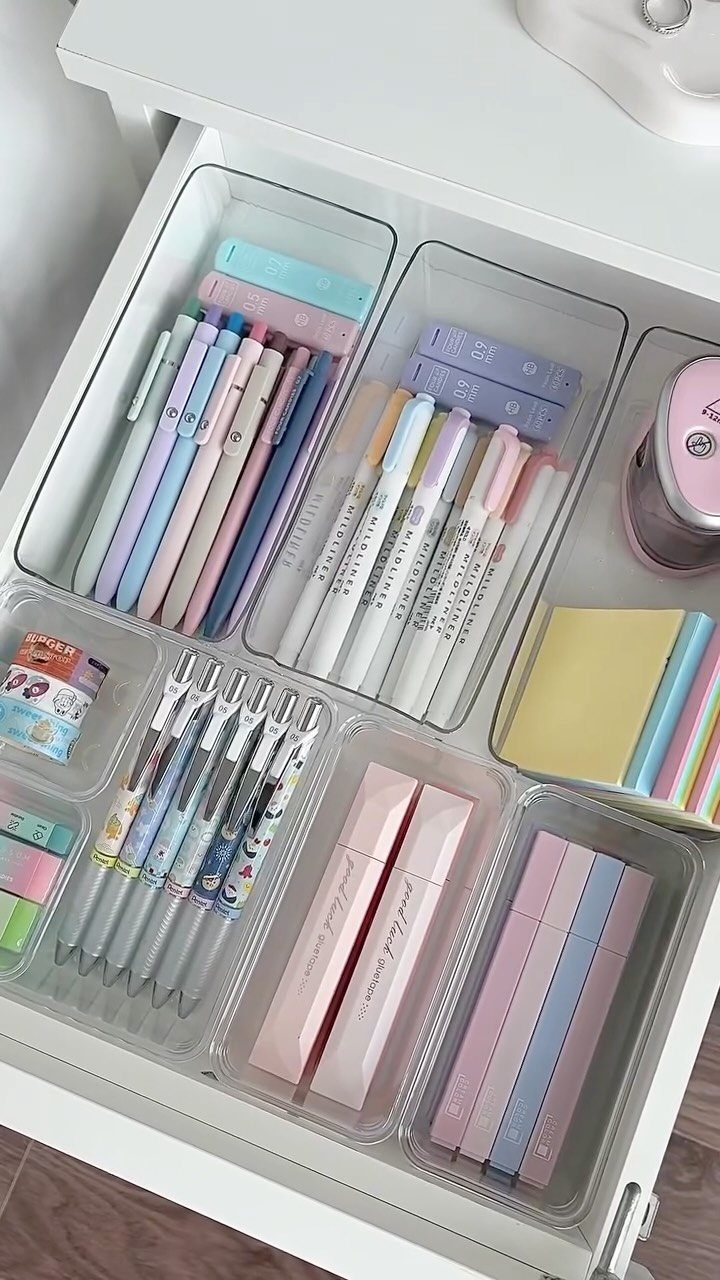
Clear acrylic trays inside a drawer sort pens, markers and sticky notes into separate compartments, so nothing rolls around or gets lost.
I prefer this to organizers sitting on the desktop, because the drawer hides the mess and frees the surface.
Measure the drawer before you buy, and choose trays in a few sizes so they tile with no gaps.
Pair them with cable management to keep wires off the desk too. Open compartments let you see every pen, cable and sticky pad at a glance.
6. Dual Monitors
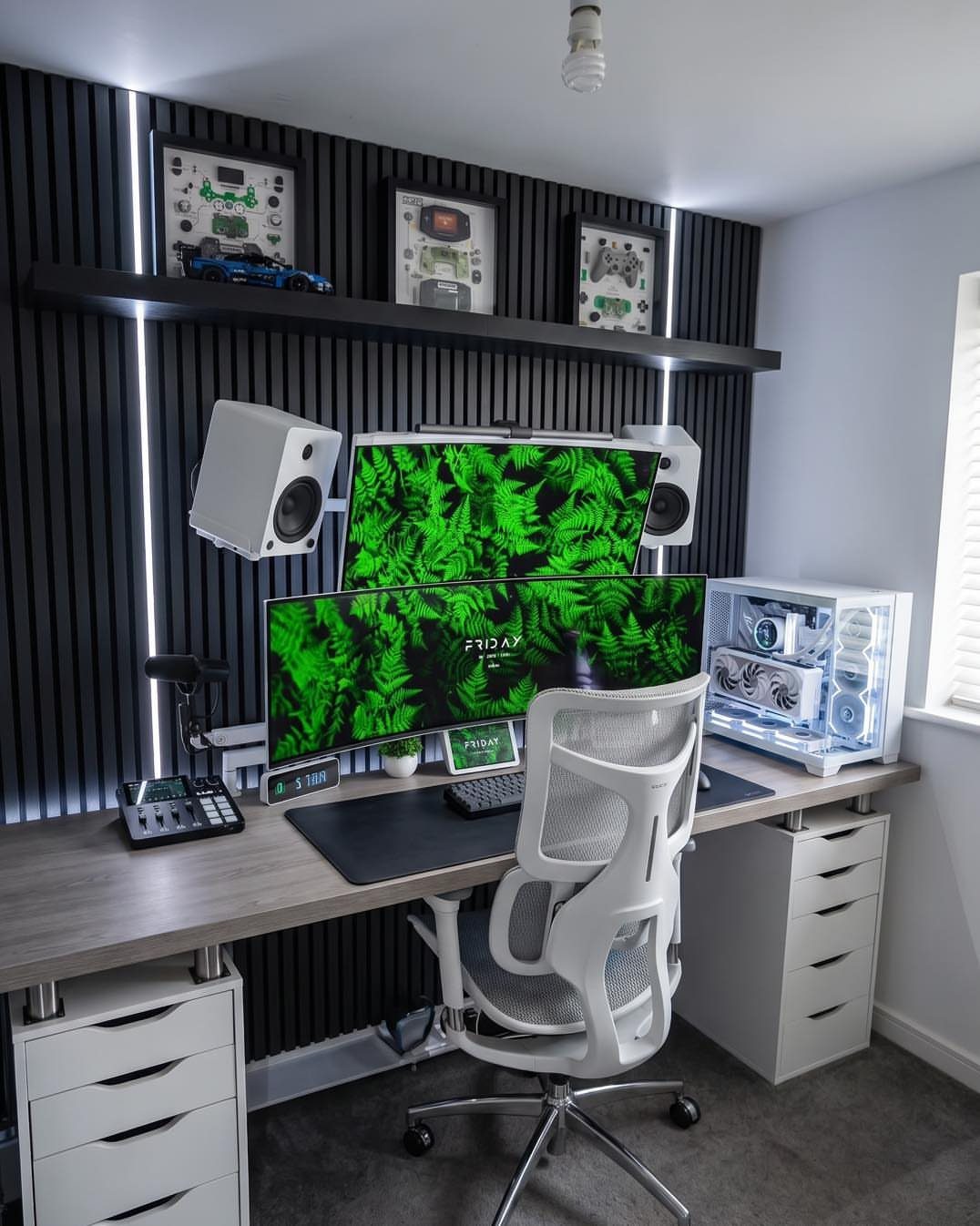
Two monitors give you room to keep email or reference material open on one screen while you work on the other.
Stacked vertically, as in this setup, they suit a narrow desk, since the pair takes up less width than a horizontal arrangement.
Match the screen sizes so windows move between them without resizing. Set the top screen so you only tilt your eyes slightly upward, and use the lower one for the work you touch most.
Check your computer has 2 video outputs first.
7. Desk Mat and Mechanical Keyboard
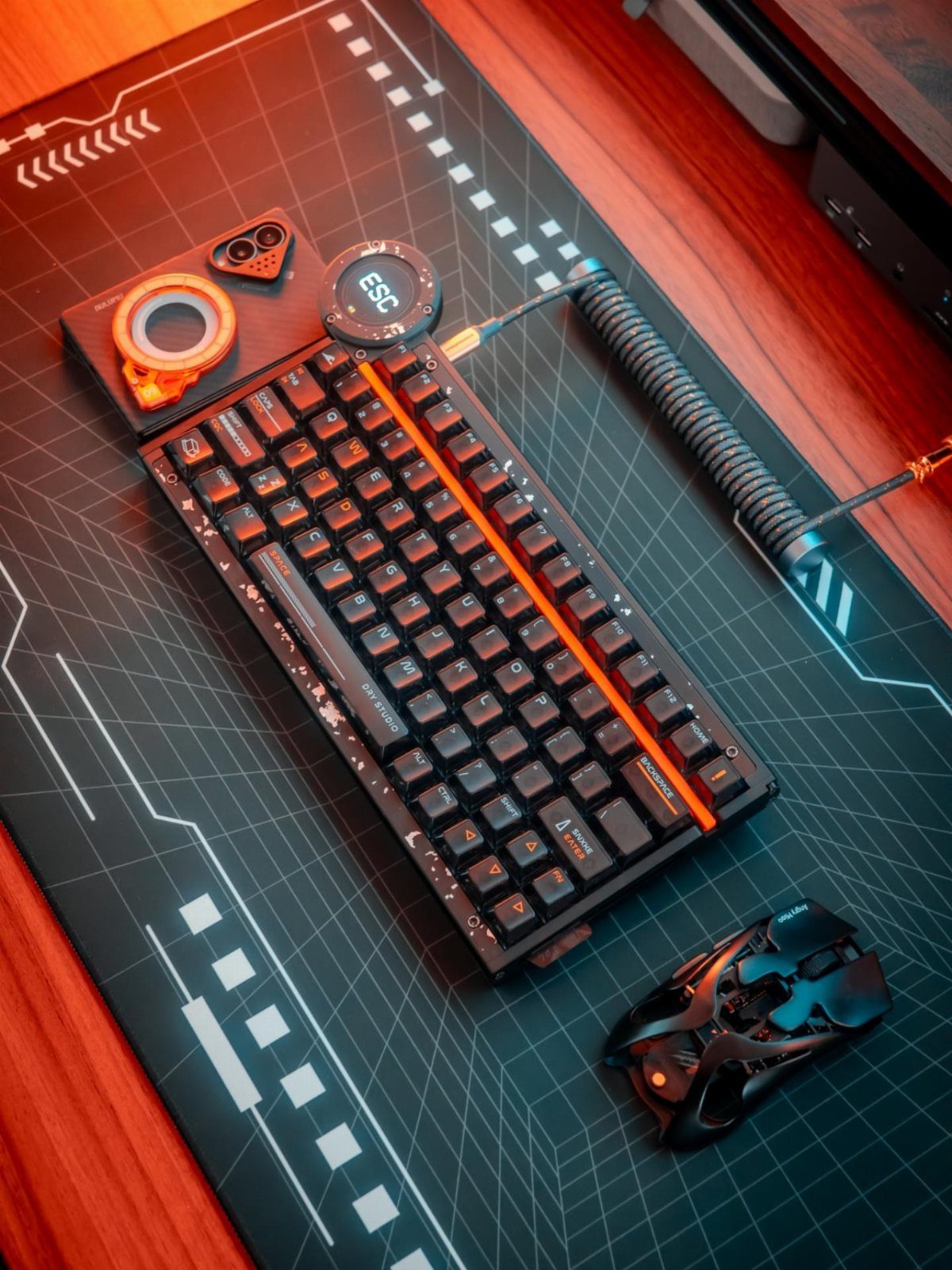
A large desk mat under the keyboard and mouse protects the wood from scratches and gives your wrist a smooth, even surface. Pick one wide enough that both the keyboard and the mouse sit fully on it.
A patterned dark mat also hides crumbs and smudges better than a plain light one. Mechanical keys are louder than a laptop’s, so a mat underneath takes some of the clatter off the desk.
I’d buy the mat first, since it costs little and changes how the whole desk feels.
8. USB-C Docking Station
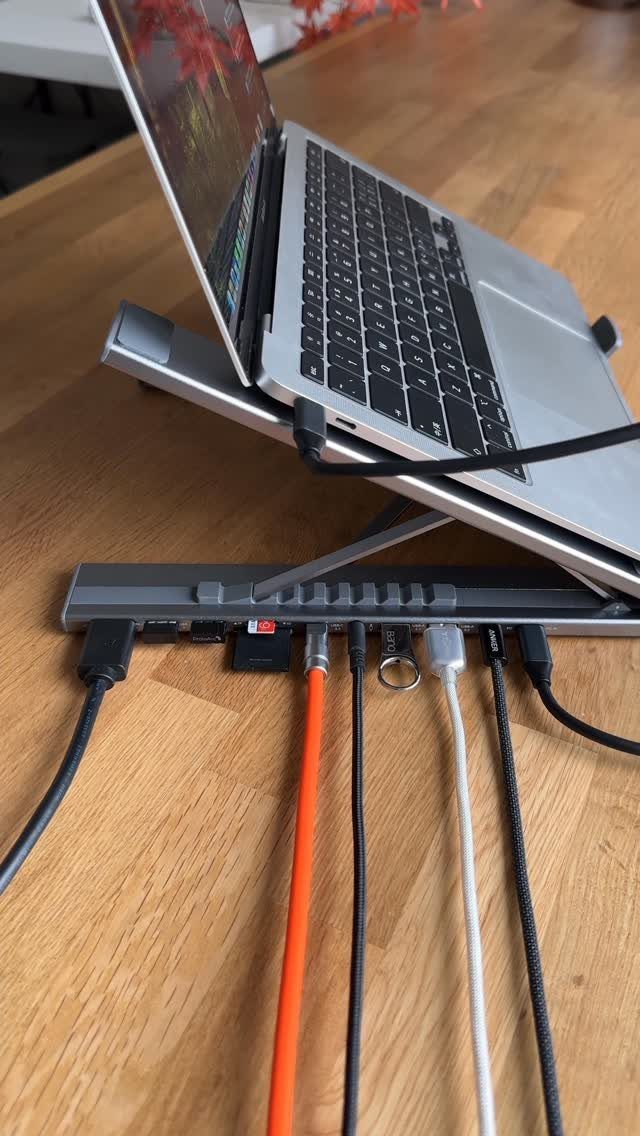
One USB-C cable from the laptop to a multi-port dock replaces the tangle of separate plugs you would otherwise connect every morning. Everything stays attached to the hub, so leaving for a meeting or coming back takes a single connection.
Count your devices before buying: monitor, keyboard, mouse, drive, charger. Then choose a dock with a few ports more than that.
Set it at the back of the desk, where the cords can run straight down and out of sight.
9. Ergonomic Office Chair
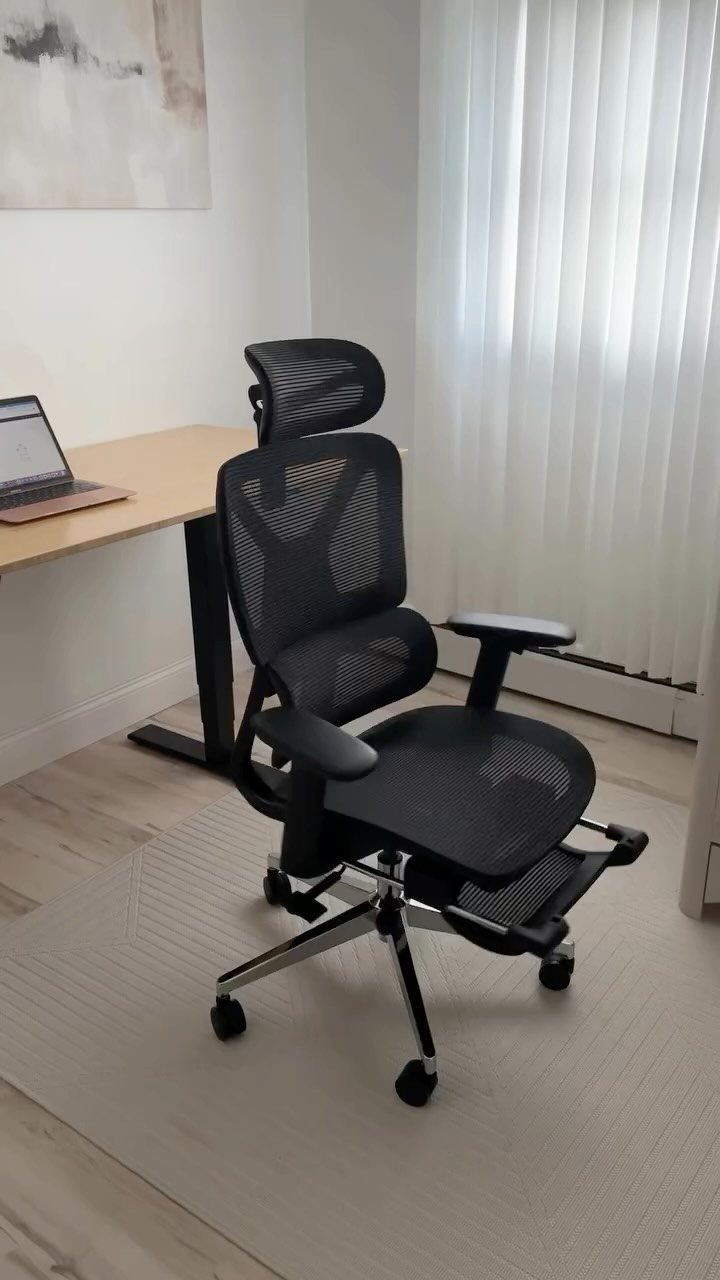
The chair is the piece worth spending extra on, because you sit in it for hours every day. Mesh backs stay cooler than padded ones, and an adjustable footrest helps if your feet don’t reach the floor comfortably.
Set the seat height so your forearms sit level with the desktop. Then adjust the back support until it meets the curve of your lower spine.
If a chair has no adjustments, it isn’t ergonomic, whatever the box says.
10. Height-adjustable Standing Desk
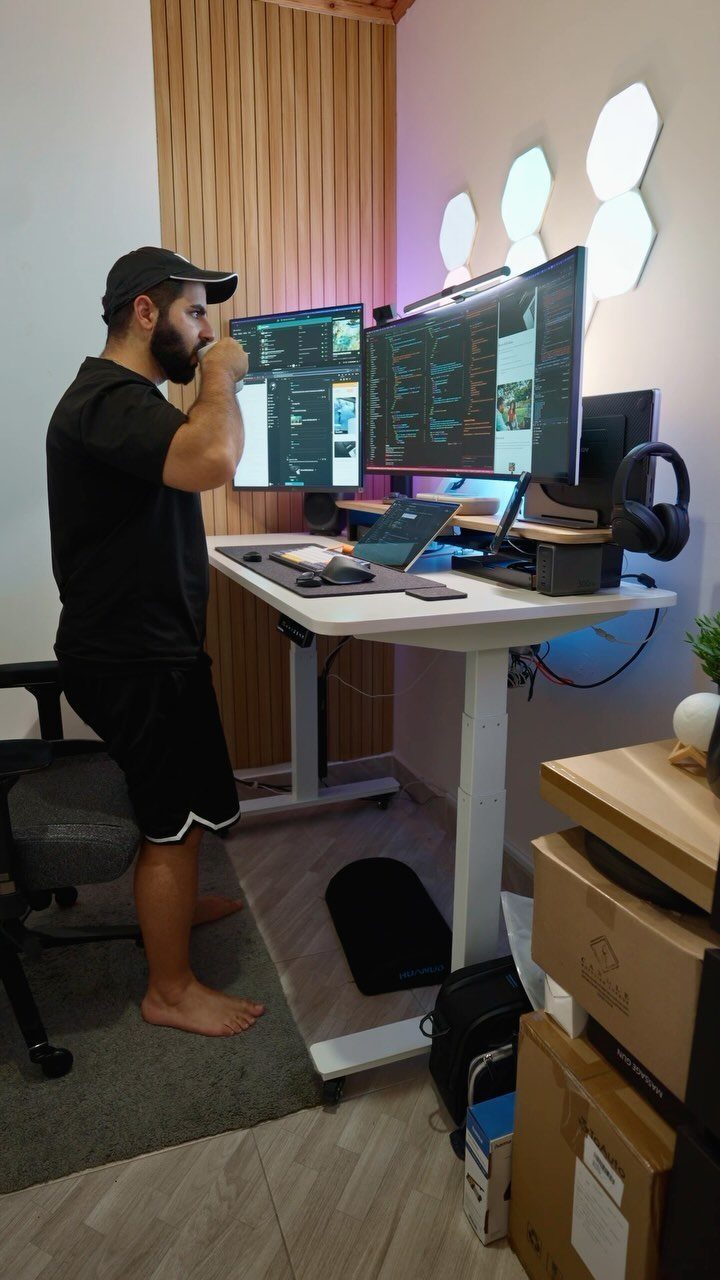
A height-adjustable desk lets you alternate between sitting and standing without moving your setup. Raise it until your elbows bend at a right angle with the keyboard, with the top of the monitor near eye level.
Heavy gear matters here, so check the weight limit against your monitors and laptop before you buy. Stand in short stretches at first, since a full day on your feet tires you out.
I’d choose a desk with saved height presets, so one button moves it back to your seated position.
11. Rolling Utility Cart
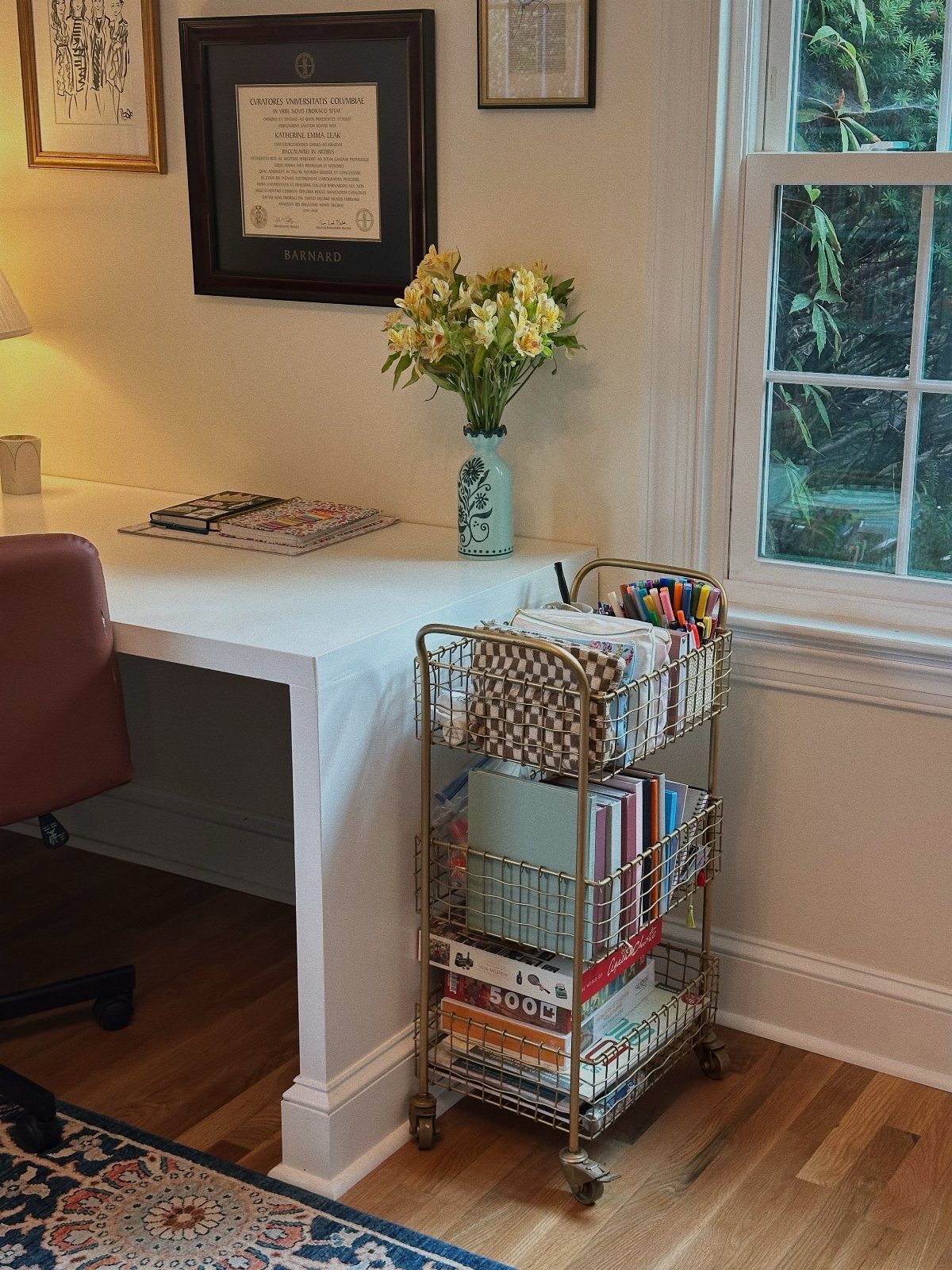
3 tiers of shelf on wheels give you a spot for notebooks, pens and paper that sits right beside the desk and rolls away when you need floor space.
A cart this size holds far more than a desktop tray and keeps the surface clear.
Put the things you reach for daily on the top tier, and bulky supplies on the bottom.
Choose locking casters if your floor has any slope, so the cart stays where you park it.
12. Desk Lamp
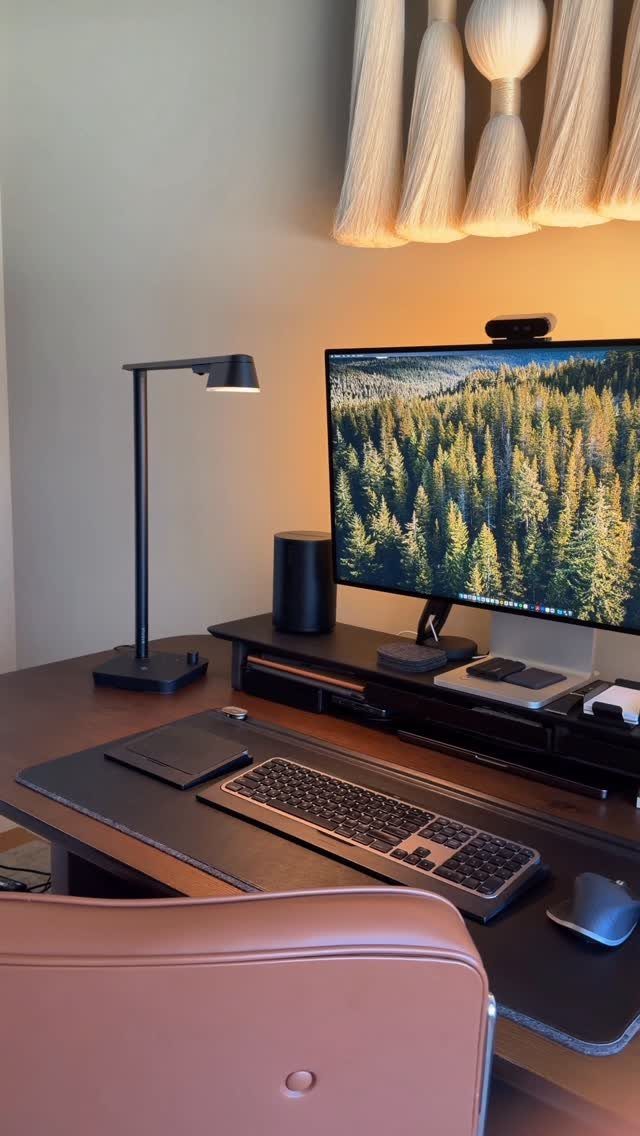
A desk lamp puts light on the page and keyboard, so your eyes don’t strain against a bright screen in a dim room.
Pick one with an adjustable arm or head, so you can aim the beam at your work instead of into the monitor.
Place it on the side opposite your writing hand, which keeps your shadow off the paper. Look for a model with adjustable brightness, since your needs change from morning to night.
A black lamp stays neutral beside the screen and other gear.
13. Water Bottle

Hours go by fast when you’re deep in a spreadsheet, and a clear bottle with time markers turns drinking water into something you can check against the clock.
If the bottle is still full by the time the morning is over, you know you’re behind.
I like the clear body because you can see the level at a glance. Fill it each morning and set it beside the laptop, within reach but away from the keyboard.
A lid that seals is worth having, since a spill near cords is the one risk on this desk.
14. Cable Clips
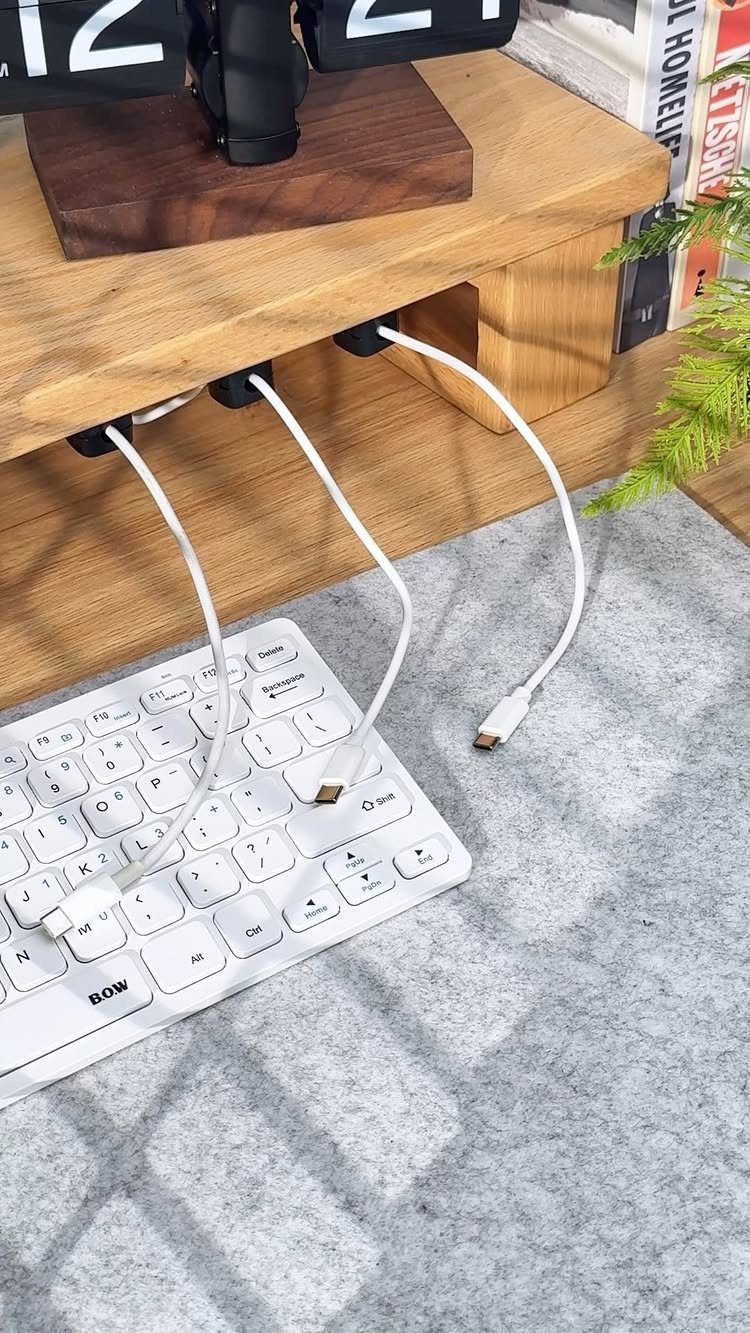
Black clips stuck along the underside of a desk edge keep loose cables from dangling and tangling behind your legs.
Each clip holds one cable, so a keyboard cord, a charger and a mouse lead can each run in their own line.
Route the cables toward the back of the desk first, then press the clips in place along the edge. Space them evenly so the wire doesn’t sag between them.
Dark clips against a light cable make the run look deliberate, and they cost very little.
Importance of Ergonomics
Back pain from sitting rarely shows up in the first week. It builds over months, which is why the chair deserves a bigger share of the budget than most of the gear around it.
A doctor’s recommendation is a good reason to spend, and so is any ache that eases when you stand up.
Take a break from the seat every so often, even a good one. No chair fully cancels the cost of sitting for long stretches.
Creating a Productive Environment
Plants are the easiest personal touch to add, and some of them are very hard to kill. A snake plant, money tree, peace lily, aloe vera or jade plant will forgive a missed watering.
One study found people working around plants were 37% less tense and anxious and 58% less depressed. I wouldn’t promise those numbers for your desk, but the direction is reason enough to try one.
If you can, place the desk under a window so the plant gets the daylight it needs.
Keep the rest of the decor to a few things you like looking at. A room that makes you glad to sit down in it is one you’ll actually work in.
Maintaining Organization
For a small desk, I’d go with a two-tier shelf that sits over the work surface and lifts the monitor.
It works as a monitor stand and lifts the screen to eye level, while the space underneath holds the small items you reach for.
Less on the surface means fewer distractions, and that is where the gain in focus comes from.
Stray cables don’t all have to stay on the desk. A spare drawer can take the ones you rarely use, such as extra chargers, so they stay out of sight.
Do a quick reset at the end of each workday. Putting things back at the end of the workday keeps the desk usable the next morning.
Frequently Asked Questions
What are the essential items for a home office?
Start with an adjustable ergonomic chair, a desk at the right height, and a monitor raised to eye level. A printer with a built-in scanner, a drawer or cabinet for hanging folders, and a desk lamp round out the basics.
Start with the chair, because sitting poorly for 8 hours a day damages your back in ways that don’t announce themselves until they’re entrenched.
How can I improve my home office setup?
Adjust the chair height until your forearms stay parallel to the desk, then lift the monitor until the top edge sits at eye level.
Then add an adjustable desk lamp, and clear the desk surface by moving pens and small items into a drawer tray and clipping cables along the desk edge.
A single plant and a nightly five-minute reset are enough to keep the space from feeling stale.
What technology do I need for remote work?
A laptop or computer with one or two monitors, a separate keyboard and mouse, and a printer with a built-in scanner cover most jobs.
Check your computer’s video ports before you buy a second monitor, since some machines only support one external display at a time.
A USB-C docking station with a few more ports than your device count lets one cable connect the monitor, keyboard, mouse, drive and charger.