Settle on one look before you buy anything, since most cluttered gaming rooms come from mixing three themes, whether that’s Retro Arcade, Anime, or White Gaming Room.
1. Quirky Wall Design
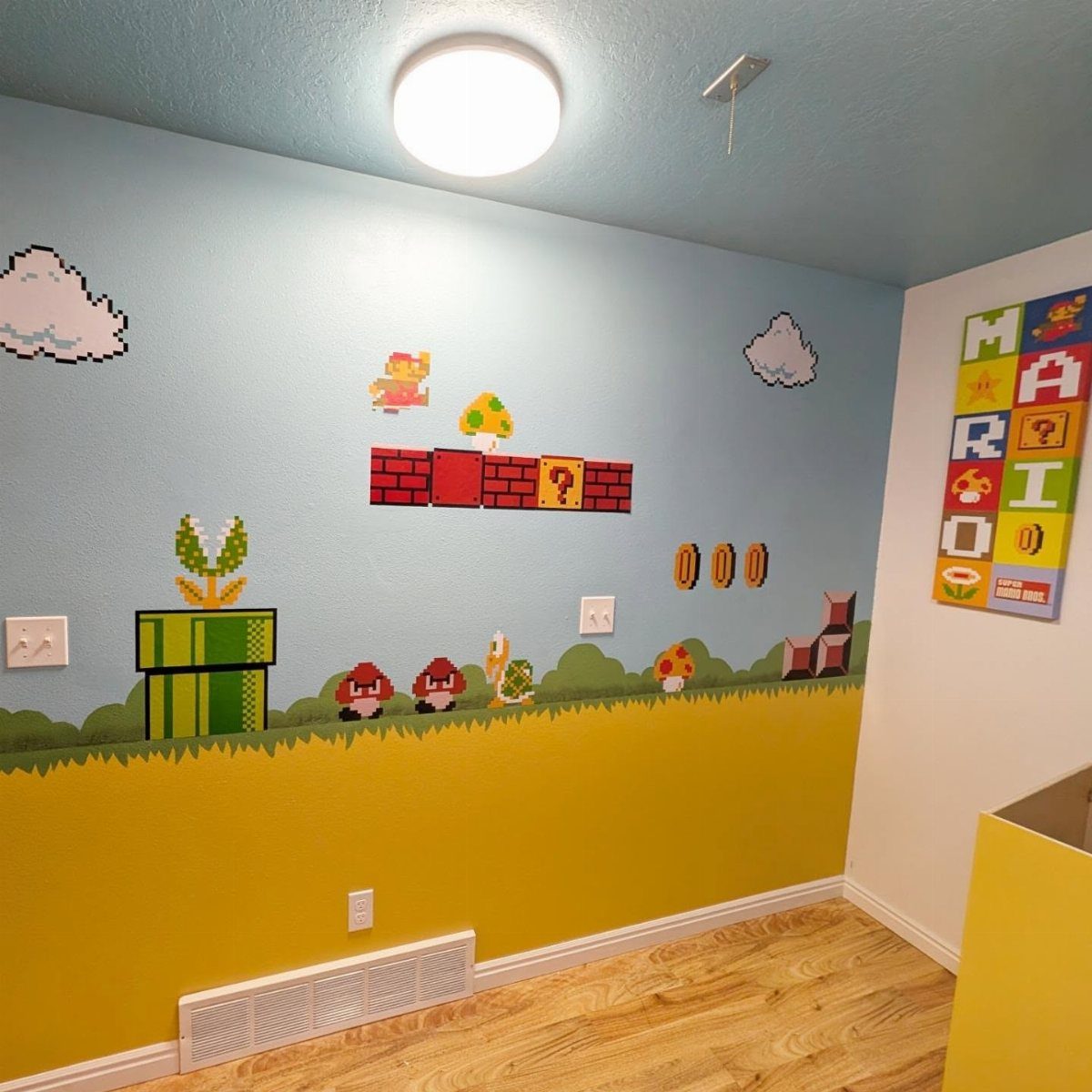
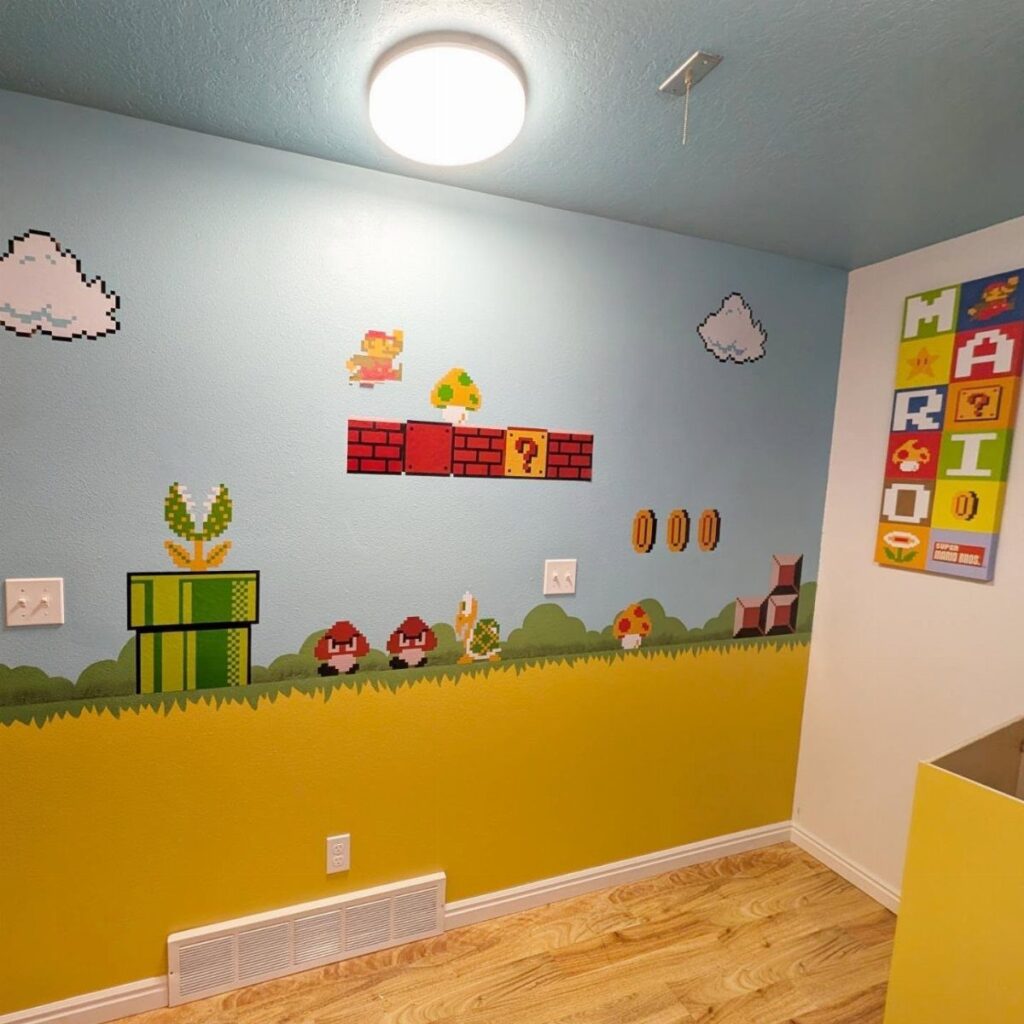
Pixel-art decals do the heavy lifting here, and the two-tone paint behind them is what makes them pop.
Blue and yellow sit far apart on the color wheel, so the Mario characters keep their edges instead of blending into the wall.
Decals are the renter-friendly route: they peel off, cost little, and a weekend is plenty.
Keep the poster in the same cluster so the wall reads as one composition. Light wood flooring balances out heavy color on walls and shelves.
2. Dual Setup
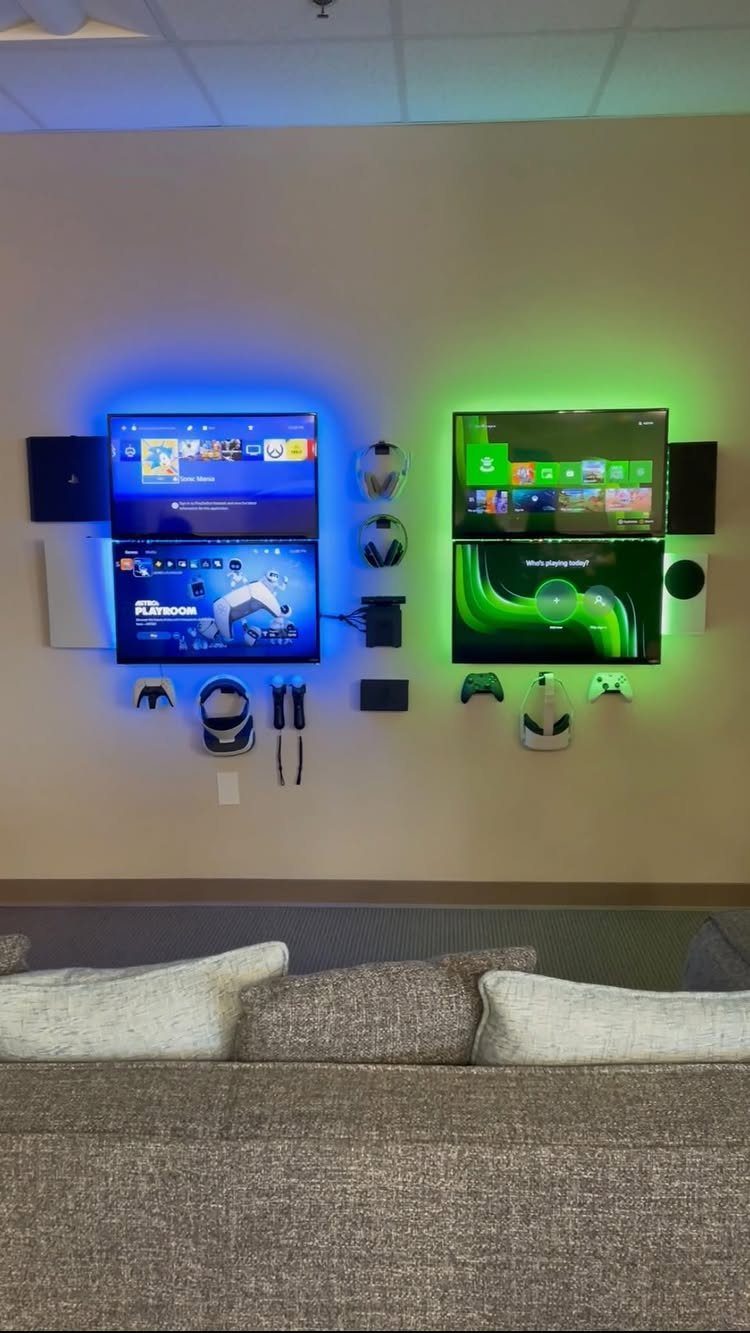
Mounting four monitors in two stacked pairs frees the floor completely, which is why this layout suits a shared room. The sofa stays where it is, and the wall above it becomes the whole gaming station.
I like that the consoles, controllers and headsets hang right beside the screens.
Everything has a home, so 2 players can start without a cable hunt. Blue and green backlighting behind the screens cuts glare and adds depth against a neutral wall.
3. Futuristic Gaming Oasis
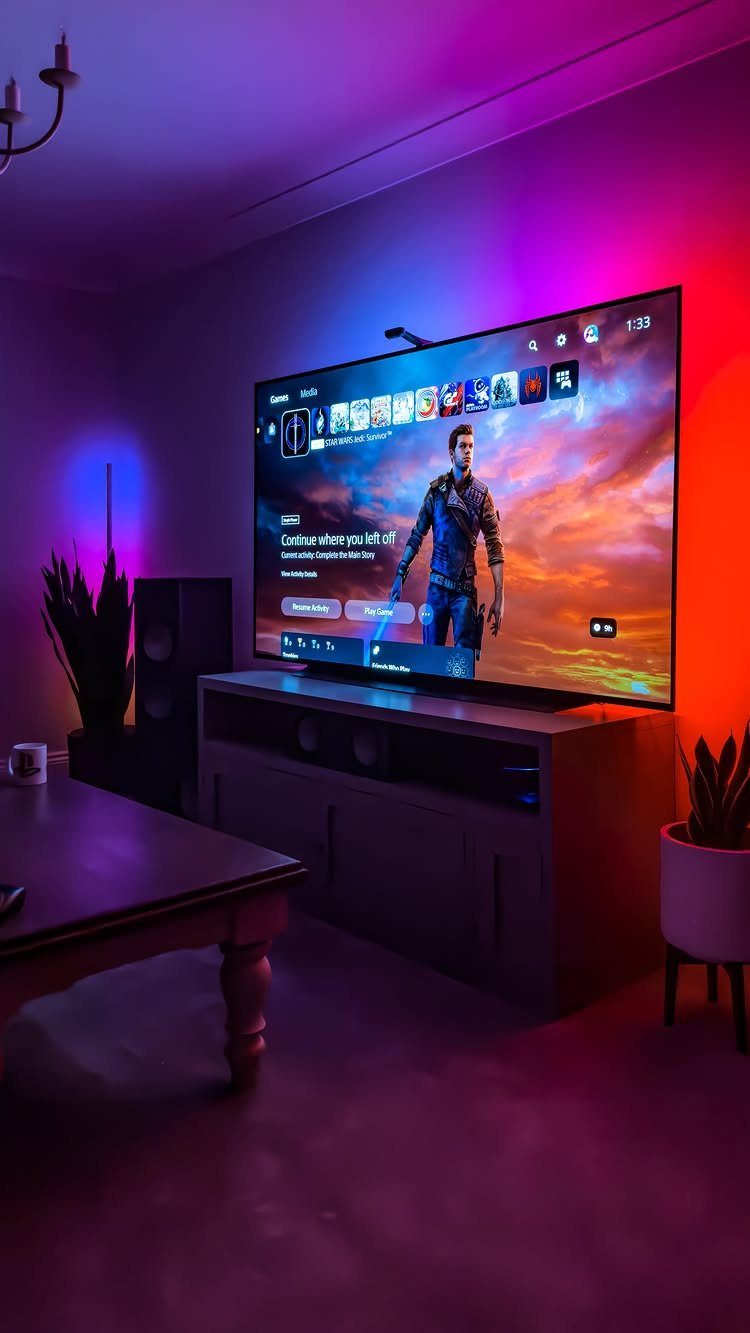
A big TV and purple-blue ambient light can carry a futuristic look in an ordinary living room. No remodel needed: the color comes from light, not paint.
Keep the rest quiet. A plain TV stand, a simple coffee table and one plant leave the glow as the only show.
If you add one more lighting piece, make it a second strip in the same purple family rather than a new color, so the room stays calm instead of busy.
4. Anime Gamer Room
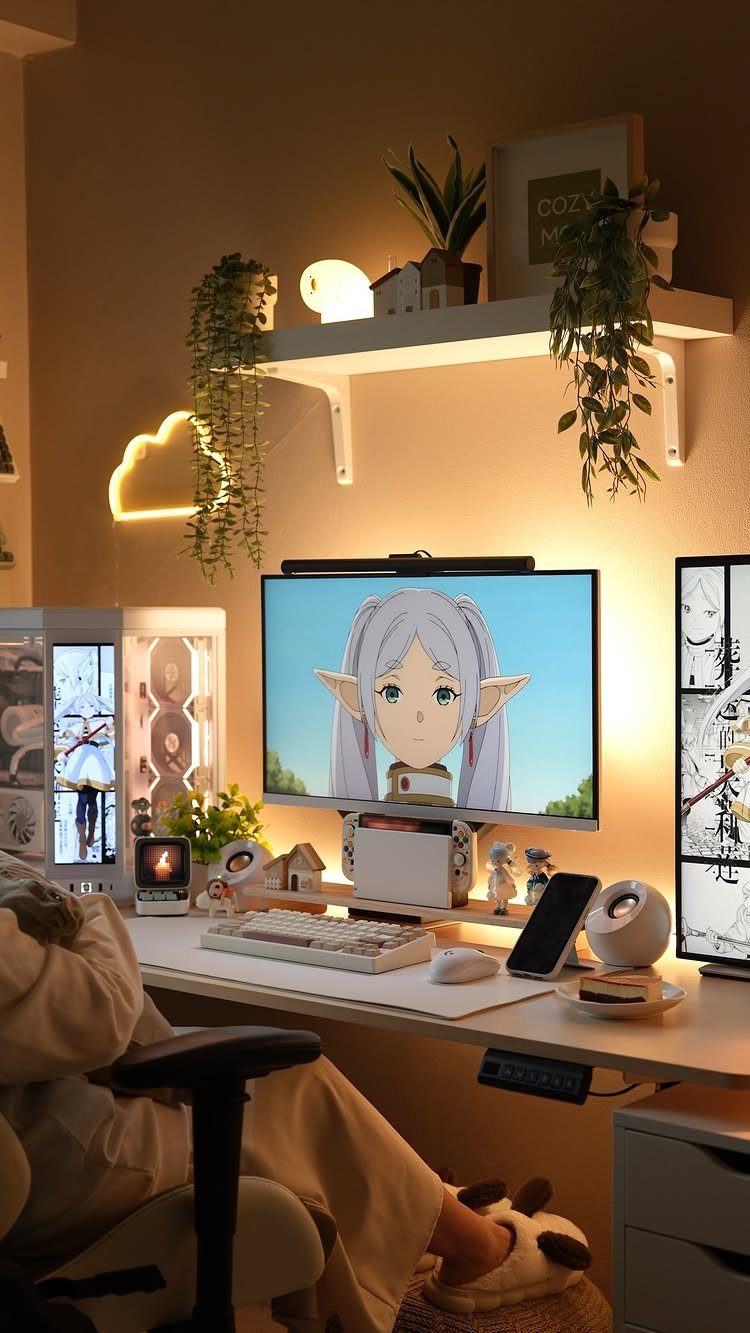
Anime fans can build a whole room around one desk. A white desk keeps the setup from getting too dark, and a neon light mounted on the wall adds glow without eating floor space.
Hanging plants on a shelf soften all that LED color, and I’d copy that move. Without something green, a room full of lights and screens starts to feel like a store display.
5. Warm Lighting
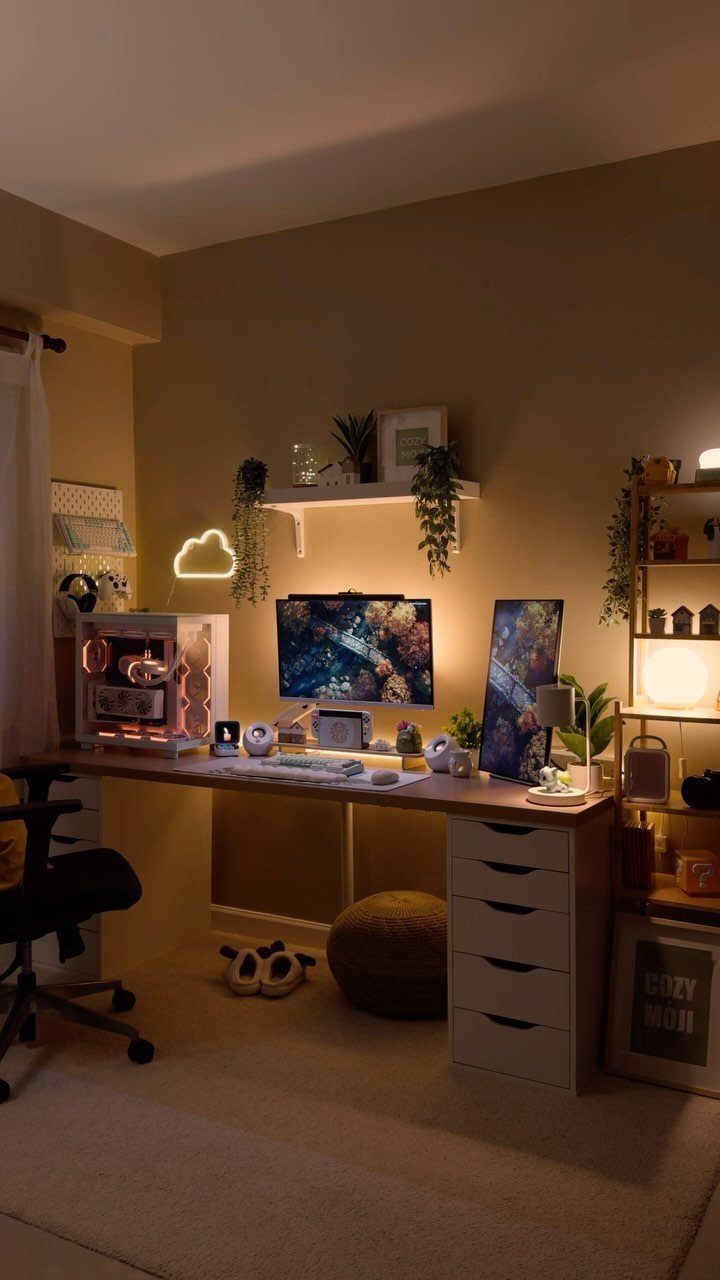
Swap the cool blue glare for golden light and a gaming desk turns into somewhere you want to stay for hours. A cloud lamp and a small table lamp, both warm, do the job without a single overhead fixture.
Place the lamps at different heights so the light layers across the wall.
String lights are a cheap extra if the shelf looks bare. A small sign, like the "COZY MOJI" one here, gives the glow something to land on.
6. Gaming Office Combo
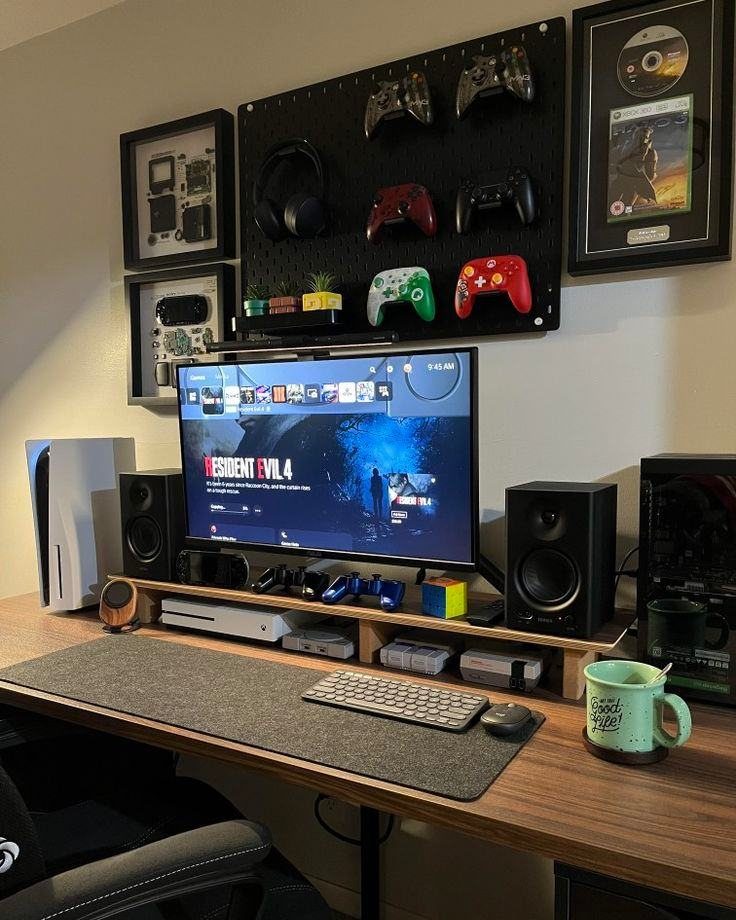
A wooden desk and a pegboard make a setup that works for both play and paperwork.
The pegboard is the smart piece: controllers and headphones hang within reach but off the desktop, leaving the surface clear for a keyboard, mouse and speakers.
It’s also cheap and easy to rearrange as your gear changes. A big monitor and a PS5 on the same desk mean one spot covers console nights and day-job hours, which suits small homes best.
7. White Gaming Room
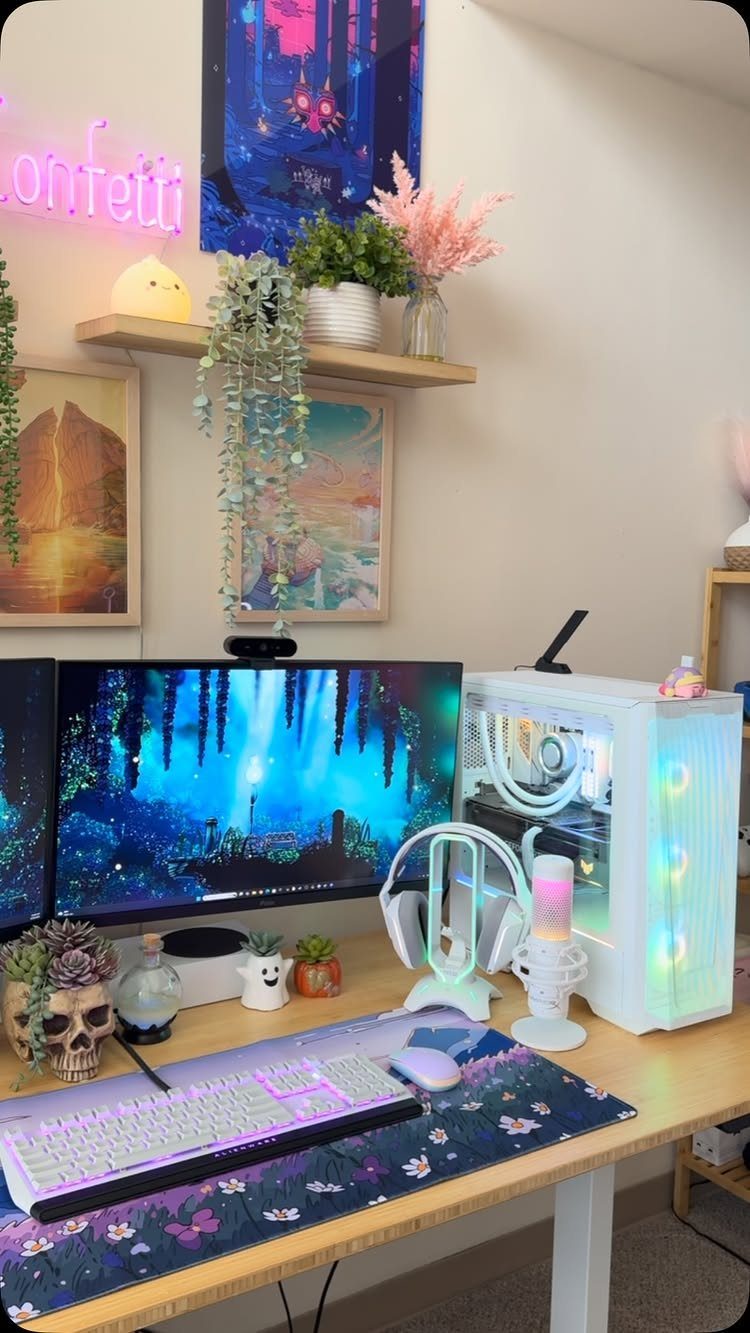
A white PC case, keyboard and headset on one desk keep the setup calm, and the color does most of the work. When the gear matches, the plants and the "confetti" neon sign become the only accents in the room.
I’d copy that restraint.
Pick one loud piece, like the neon, and let the art stay simple around it. White shows every cable, so tuck them out of sight before you call the desk done.
8. Pink Aesthetic
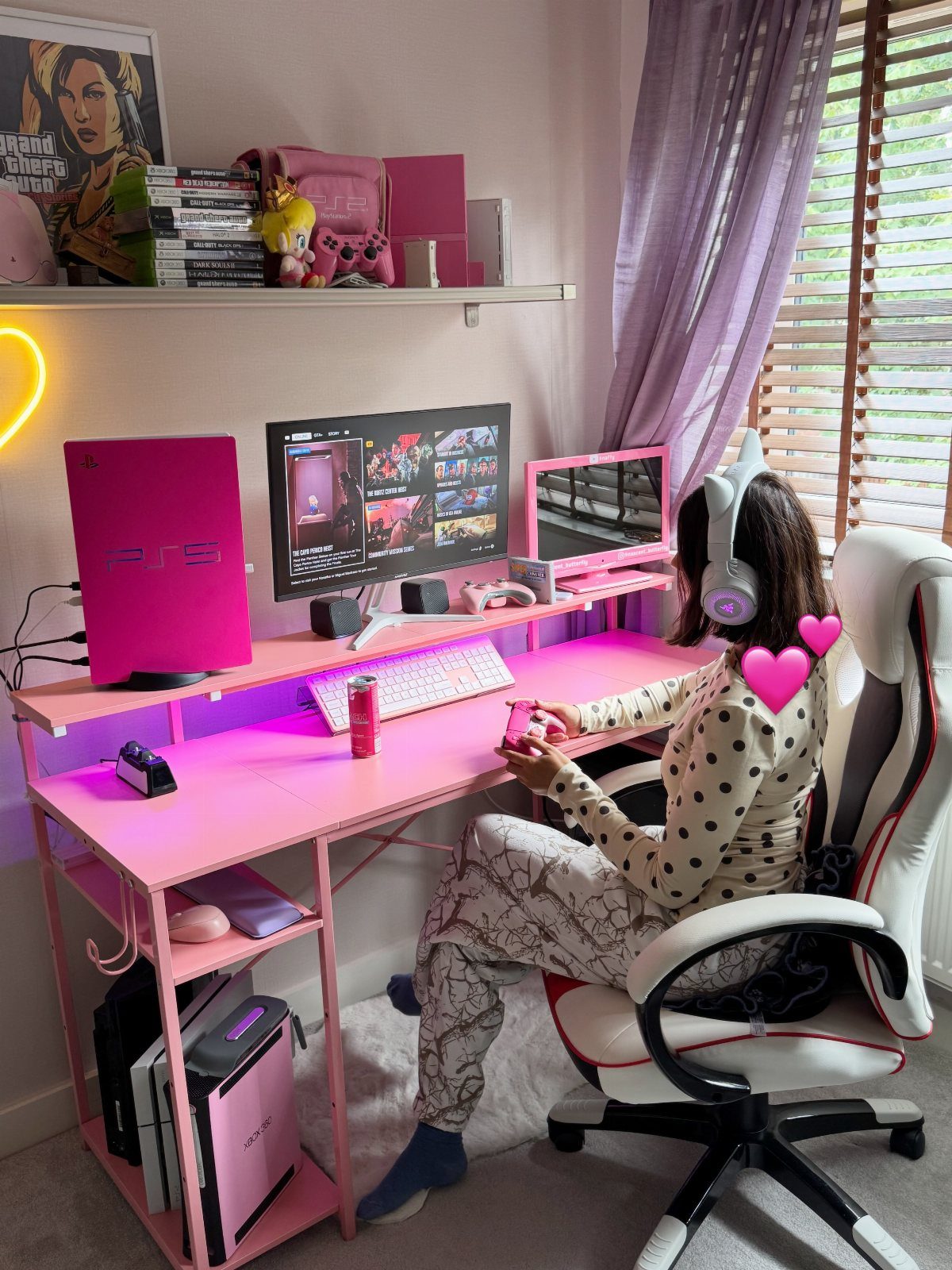
Pink works best when it runs through the gear and the desk together. A pink PS5, monitor and Switch on a pink desk read as one planned setup instead of a pile of accessories.
Keep the gaming chair and the room’s accents in the same family so nothing fights.
I’d stay with one shade of pink rather than mixing several. Soft pajamas and a cozy chair help too, since a room like this invites long sessions.
9. Wall Tiles
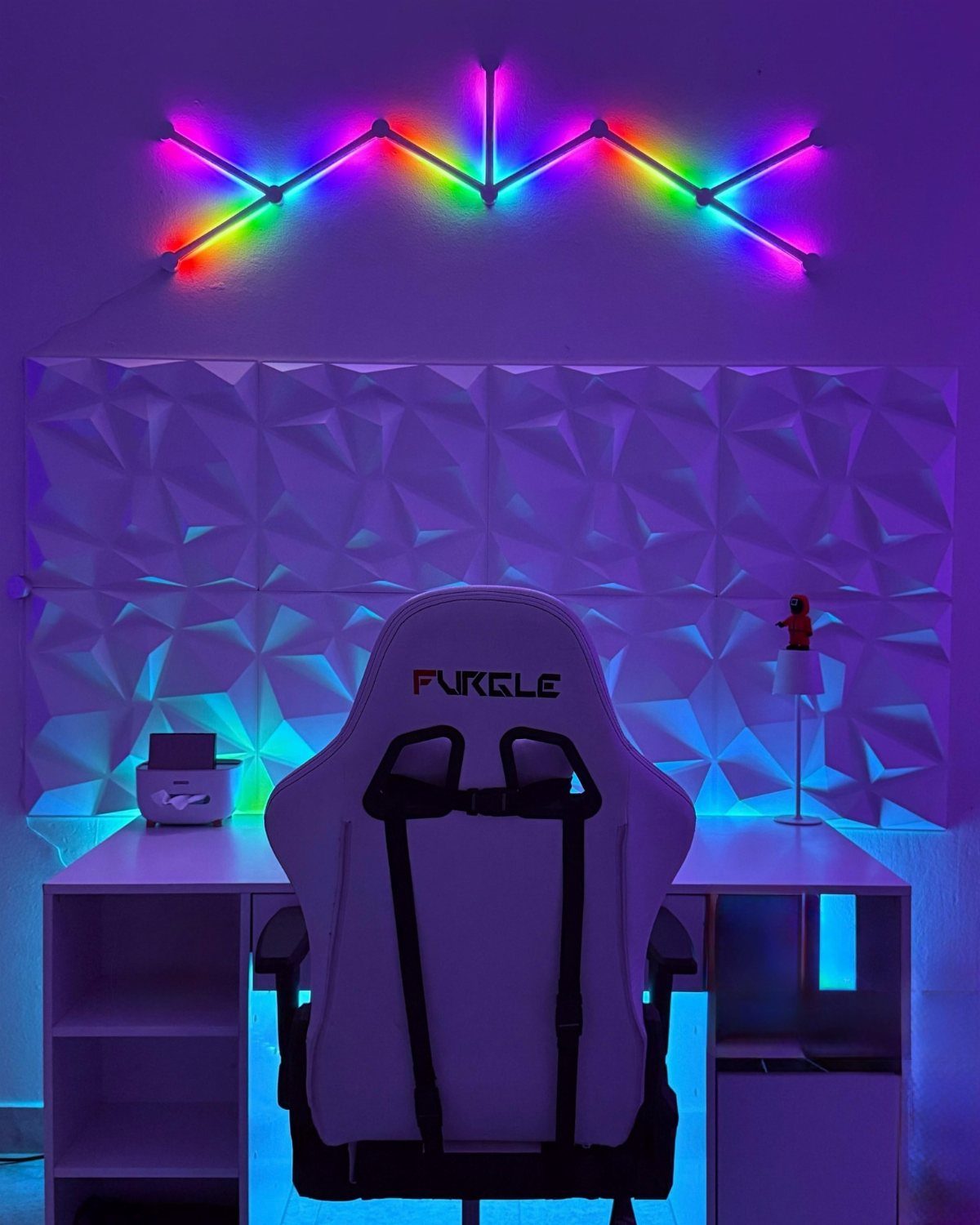
Textured 3D geometric tiles give a plain white wall depth without any paint or color. Behind a white desk and chair, the pattern catches light and shadow, so the wall looks finished even when the screen is off.
Rainbow LED strips along the tiles are a fun add-on, and the white surface bounces the color nicely. A plain desk and chair work best here, because the tiled wall is already the busy part.
10. Retro Arcade Revival
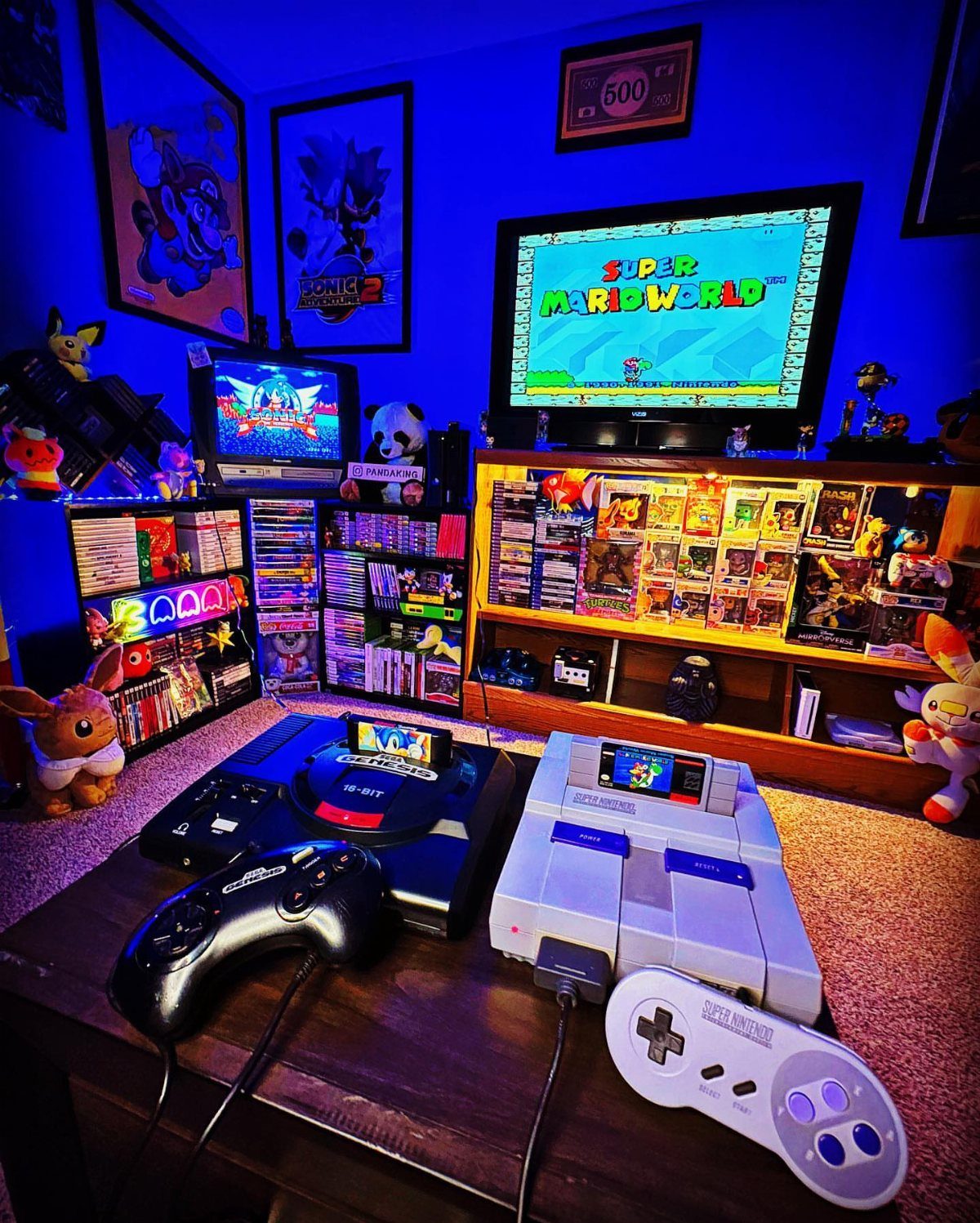
Sonic posters and blue lighting tie the wall to the consoles.
Shelves for games and figures keep the collection on display and off the table. I’d keep the lighting blue rather than adding more colors, so the posters and the game screen stay the brightest things in the room.
11. Cozy Gamer’s Retreat
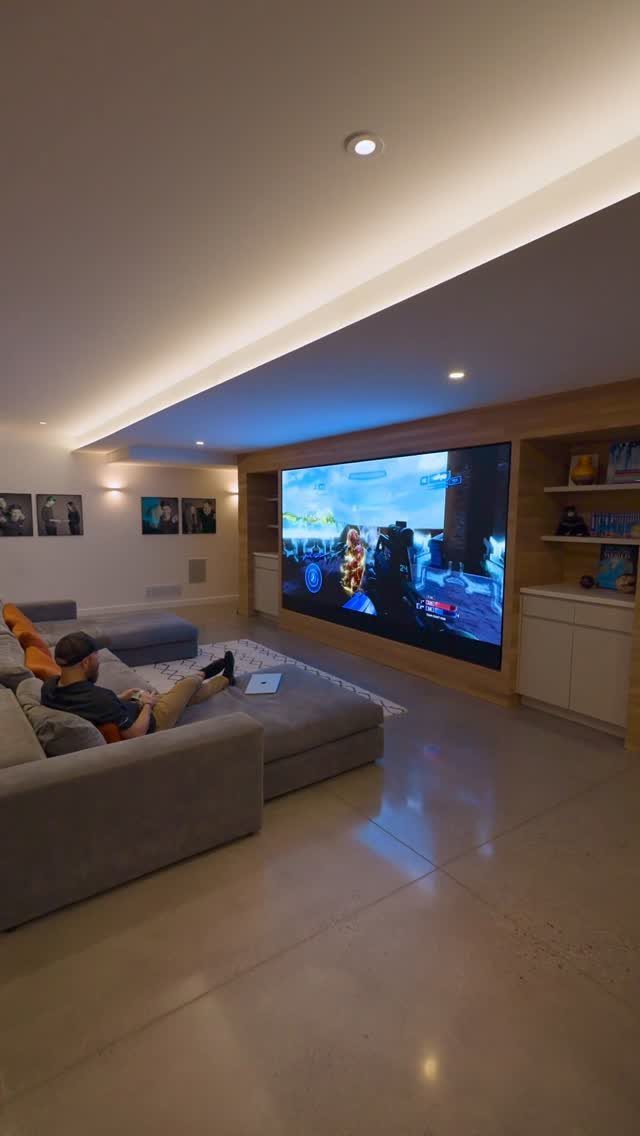
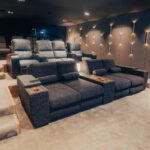
A large grey sectional and one huge screen turn an ordinary living room into the best seat in the house. Grey is a smart base because it stays neutral while the game supplies the color.
Choose a sofa deep enough to stretch out on, since comfort is the whole idea here. A built-in screen keeps the wall clean and the room looking like a living room first, which suits shared homes.
12. Streamer’s Studio
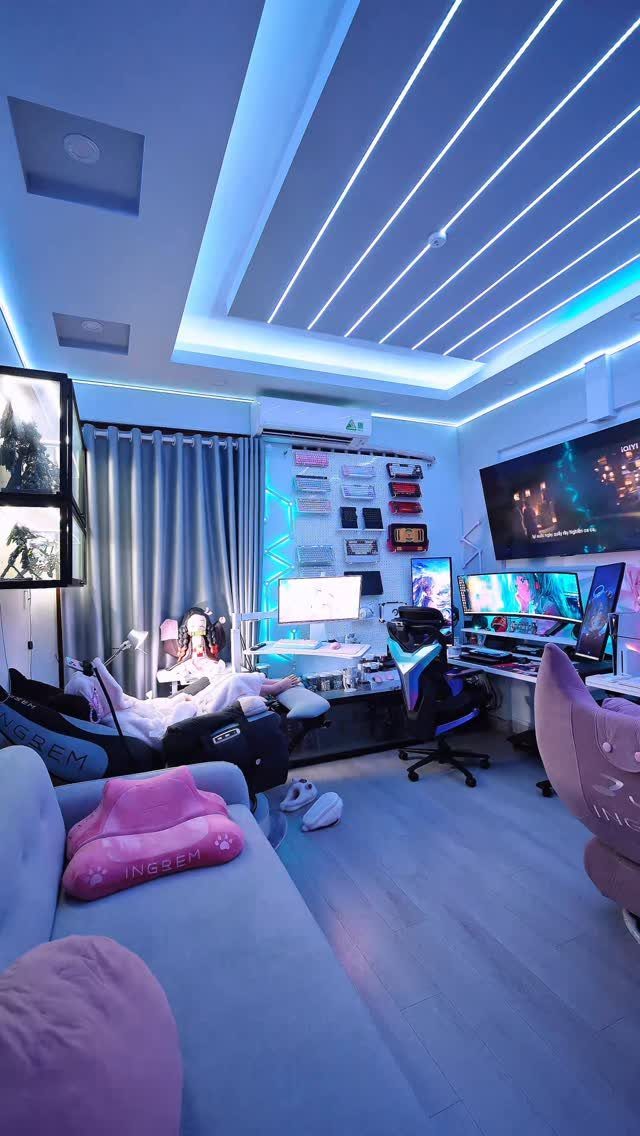
Blue LED lighting, several monitors and a proper gaming chair mark this as a streaming space, and a sofa set back from the desk gives the room a second purpose.
Guests or co-players can sit back there without crowding the desk.
Soft textiles take the edge off the look and stop the room from feeling like a control center.
13. Nintendo Themed Room
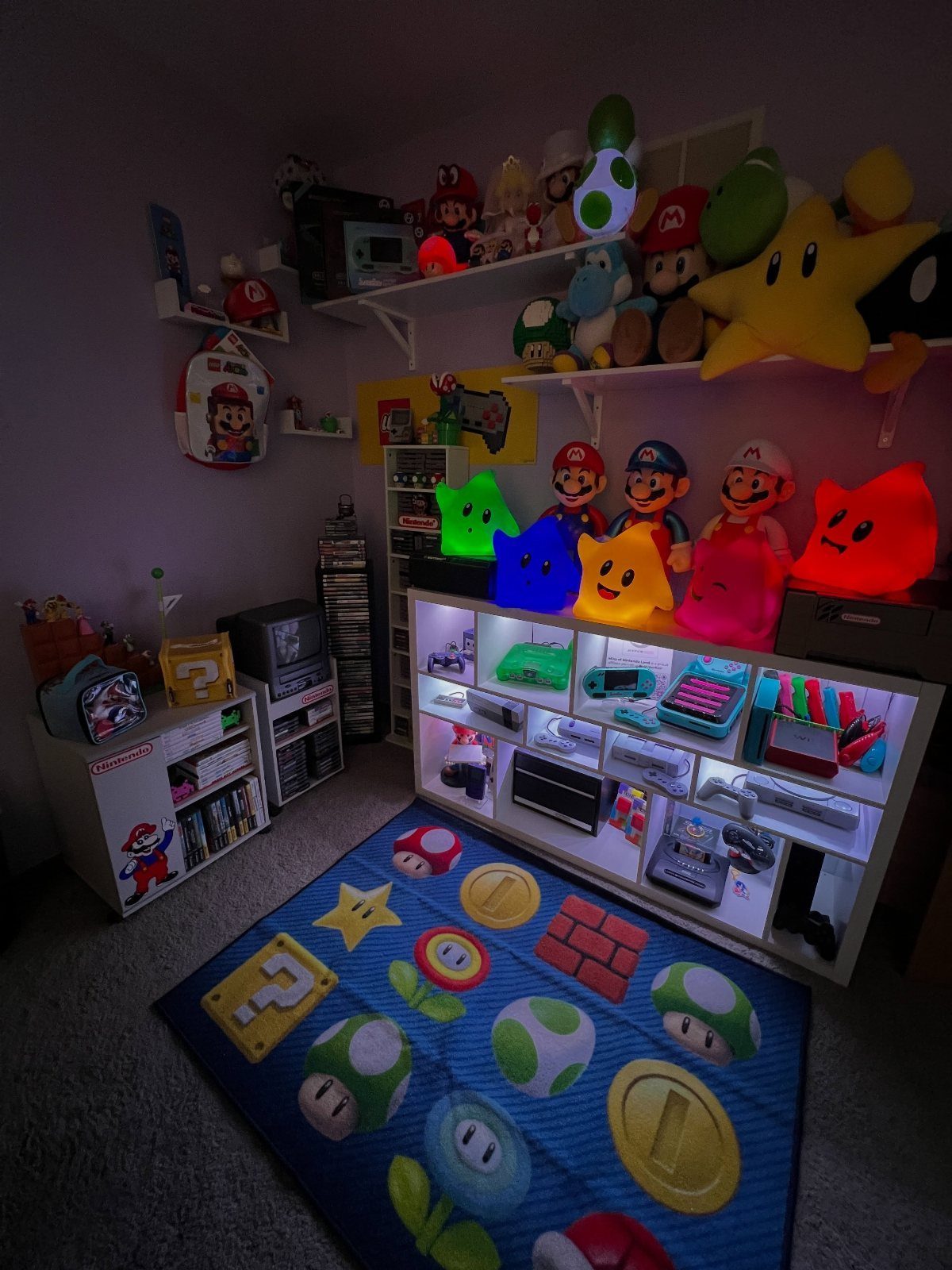
A Mario rug does a lot of work in a Nintendo room, because it marks the play zone without a single nail in the wall.
Pair it with white shelves and the plushies and consoles become the color, so the room stays tidy.
I’d keep the shelf loose and sorted by character or console, not packed edge to edge. A small TV is enough here; the collection is the point, and a short list of displayed pieces beats a wall of clutter.
14. Wood Slat Accent Wall
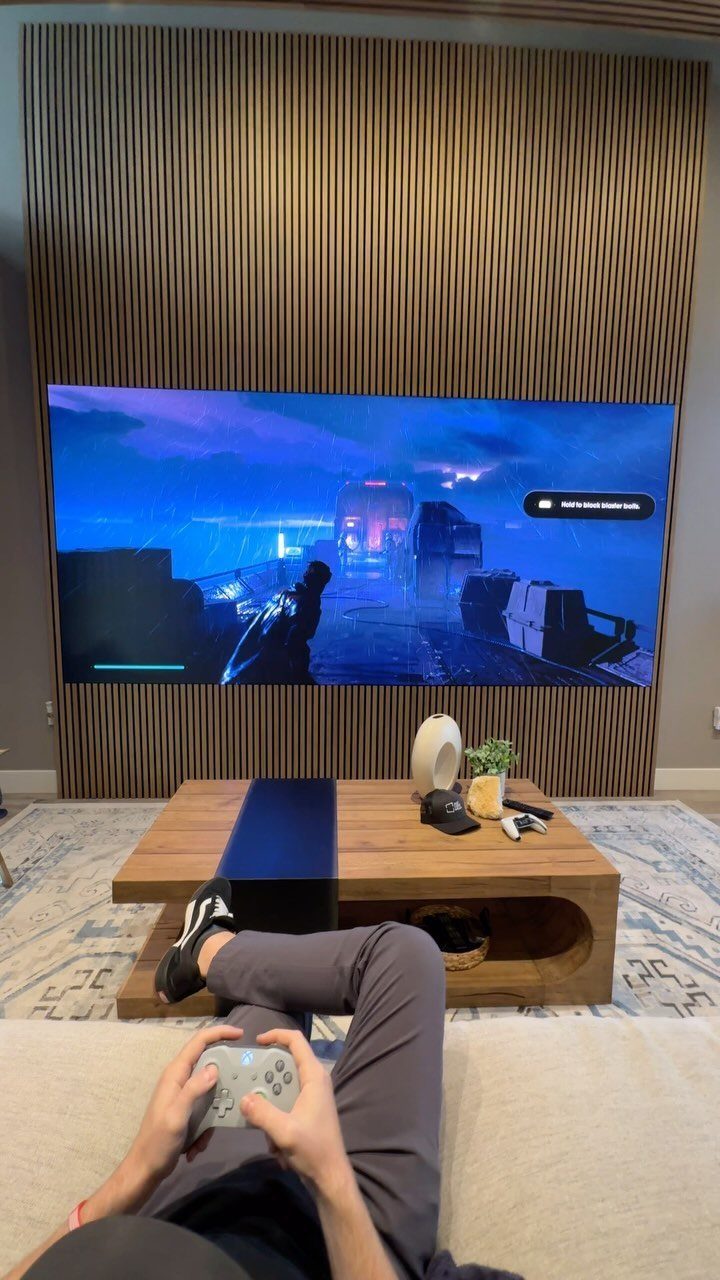
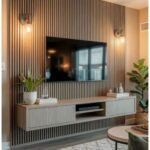
Vertical wood slats behind a mounted TV give a living room a finished look before the screen even turns on. The lines draw the eye upward, and the warm tone keeps a big black rectangle from feeling cold.
A wooden coffee table in a similar tone ties the seating area together. I’d match the two woods loosely rather than exactly, since a near match looks deliberate and an exact one can look flat.
Slats are also a good way to hide a TV’s cable run if you plan the mounting height first.
15. Living Room Console Station
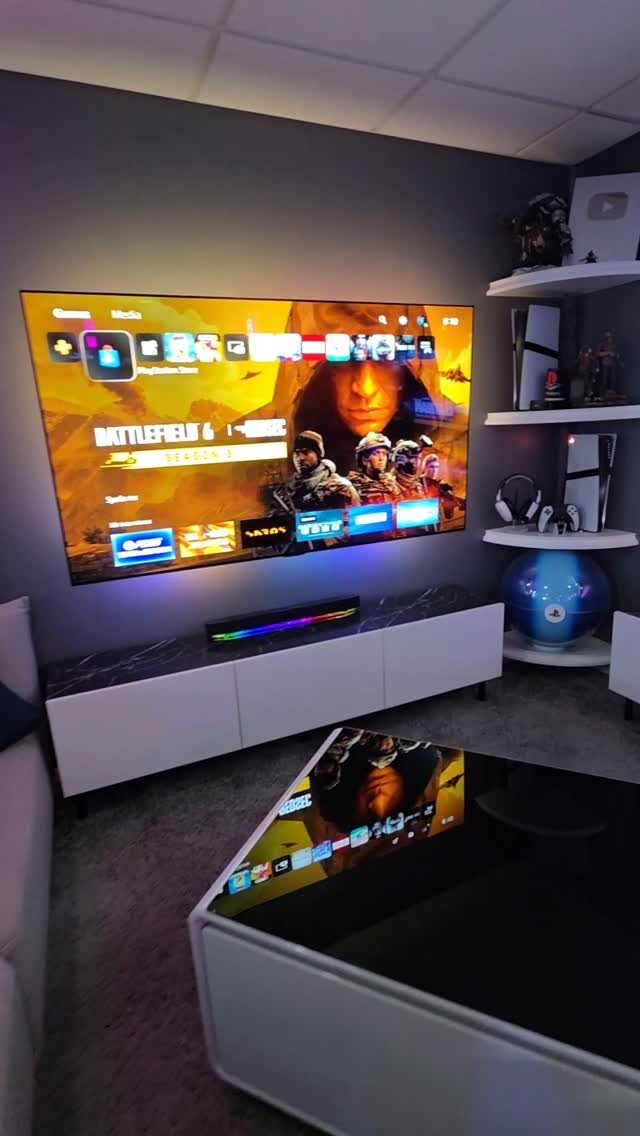
A white media console, a soundbar with LED trim and a pair of floating shelves can turn a regular living room into a console station without a dedicated gaming corner.
Everything stays under or around the TV, so the room still reads as a living room.
The console cabinet hides the box and cables; the floating shelves hold a few controllers or games within reach.
I’d keep the soundbar glow as the single light accent. A reflective coffee table adds shine, though it will show fingerprints and dust.
16. Video Game Collector Lounge
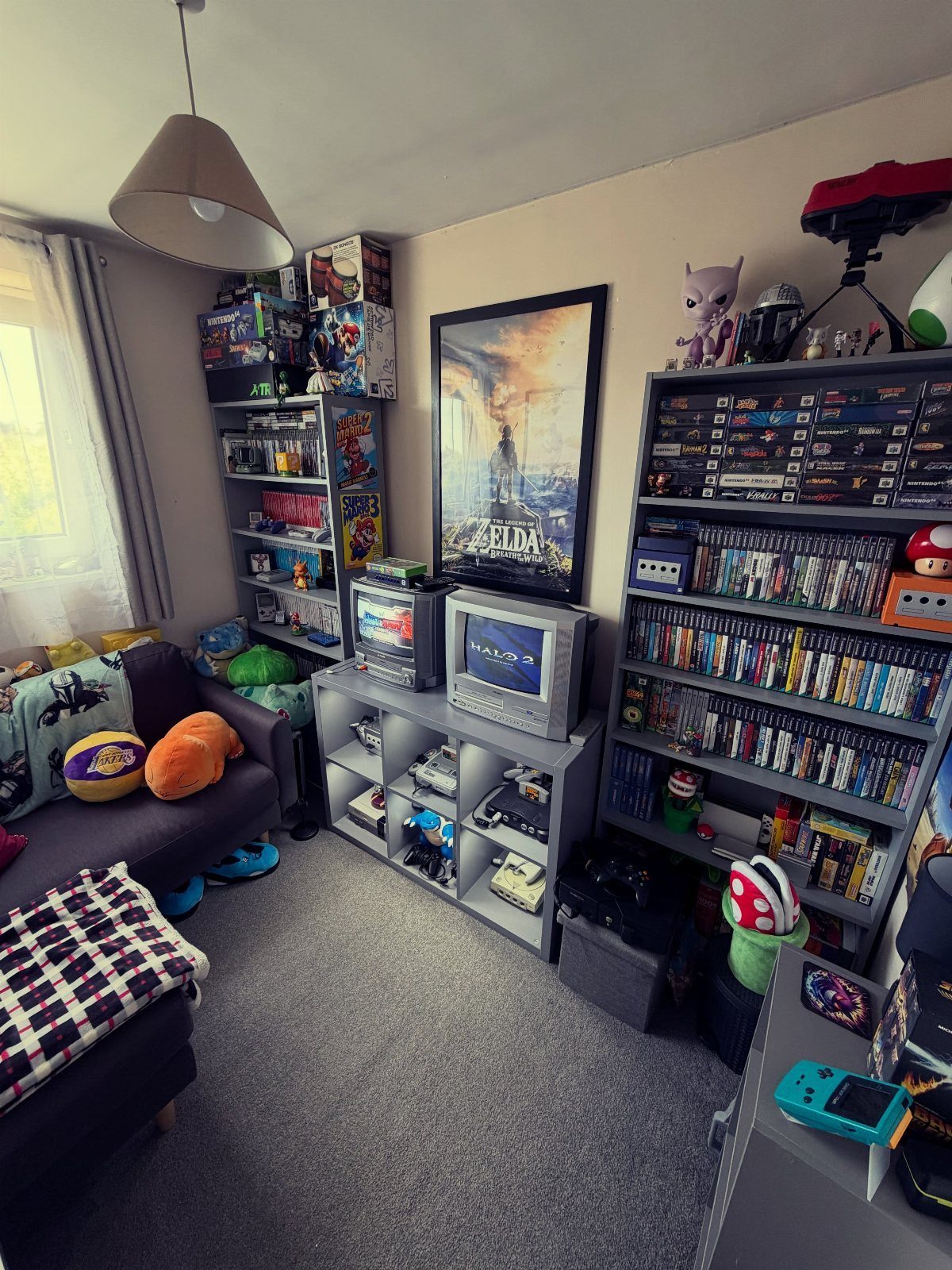
Shelves full of physical games make the best decoration a collector owns, so build the room around them. A grey sofa keeps the look neutral, and a Zelda poster gives the wall a focal point that matches the shelves.
2 CRT televisions are a bold choice, and I like them for older games that suit that look.
Keep the shelves open and face the spines outward so titles are easy to find. Give the sofa a clear line to the screens, and leave the shelves as the busy element.
Choosing the Right Room
Any room in the house can work as a gaming space.
Bedrooms and living rooms are the usual picks, but a spare study, a loft or a basement does the job too, as long as the room stays warm and comfortable.
Before buying anything, settle on one style.
Most cluttered gaming rooms trace back to buying pieces from 3 different styles and expecting them to blend, which they almost never do. Budget has less to do with it.
Ask yourself 2 questions.
Start with how you really play: alone at a desk, side by side on a couch, or on camera for an audience? And what do you want to feel when you walk in: focus, energy, nostalgia or comfort?
A minimalist look fits solo players who want focus, and it works well in a room that doubles as a workspace.
Cozy and kawaii suits smaller rooms, and textiles carry most of the cost. Retro arcade fits social gaming in larger rooms.
Maximizing Comfort
Match the seat to how you play. PC players sit for long stretches, so a good gaming chair with real lumbar support is worth the money, and your back will thank you later.
An ergonomic desk chair does the same job if you’d rather skip the racing-car look.
Console players have more freedom. A gaming bean bag is a soft, cheap seat, but shape decides how it feels: a hi-back keeps you upright if you lean toward the screen, while a tri-gamer shape lets you lie back.
Short on space?
A big gaming chair isn’t the only way to get good support. A compact ergonomic one fits a small bedroom fine.
Skip the couch for marathon sessions at a desk. Curling up on one leads to constant readjusting and, sooner or later, a strained joint or muscle.
Storage Solutions
Storage gets overlooked in gaming rooms, so plan it first. Drawer, shelf or oversized chest, pick whichever you like, but each game, controller and cable needs a set home.
Choose the desk with your screens in mind.
A corner desk with 2 arms at a right angle suits a multi-monitor setup, because turning your head is all it takes to move between screens. A standing desk is worth a look if your back complains.
Short on floor space? A tiered cube shelf that rotates packs a lot of storage into a small footprint, and a wall-mounted shelf uses no floor space at all.
If you already own a TV, pick a console stand with room for games and gadgets. One or two bookshelves will catch whatever overflows.
Plan for more than discs. Upgrades, spare equipment, snacks and blankets all need a spot too.
Frequently Asked Questions
What do you need for a gaming room?
Start with a screen, a supportive seat, a desk that suits your setup and a set home for every game, controller and cable.
PC players sitting for long stretches should pay for a chair with real lumbar support, while console players can get by with a bean bag. Wiring and storage get overlooked, so plan them before buying decor.
How big should a game room be?
It depends on how you play. A solo gamer can make do with a corner of a bedroom or living room, while hosting friends for game night works better in a larger spare room.
Size matters less than comfort, so a spare study, a loft corner or a finished basement will all do the job if the temperature stays steady and the seating is good.
How do you decorate a gaming room if you rent?
Peel-off decals, rugs and LED strips change a room without touching the walls. A weekend is plenty of time for either.
How do you store games and gear in a small gaming room?
Use the wall before the floor. A pegboard keeps controllers and headphones in reach and leaves the desktop clear, and a wall-mounted shelf takes no floor space at all.
Games and controllers fit into a spinning tiered cube shelf that takes up barely 2 square feet of floor, and a console stand with a open shelf beneath keeps discs and cables close to the TV.