Which of these 11 setups fits depends mostly on the room you can claim: a spare bedroom with a door solves noise and video-call backdrops, while a dining table, living room wall or bedroom corner needs a tidier desk and a plain background.
The ideas run from a stick-on warm LED strip and a used adjustable desk frame to a built-in alcove nook and a full wall of closed cabinets below open shelves.
1. Ergonomic Adjustable Chair and Desk
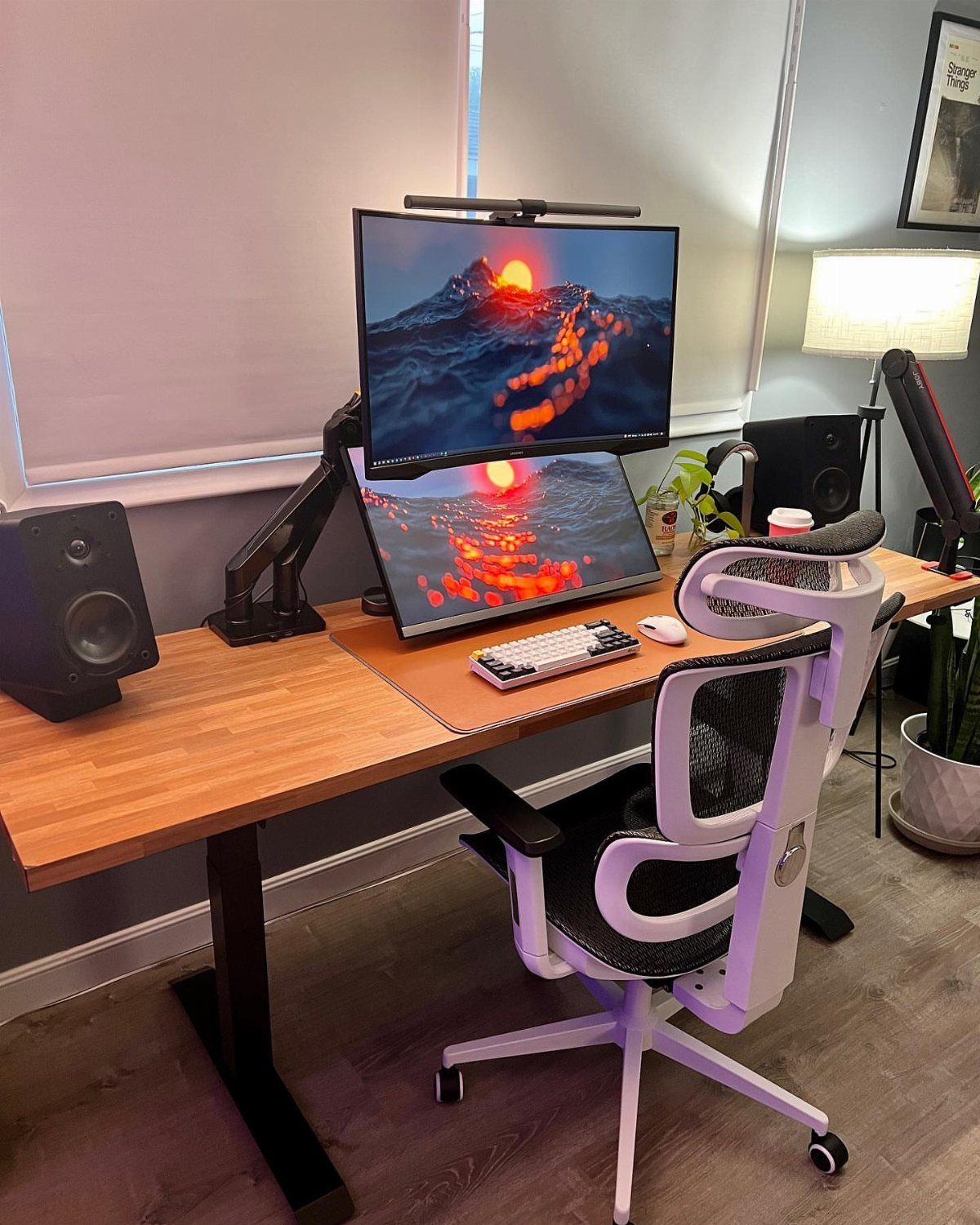
A chair and desk that both adjust do more for a remote worker than any gadget on the shelf.
The white mesh chair here pairs with a wooden standing desk, which means the day can split between sitting and standing without rearranging anything.
Spend the money on these 2 pieces first, before speakers or extra screens. Set the monitors at a comfortable eye level and keep the keyboard where your elbows can rest relaxed.
On a tight budget, I would buy the chair new and hunt for a used adjustable desk frame.
2. Optimize Lighting
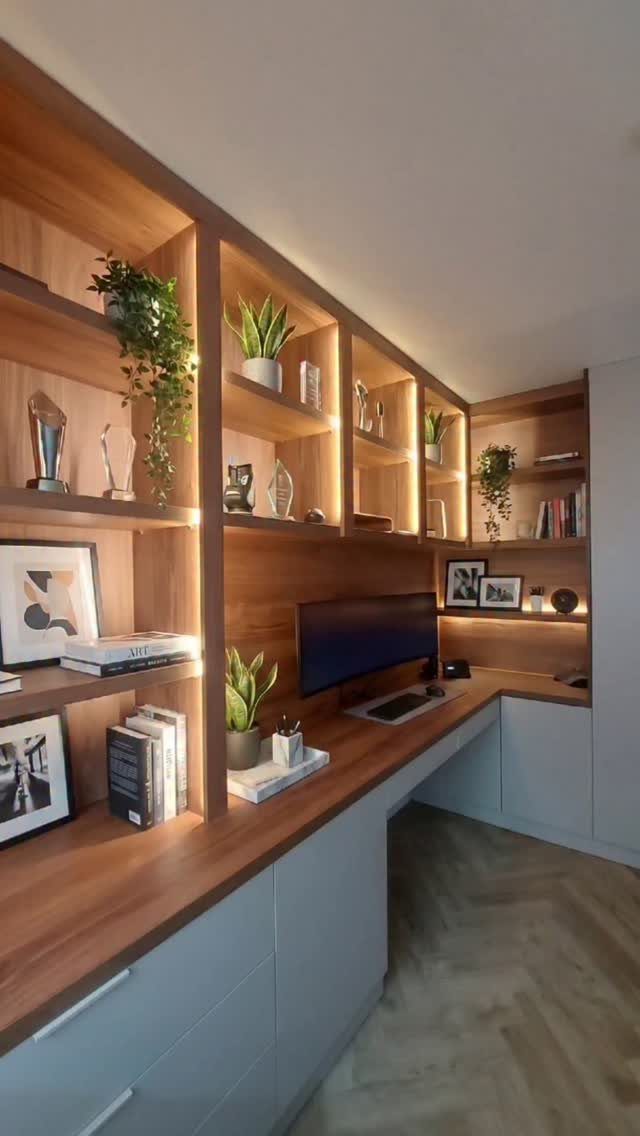
Warm light built into the shelving behind a desk gives the room a steady glow, so the monitor is not the brightest thing you look at all day. That softer backdrop is easy on the eyes during long stretches.
You can copy the look cheaply with stick-on warm LED strips under the shelf edges. Pick a warm tone over a cool white, since it keeps the wood and plants looking natural.
I like this better than a single overhead fixture, which tends to flatten a small room.
3. Cable Ties and Organizers
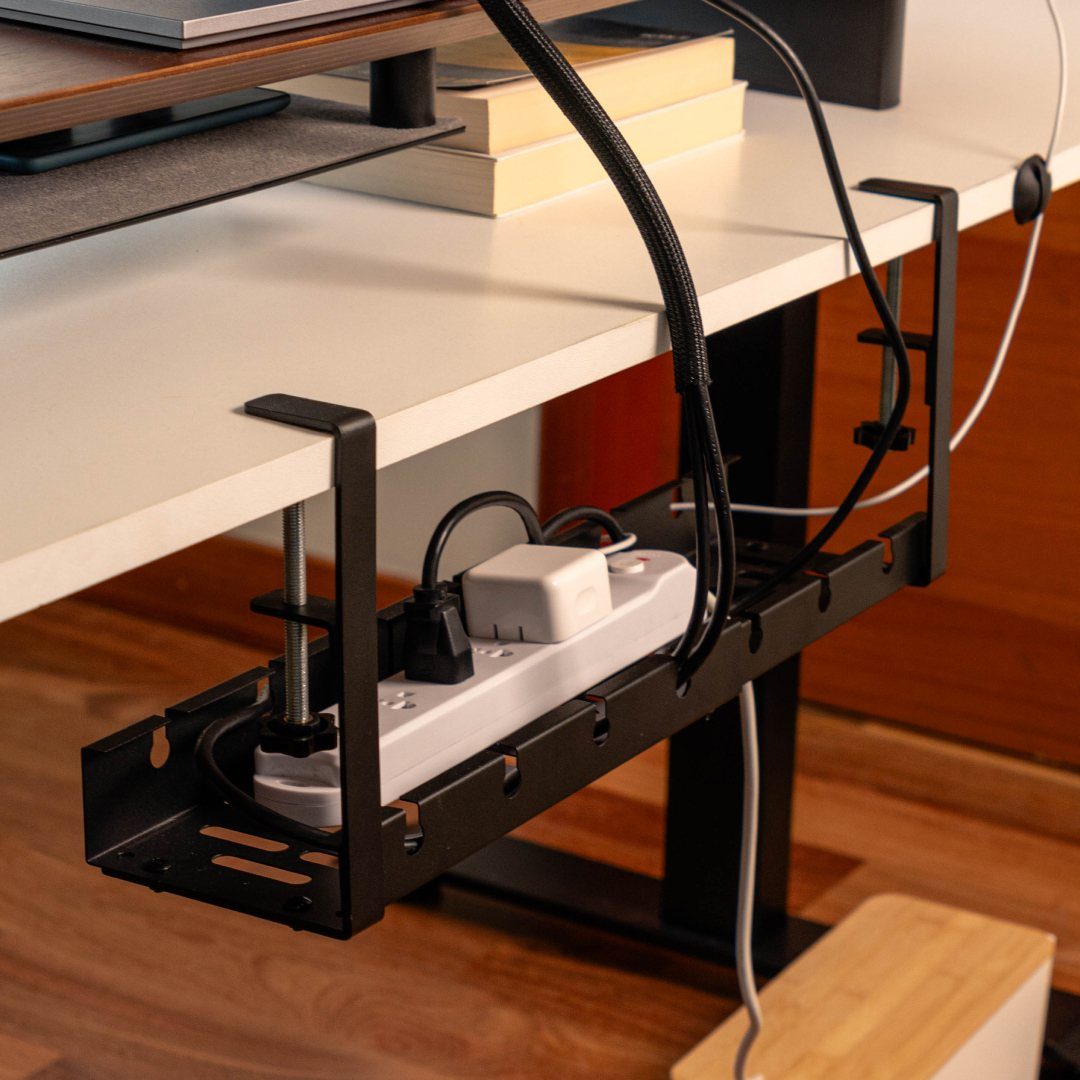
Under the desk is where a mounted metal tray earns its place: it holds the power strip and the tangle of cords off the floor and out of sight. Black on a white desk disappears from standing height.
Mount it with screws to the underside, then run each cable in one direction and bundle the loose lengths with reusable ties. Label the plugs so you can swap a charger without hunting.
A clear floor also means no cords snagging your feet or the vacuum.
4. Dual Screens
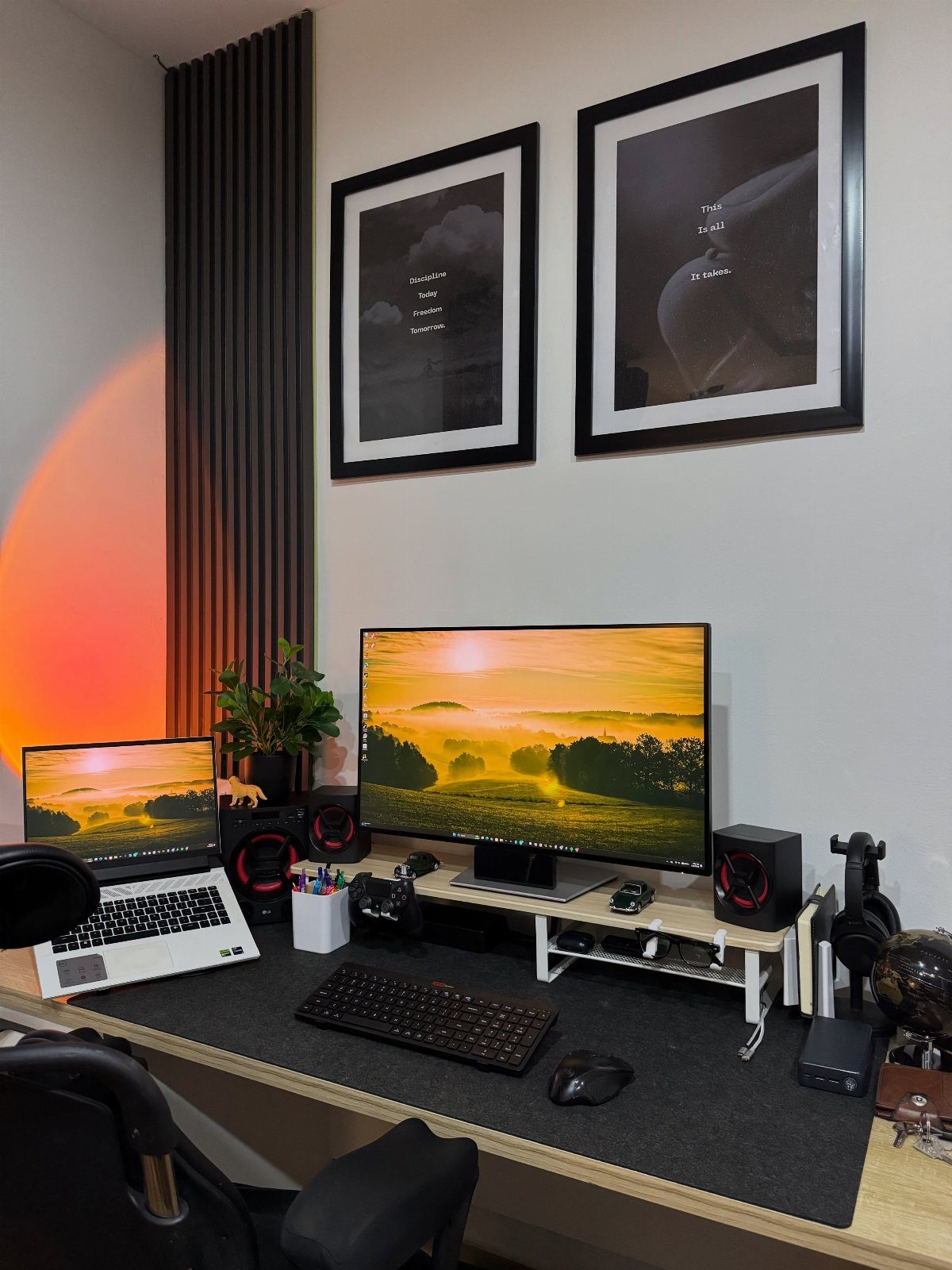
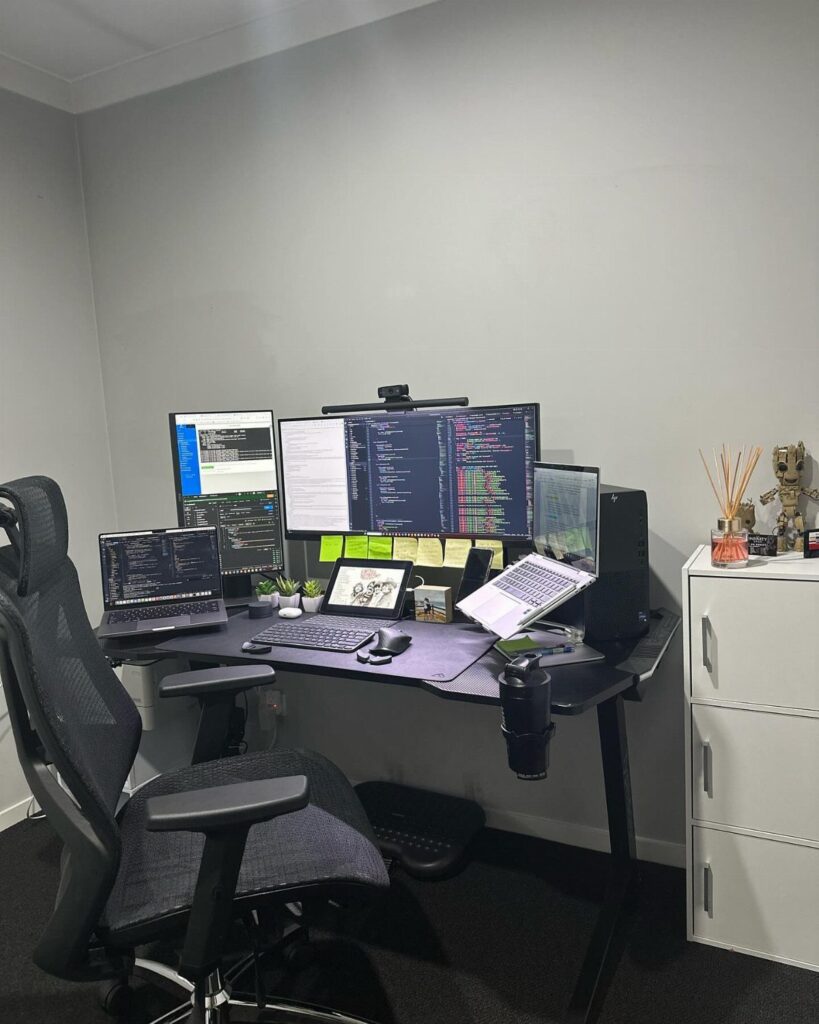
Pairing a laptop with a larger monitor is the cheapest way to get 2 screens, and it needs no second matching display. Keep the work on the big screen and the chat or email on the laptop beside it.
Set both screens at the same distance and keep the top edge at or slightly below eye level, so your neck is not tilting all day.
A matching wallpaper, like the landscapes here, makes the two read as one wide view.
If your desk is shallow, skip a second monitor and use what you already own.
5. Laptop, Monitor, and Ergonomic Accessories
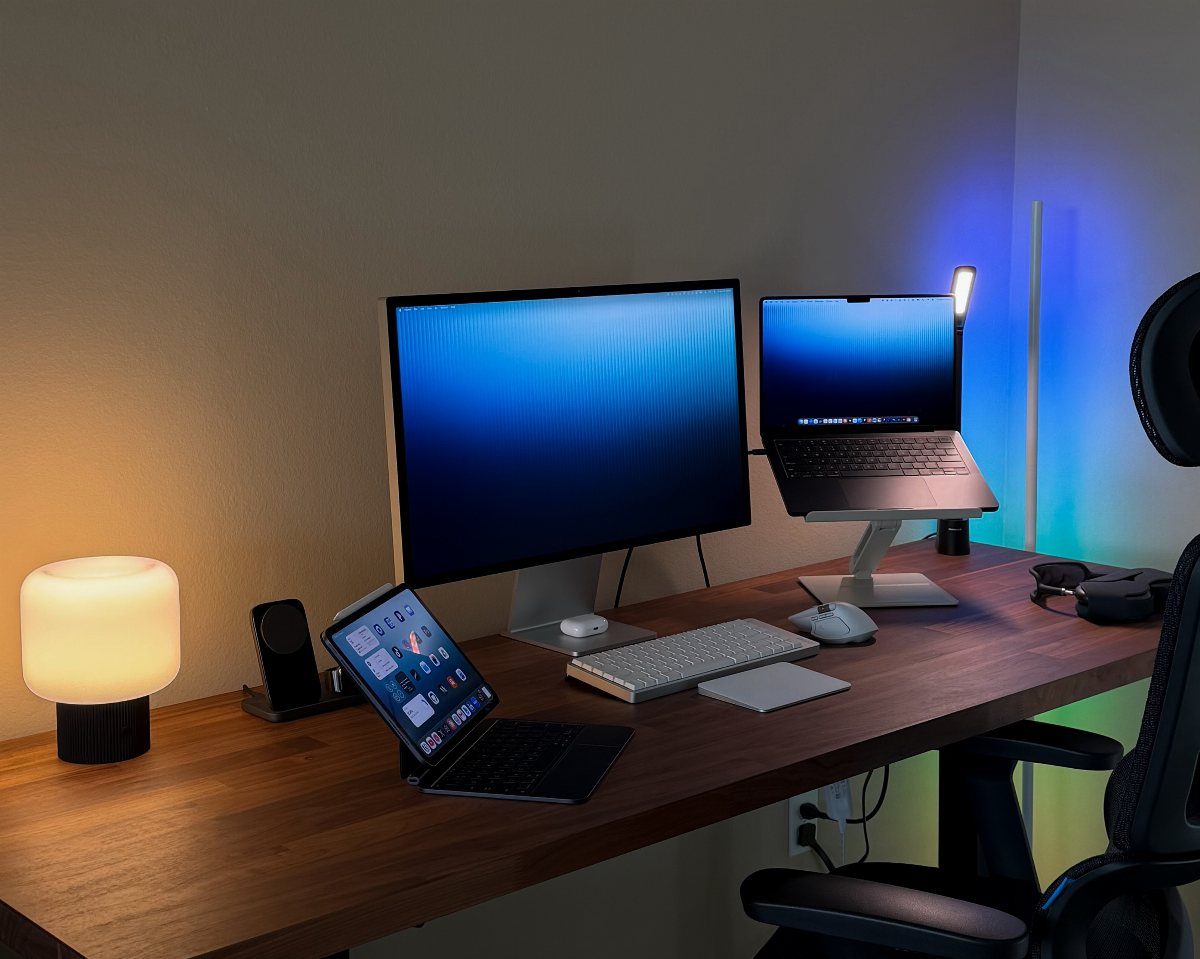
Small accessories decide whether a laptop feels like a real workstation. A stand lifts the screen toward eye level, while a separate wireless keyboard and mouse let your hands sit lower, where they belong.
That split is the whole fix for hunching. The tablet and keyboard here add a second device without another full monitor, and 2 lamps keep the desk evenly lit.
Buy the stand and keyboard first; they cost far less than a new chair and help right away.
6. Organizing Your Workspace
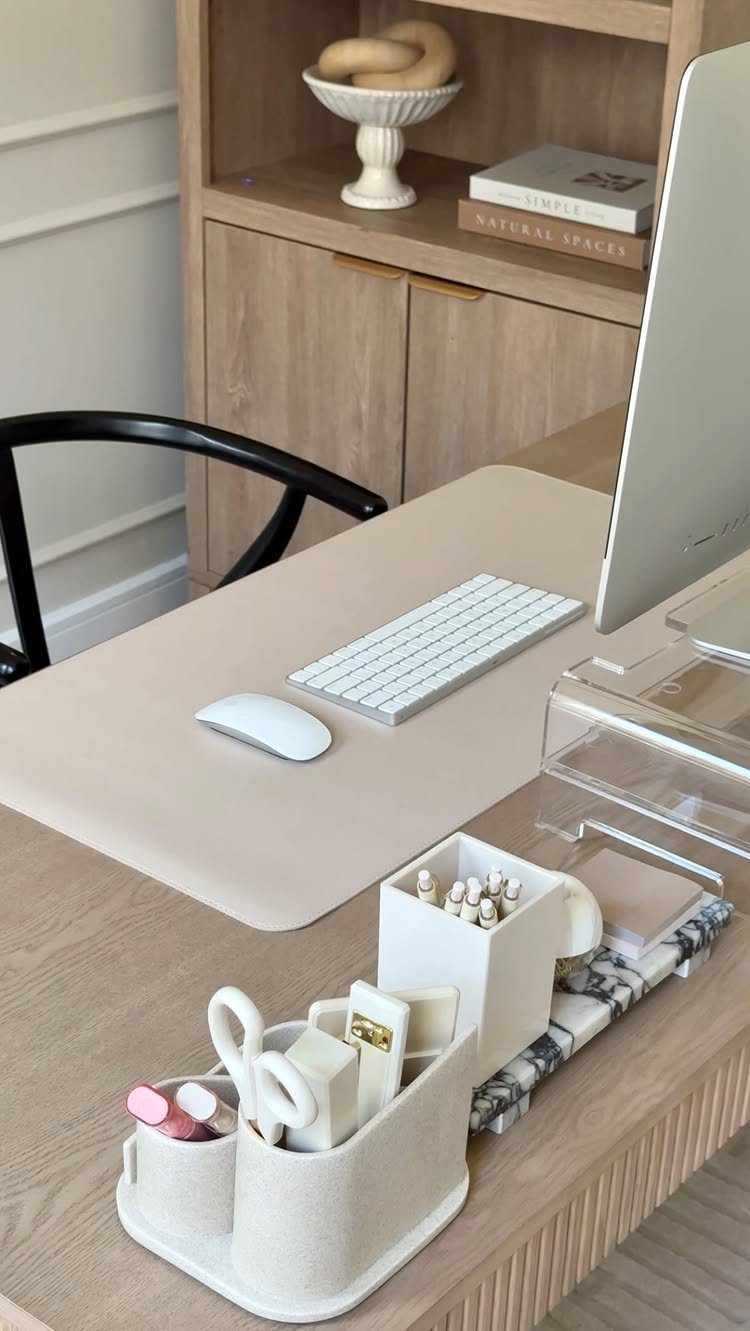
Clutter steals attention in small bursts, and a bare desk stops that. Keep only the computer, keyboard and mouse in reach, and give pens and notes a single organizer so they have a home.
A beige desk mat defines your work zone and calms the surface. Put books on the shelf behind you instead of stacking them beside the screen.
Every few days, spend 2 minutes clearing the desk before you log off. Starting tomorrow on a clean surface is worth it.
Much like any other work space, it’s important to set up a home office with care. Creating a peaceful and effective work space can make a huge difference in the success of a remote worker.
— HP Inc.
7. Task Lighting and Decor
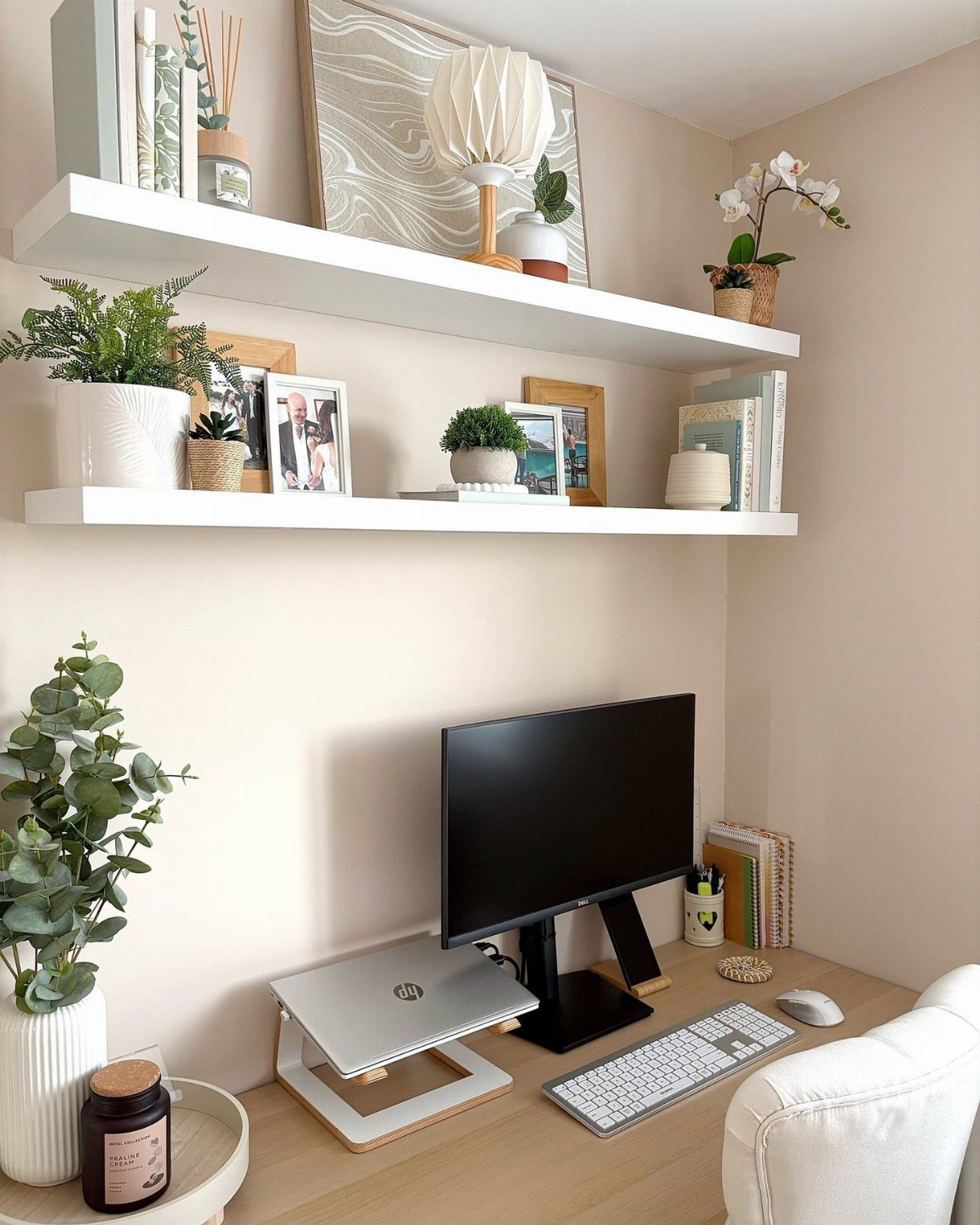
A small lamp on a floating shelf puts light exactly where the desk needs it, without adding a single cord across the work surface.
Keep the decor to one shelf’s worth and leave the desktop for the monitor, keyboard and mouse. A lamp with a warm bulb is gentler than a cool white one on a screen-heavy day.
2 shelves are plenty. A third starts to look crowded in a small room.
8. Shelves to Store Books and Supplies
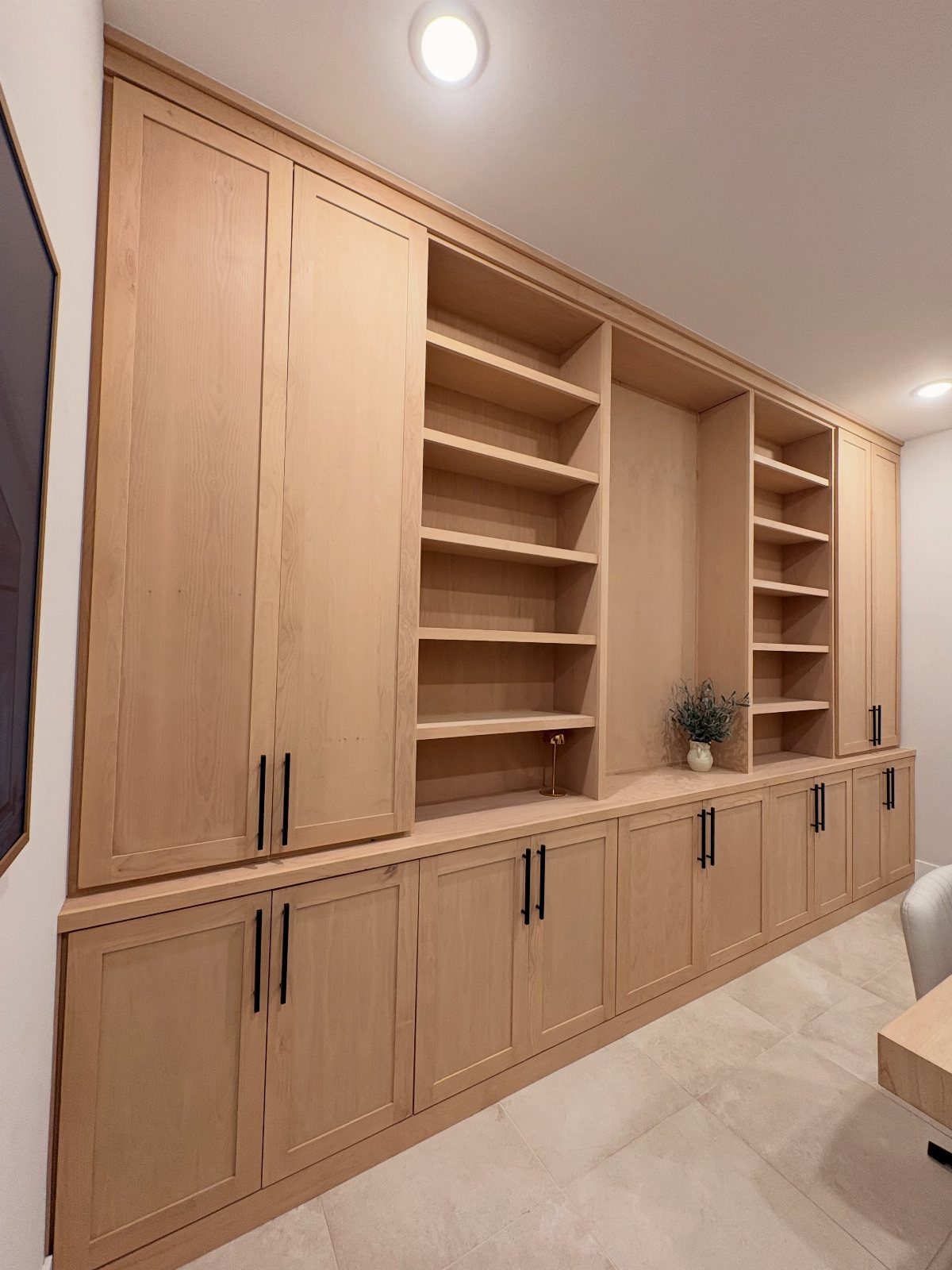
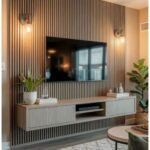
Closed cabinets below and open shelves above is the split I would copy from this wall unit. Paper, chargers and spare supplies disappear behind doors, while the books and a few good objects stay on display.
In a rental, a freestanding bookcase with a few lidded boxes gets you the same logic without drilling into walls. Put the heavy items low and the things you reach for daily at chest height.
Light wood keeps a big storage wall from feeling heavy.
9. Commit to a Color Scheme
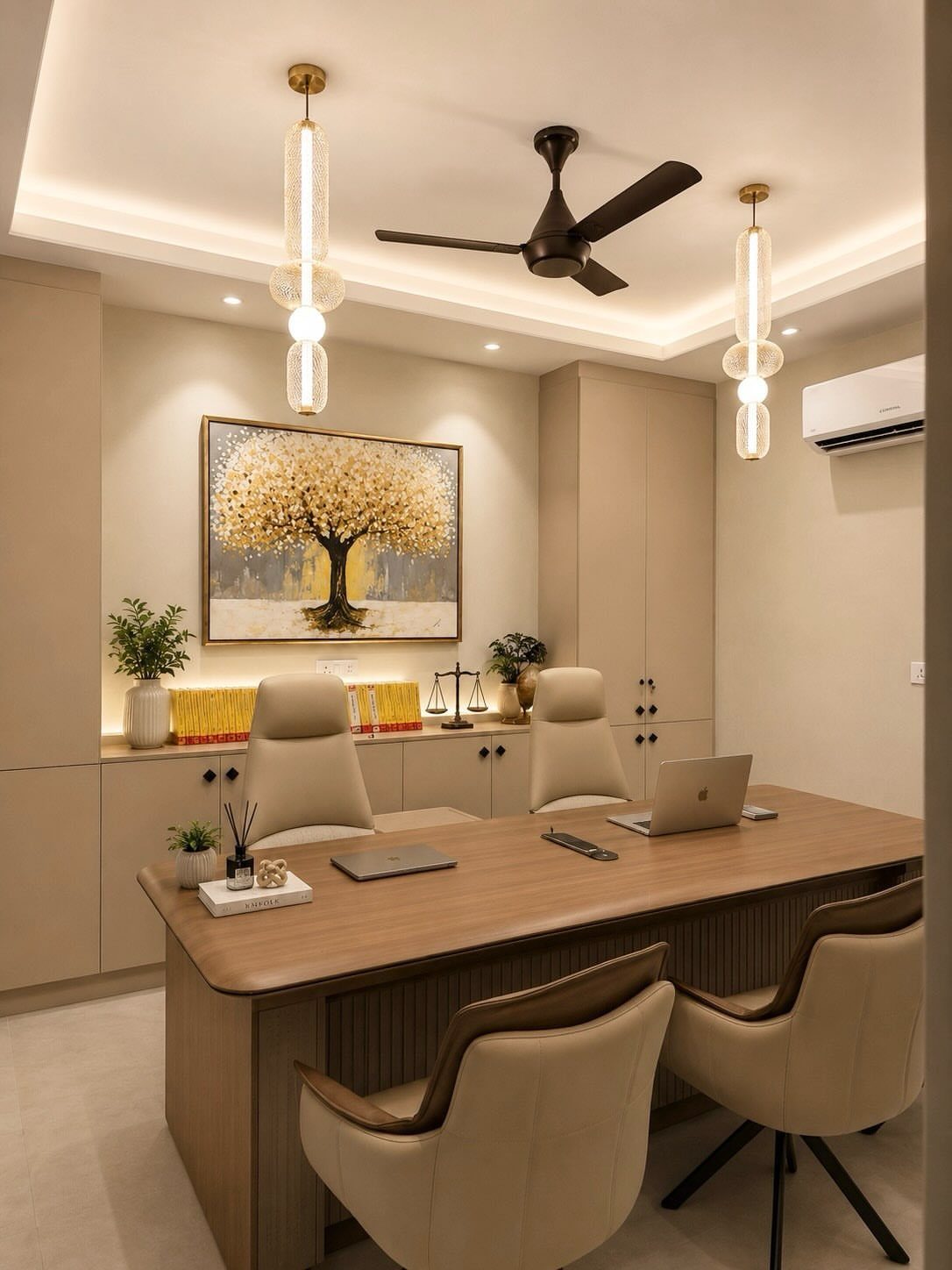
Beige, brown and gold repeat across this office: the desk, the chairs, the cabinets and the painting all pull from one warm family. That repetition is what makes the room look planned instead of collected.
Settle on 2 or 3 colors first, then hold every new piece up against them. Paint, a rug or a desk mat is the cheapest place to start.
Add one accent, like the gold painting here, so the palette has a focal point.
10. Built-in Desk Nook
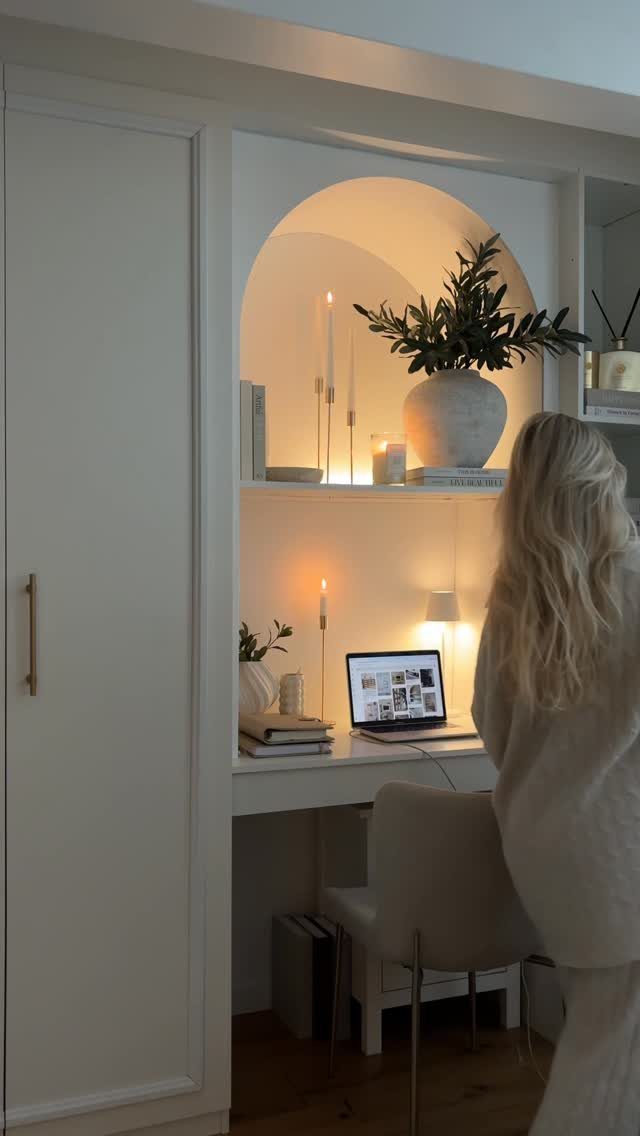
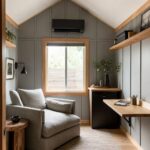
A desk tucked into an alcove gives a work area its own edges, so it stops spilling into the rest of the room. White paint on the walls and the chair keeps the nook from feeling closed in.
Candles, a plant and warm light make it a spot you want to sit in. I would add a plug-in or battery lamp before anything else, since alcoves tend to be dim.
Measure the width first; a laptop desk needs less room than most people expect.
11. Window-facing Desk Setup
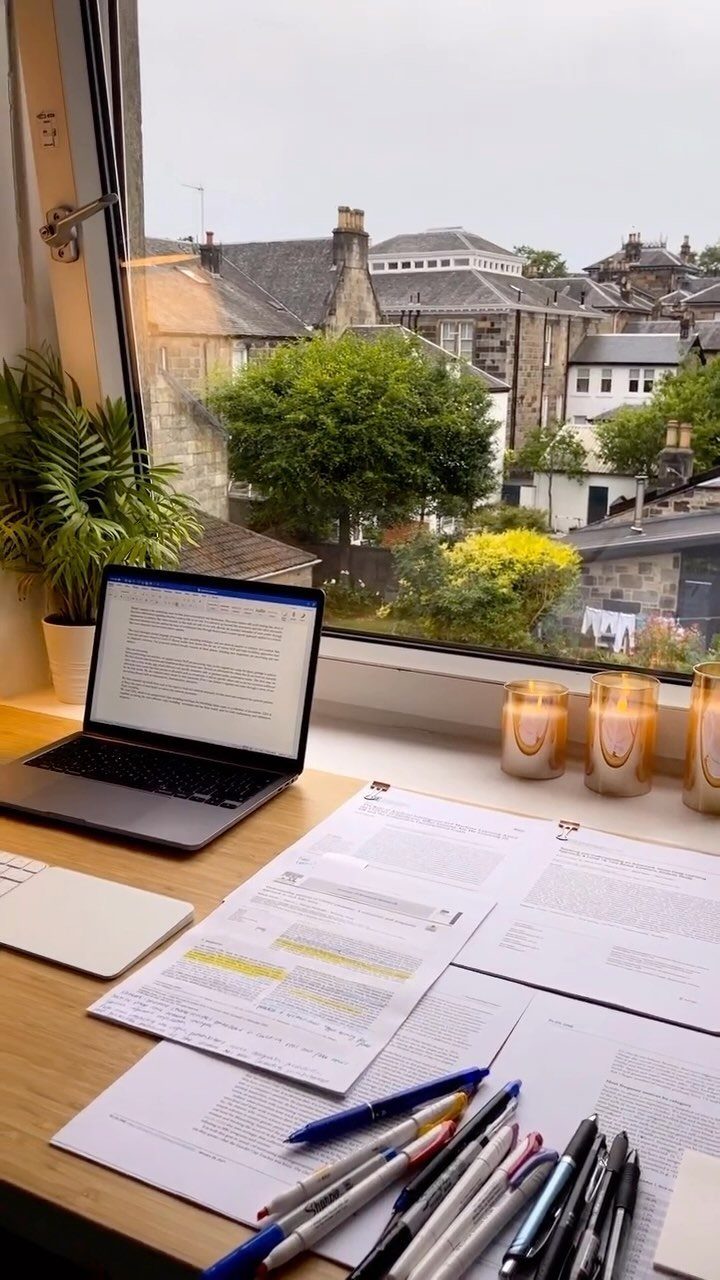
Facing a window gives you daylight and something to rest your eyes on between emails. A desk placed right at the glass makes a laptop setup feel less like a chore.
Glare is the cost. If sun hits the screen, tilt it a little or hang a sheer curtain, and keep papers and pens on the side so the view stays clear.
I would pick this spot over a wall every time if the room allows it.
Choosing the Right Location
A door decides more than the square footage does. Closed, it blocks household noise and keeps your work out of sight when the day ends.
A spare bedroom is the best case for exactly that reason. If you don’t have one, think about how each spot behaves across the whole day.
A dining table works at noon, but leftover plates and cups at breakfast and dinner will clutter your desk and may show up behind you on a video call.
In a living room, a desk pushed flat against one wall is enough, and a blurred or plain virtual background keeps the sofa and clutter out of your video calls.
Switch the TV off during work hours, and tell whoever shares the space which hours are off limits.
A bedroom corner is another option. You may have to move some furniture, but you get a quiet spot and a door to close for private calls.
Maintaining Clear Sight of Your Goals
Keep your goals where your eyes land without effort.
Paper works well for many people: a bullet journal lets you list tasks and rank them by urgency or importance, and some find writing them by hand makes them easier to finish.
A whiteboard suits a daily list. Write the day’s tasks and erase each one as it’s done, which gives you a small win every time.
A bulletin board, a sticky note or a digital tool also does the job. Pick whichever you will actually look at.
For the bigger picture, add one reminder of why you’re working: a framed image, a photo, a poster, or a single phrase on a note. When the workload piles up, that’s what points you back.
Enhancing Workspace Ambiance
Layer your light instead of relying on one source. A desk lamp, fairy lights and an LED strip together make a room feel warm rather than sterile, and they cut eye strain.
If the room has a window, use it.
Daylight gives you a boost and means you can skip the overhead fixture in the daytime. Glare from a bright room or squinting in a dim one will pull your attention off the screen within an hour or so.
With no window, lamps keep the light soft and relaxed, and they keep the space from feeling like a standard office.
For air, a small purifier is a reasonable add-on in a closed room. Place it where it won’t blow on your papers, and check how loud it runs before you commit.
Frequently Asked Questions
What are some ideas for a home office desk?
Start with an adjustable chair and a desk that raises for standing, so the day can split between sitting and standing.
Add a laptop paired with a bigger monitor for 2 screens, and mount a metal tray under the desk to hold the power strip and cords.
What should every home office have?
A chair and desk that both adjust come first, then good lighting and storage.
Warm light is gentler on the eyes than cool white, and closed cabinets below with open shelves above hide supplies while keeping a few books on display. A way to get cables off the desk and floor finishes the basics.