The ideas here run from a cheap DIY wall art project you can finish in a weekend to a pool table lounge in a windowless basement, and the room you actually have decides which end you start from.
A small or shared room calls for a minimalist gaming room with one sofa, one screen and a single lamp, while a basement or a room that is yours alone can carry an arcade theme and big pieces like a pool table.
Whatever the size, the first purchase is usually the same: the chair, the table or the sectional, with lighting added around it afterward.
1. Ergonomic Gaming Desk
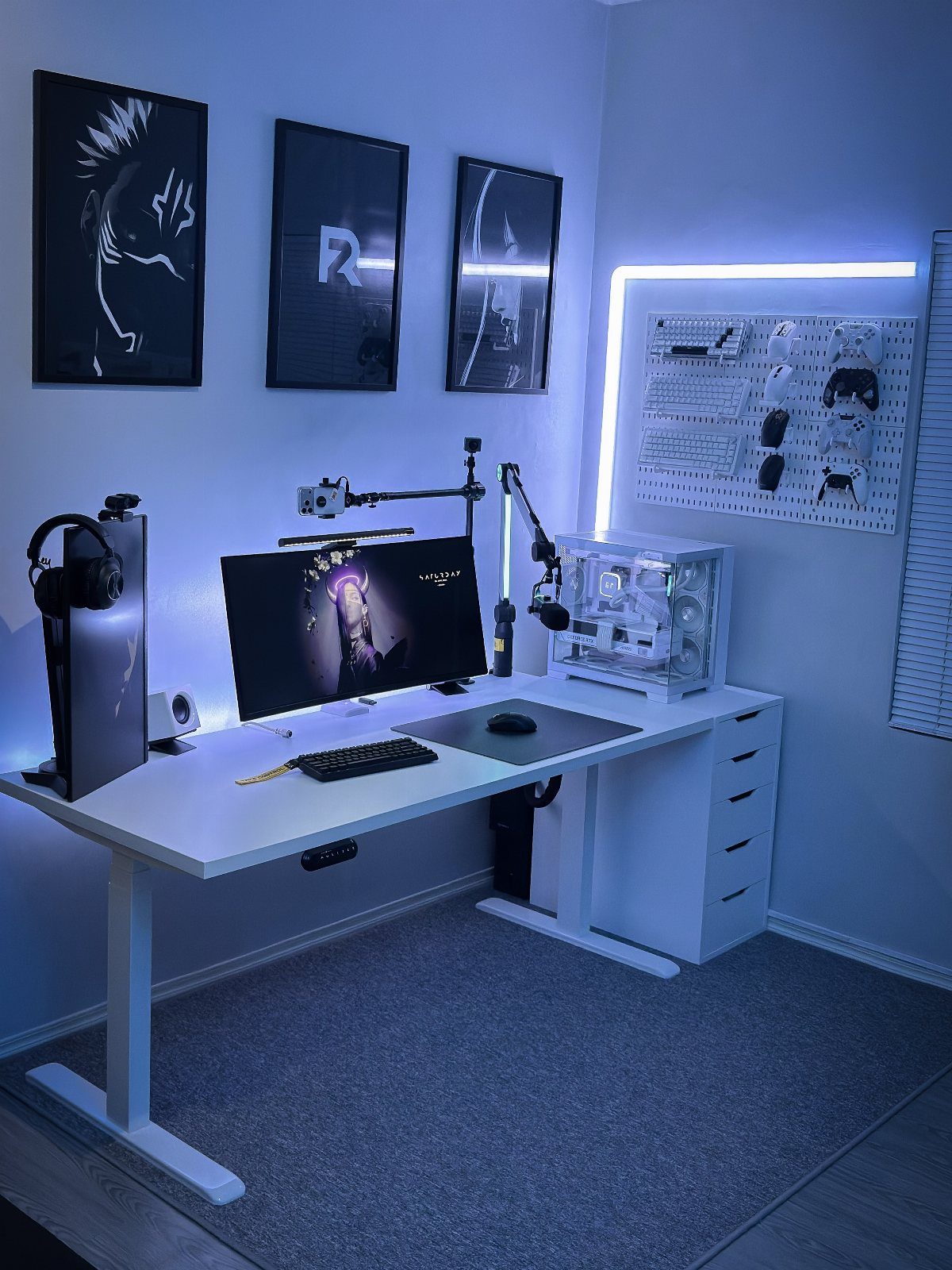
A standing desk earns its spot in a game room when it lets you change position between matches. White keeps the setup clean, and the drawer unit beside it takes controllers, cables and chargers off the surface.
Pick the desk around your gear: monitor, tower and keyboard all need room, so measure the depth first and check it against the tower’s footprint. A matching drawer unit is cheaper than a bigger desk.
2. Ergonomic Gaming Chairs
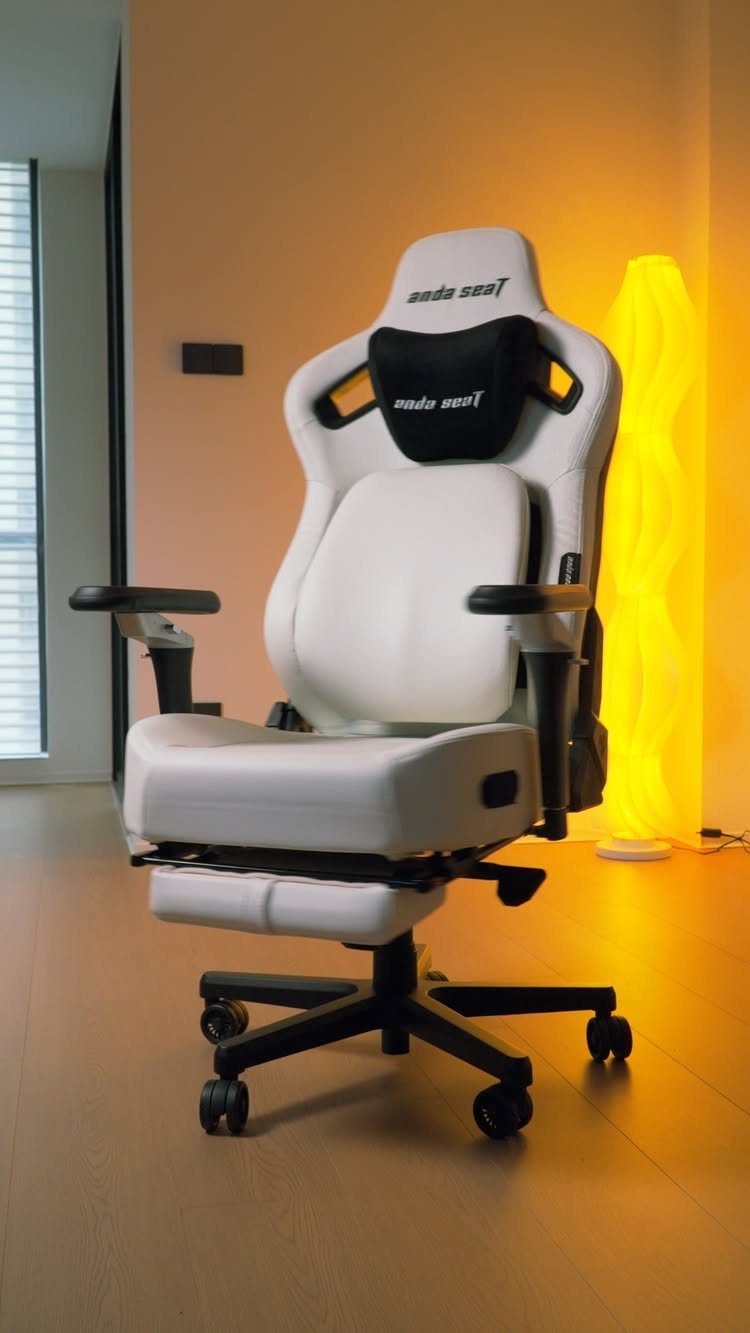
Long sessions are where a chair proves itself, and a cheap one shows its flaws by the second hour.
A white and black ergonomic chair like this one looks sharp on a wood floor, but look at lumbar support and adjustable armrests before color.
If the budget stretches in only one place, I would put the extra money here rather than into lighting. A chair you can sit in comfortably for hours is worth more than another gadget.
3. RGB Lighting
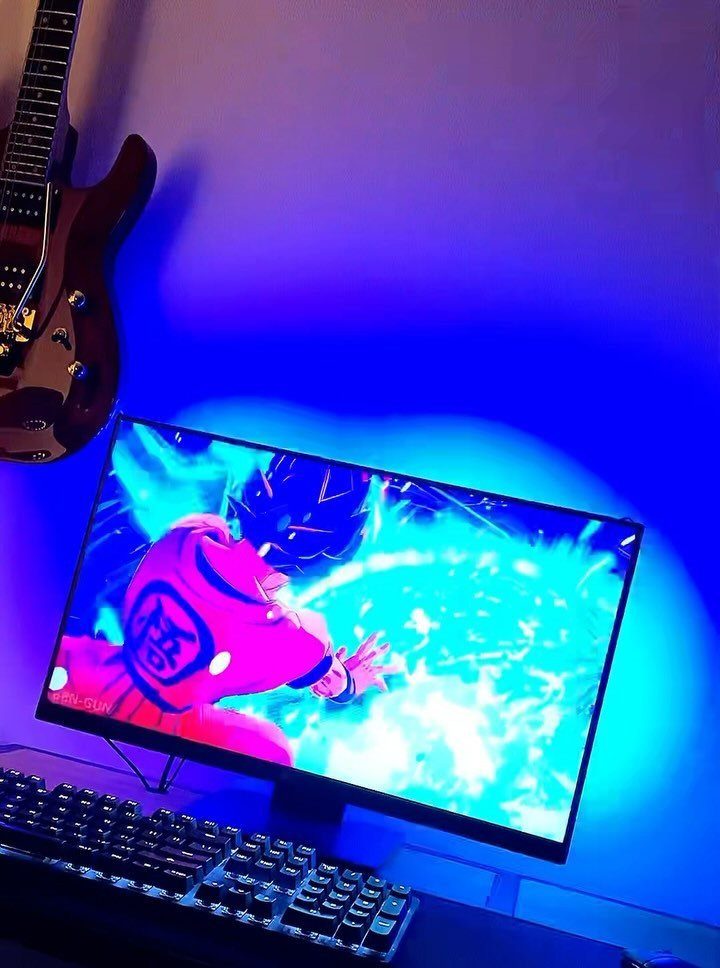
Blue and purple LED strips behind a monitor push the glow onto the wall, so the screen stays easy on your eyes in a dark room. Mount them on the back of the desk or the monitor, facing the wall.
Strips are the budget route to a lit-up room, and the color is easy to change later. I would keep to one or two colors; a rainbow gets noisy fast.
4. IKEA KALLAX Displays
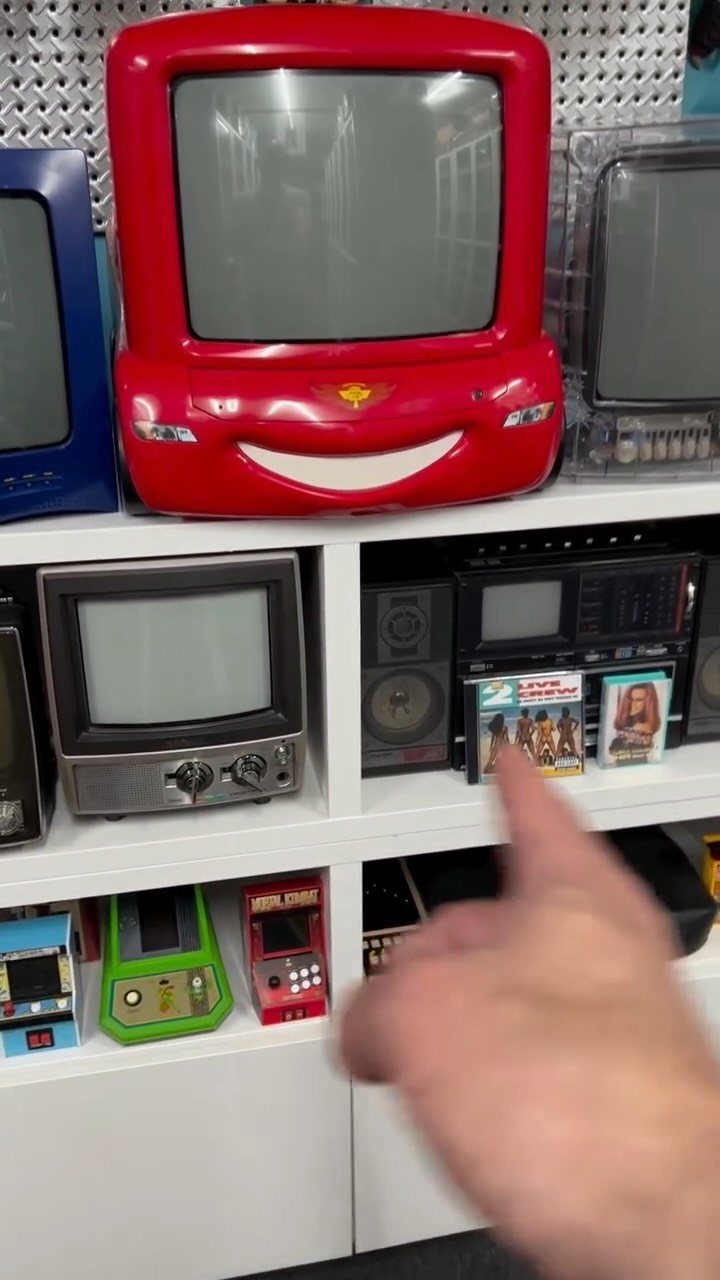
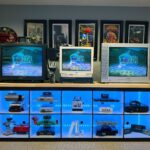
Open cubes suit an odd collection better than a trophy case does.
A white modular shelf like KALLAX works as a display wall: each cube frames one item, whether that’s a vintage TV, a stereo or a handheld console, so the collection reads like a small gallery.
Give the biggest piece, like a chunky CRT, its own cube. Mix sizes across the grid and leave a few cubes empty so the whole thing doesn’t read as clutter.
5. Game-Themed Decor
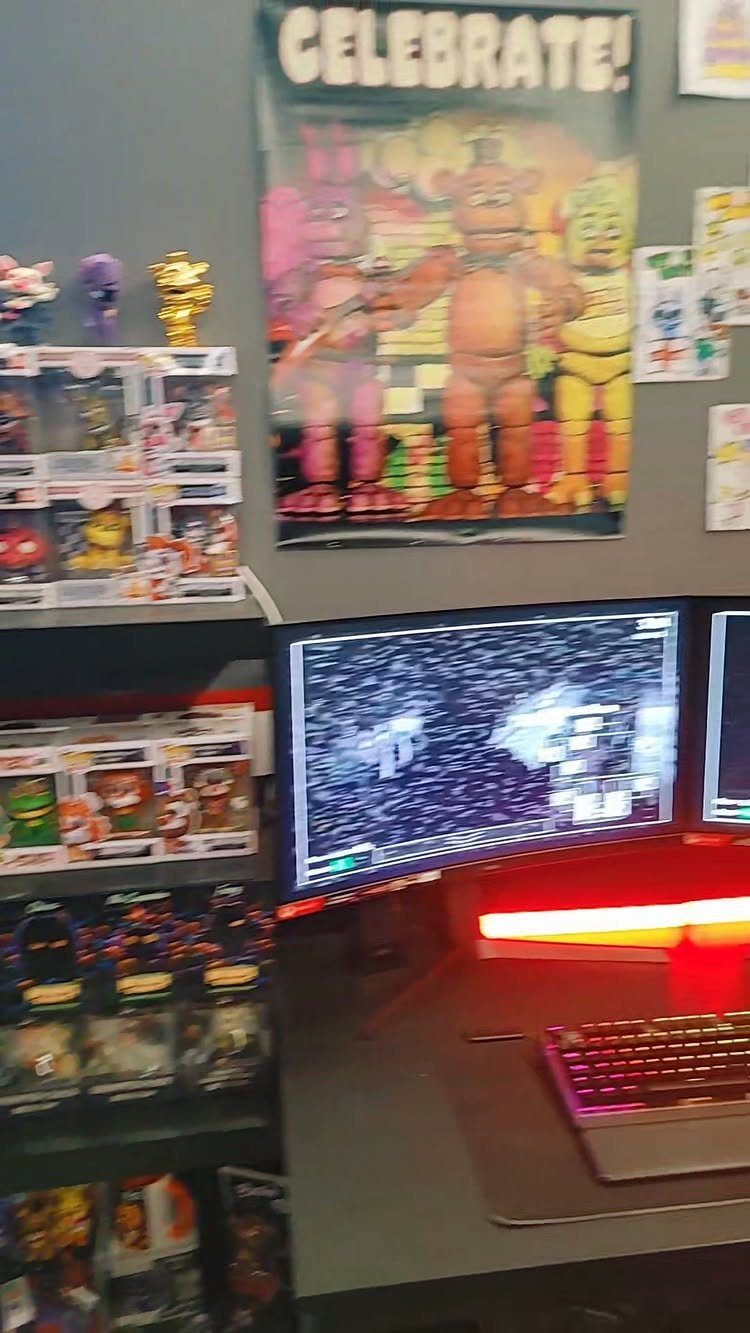
Pick one game, or one series, and let it set the palette.
Frame the posters so they look deliberate, and keep figurines grouped by character instead of scattered. A themed room can feel like a shrine if you overdo it, so I’d stop when the shelves are full.
6. DIY Wall Art
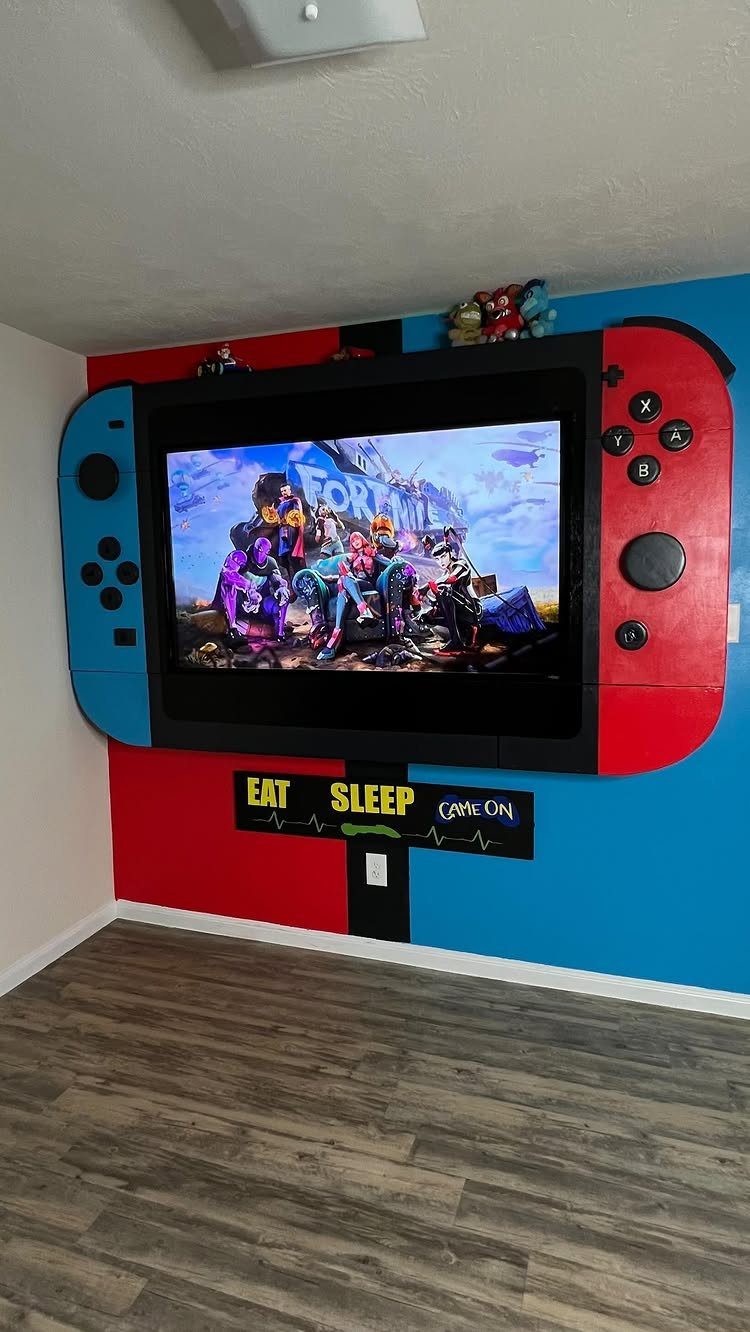
Painting a giant Nintendo Switch around a wall-mounted TV costs little: paint, tape and a free weekend. The TV becomes the console’s screen, and the red and blue sides do the rest.
Mask the shape with painter’s tape and trace the TV edge first so the border sits square.
7. Gaming and Work Setup
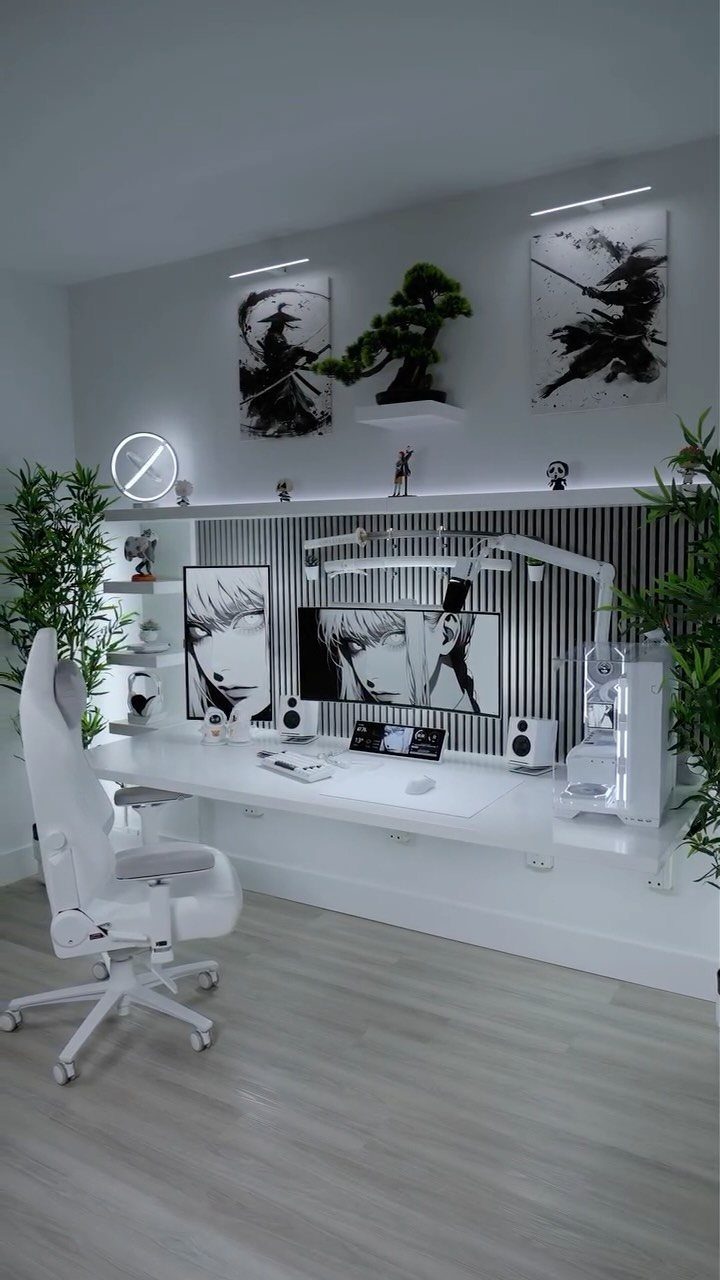
A desk that has to carry both a day job and a gaming session works best when the room stays neutral.
A dual-use room works best when the furniture stays pale and simple: a white desk, a wide monitor and a light wood floor keep it calm enough for spreadsheets by day and comfortable for gaming at night.
I would keep the wall art as the only strong personality in the room. Switching from work mode to play mode then takes a closed laptop, not a redecorating job.
A single wide monitor beats two small ones here, since one screen splits into windows for both uses.
8. Minifigure Display Cases
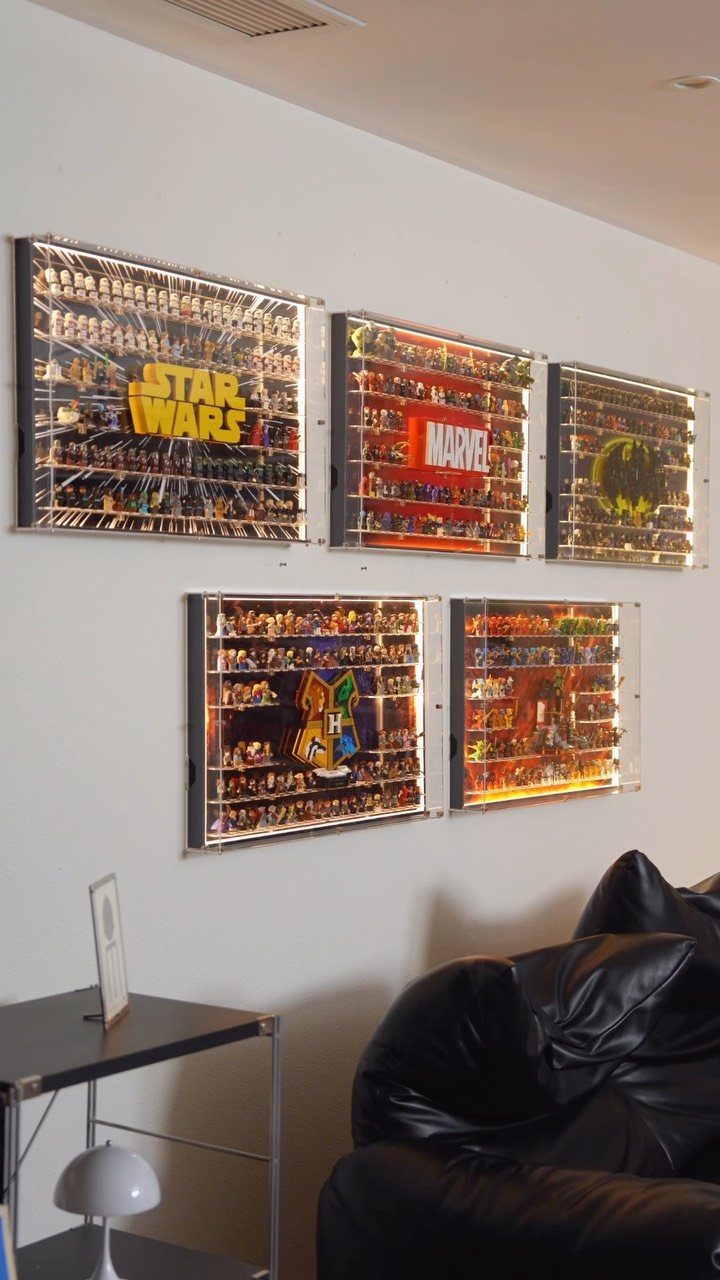
Shadow boxes make a minifigure collection read like a museum wall. Sorting by theme, one case each for Star Wars, Marvel and Harry Potter, gives every set its own label and keeps the characters from blending together.
Lit cases are worth the extra effort, because small figures lose detail in a dim room. Mount them in a tidy row at eye level so the labels stay readable from the sofa.
Start with the theme you own the most of and add cases as the collection grows.
9. Arcade-themed Gaming Room
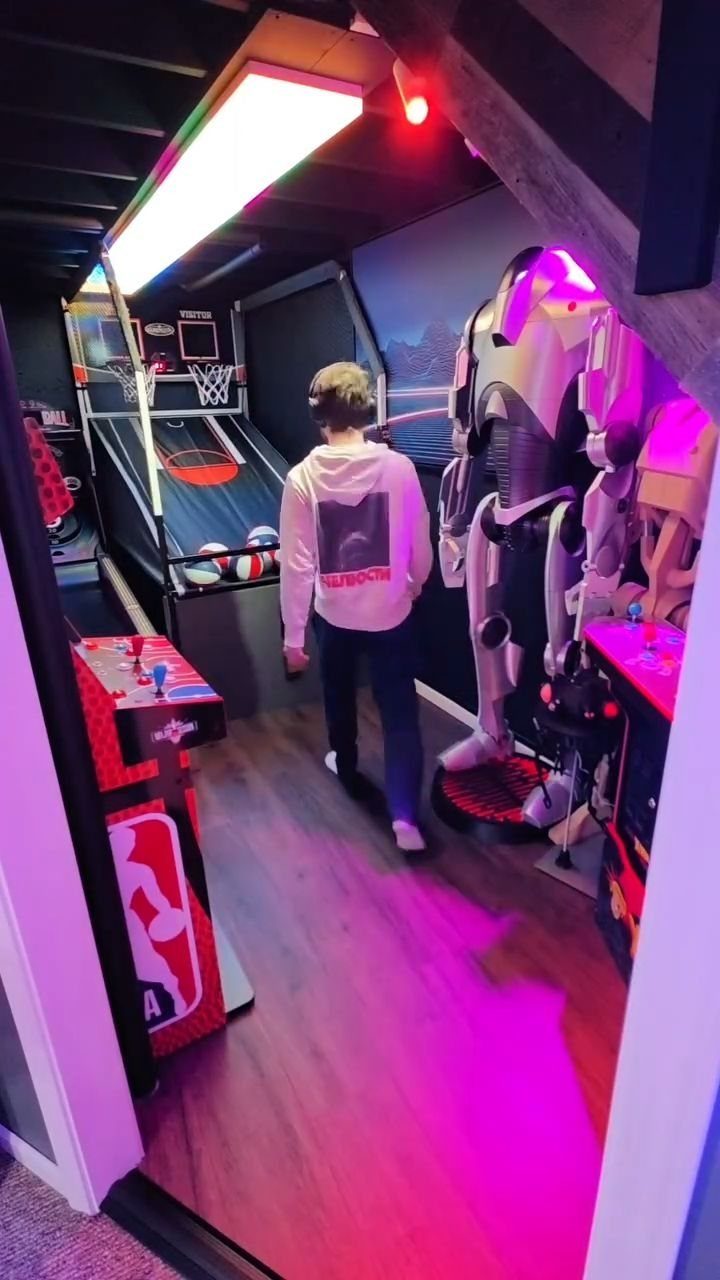
Nothing sells an arcade room faster than a real arcade cabinet, and a basketball hoop game is a good one to start with because it gets people off the sofa.
Add a console and a few figures, then light the room in pink and purple neon so it feels like a night out.
Keep the floor clear around the hoop; it needs space for people to stand and throw. I would spend on one big arcade piece and fill in with cheap lighting, not buy several small gimmicks.
10. Minimalist Gaming Room
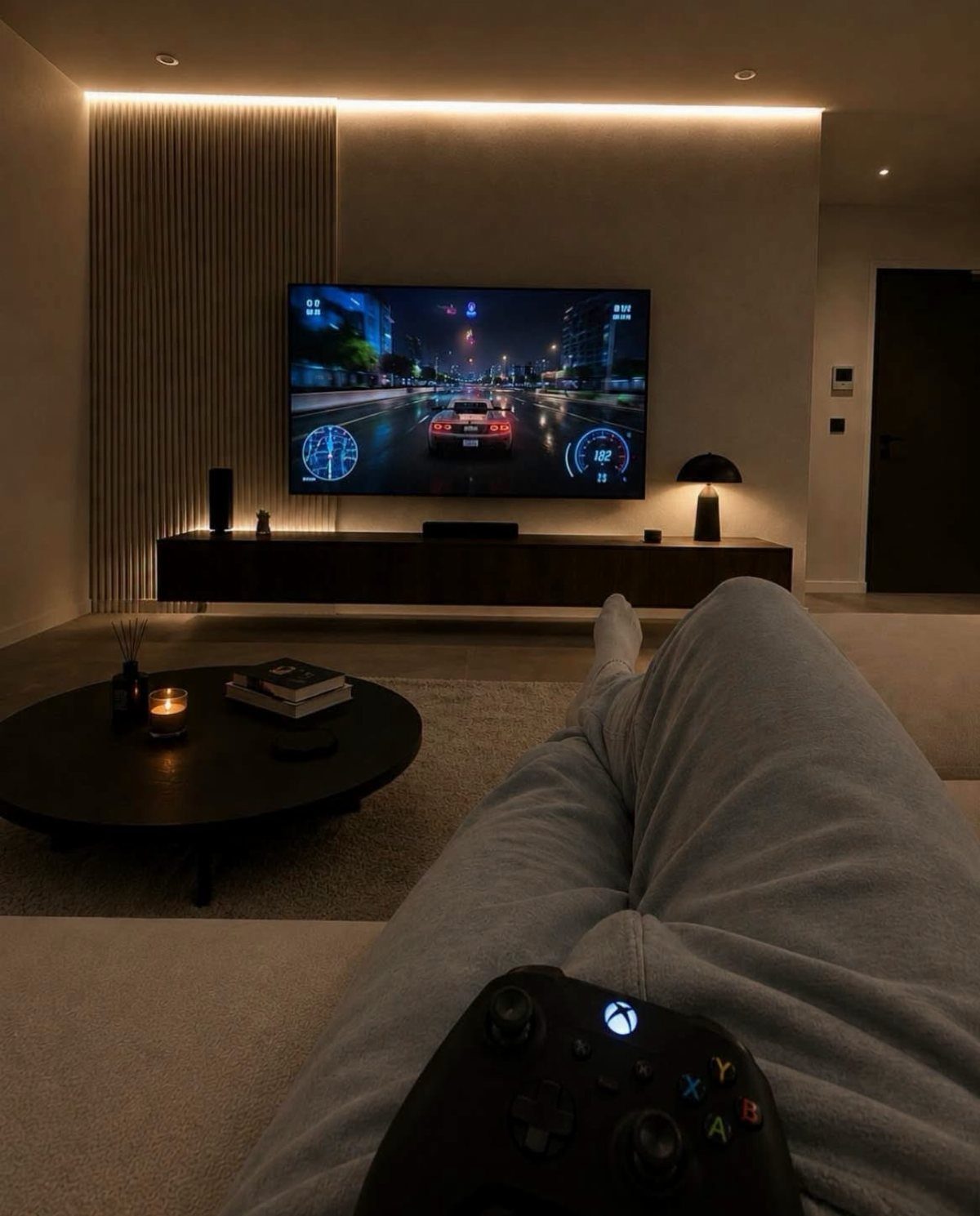
Minimalist here means one sofa, one TV and a controller, with nothing else competing for attention. For a racing game on the couch, that is enough.
Skip the shelves of collectibles and keep the surfaces bare. A clear floor and plain walls make the screen the focus, and tidying up takes a minute.
This suits small rooms best, and renters who may move soon. A minimalist room can feel bare, so I would add one lamp or one poster and stop there.
11. Cable Management Trays
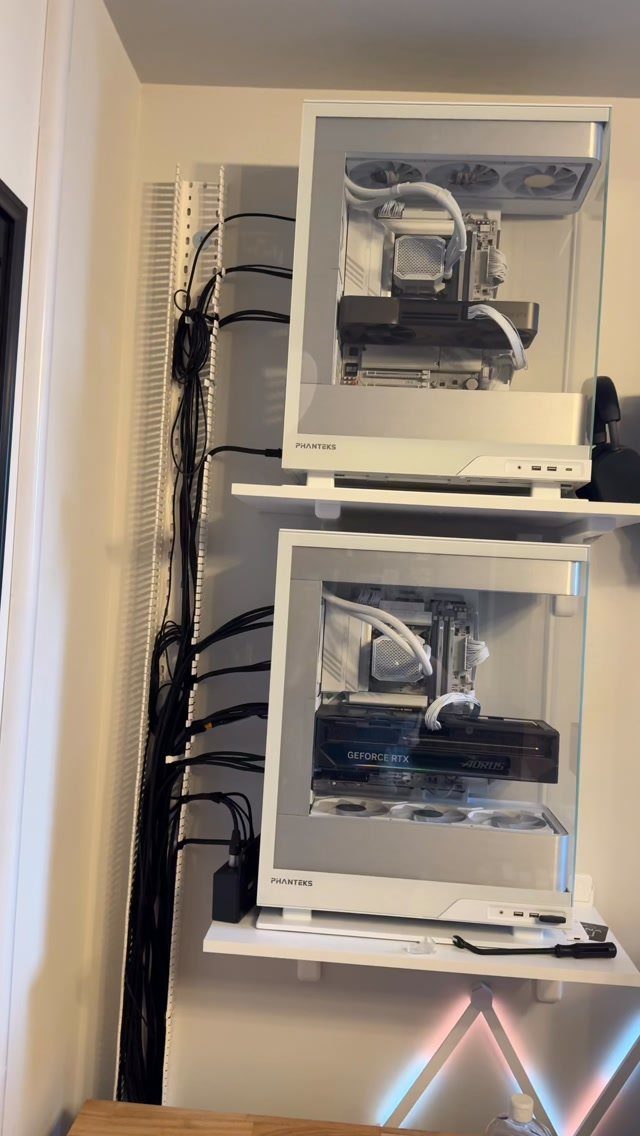
A vertical cable tray turns a mess of black cords into one clean line down the wall. Here it runs between 2 white PCs on shelves, and the white tray against a white wall nearly disappears.
Match the tray color to the wall so it hides. Plan the route before you mount anything: decide where each cable enters the tray and where it leaves, then fasten the tray first and feed the cables in after.
Tidy cables also make dusting behind the shelves much easier.
12. Wood Slat Accent Wall
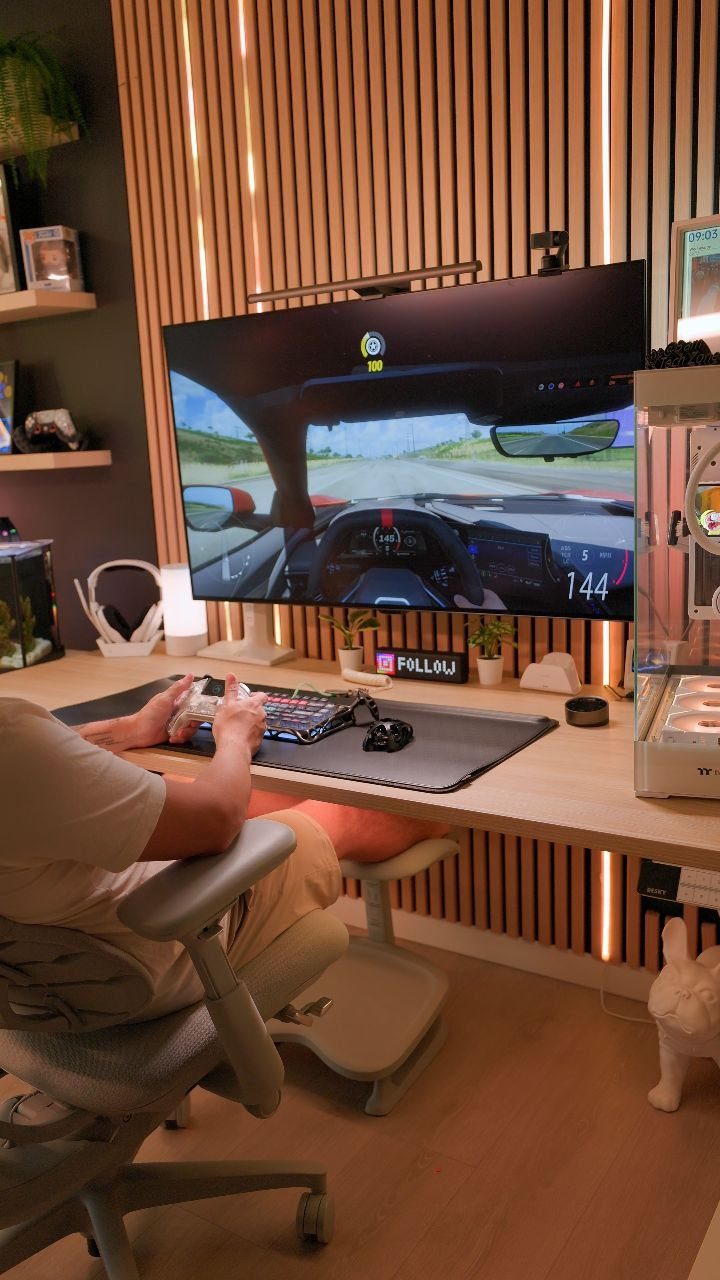
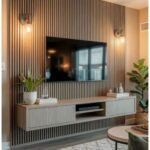
Vertical wood slats behind a monitor add warmth that a flat painted wall can’t. Run LED strips along the slats and the light picks out the grain, which looks richer than the cool glare of a bare screen.
Choose a warm white strip over a bright color to keep the wood tones natural. I would cover only the wall behind the desk, not the whole room, so the panel acts as a backdrop for the screen.
Space the slats evenly and keep them straight, since a crooked line shows quickly on a vertical wall.
13. Projector Home Theater Setup
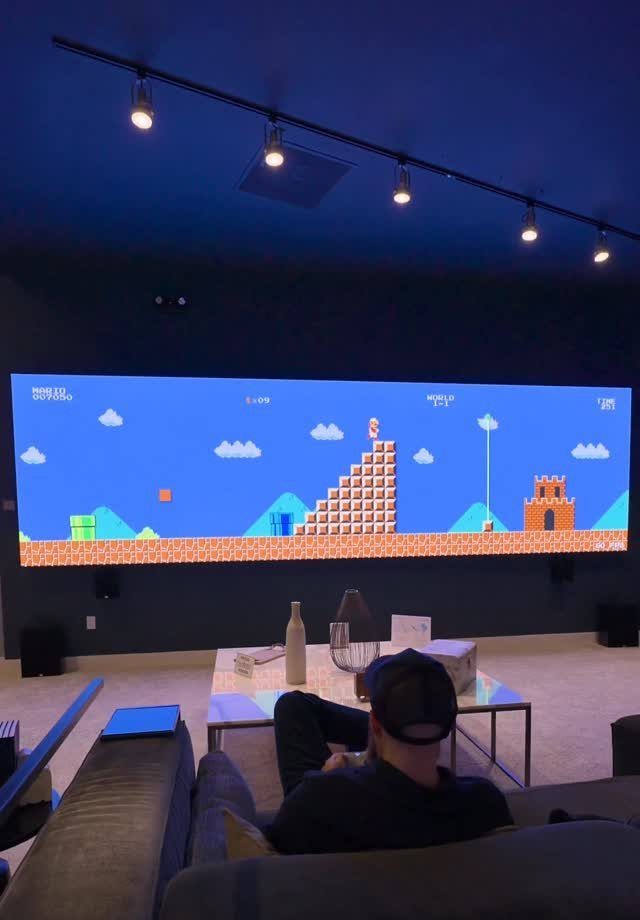
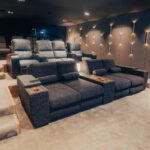
Seat the sofa well back so the picture fills your view without strain.
Dim the room before anything else. A row of track lights works because you can aim them at the walls and keep them off the screen, where they would wash out the image.
I would paint the screen wall a flat, pale color and call it done.
14. Curved Ultrawide Monitor Setup
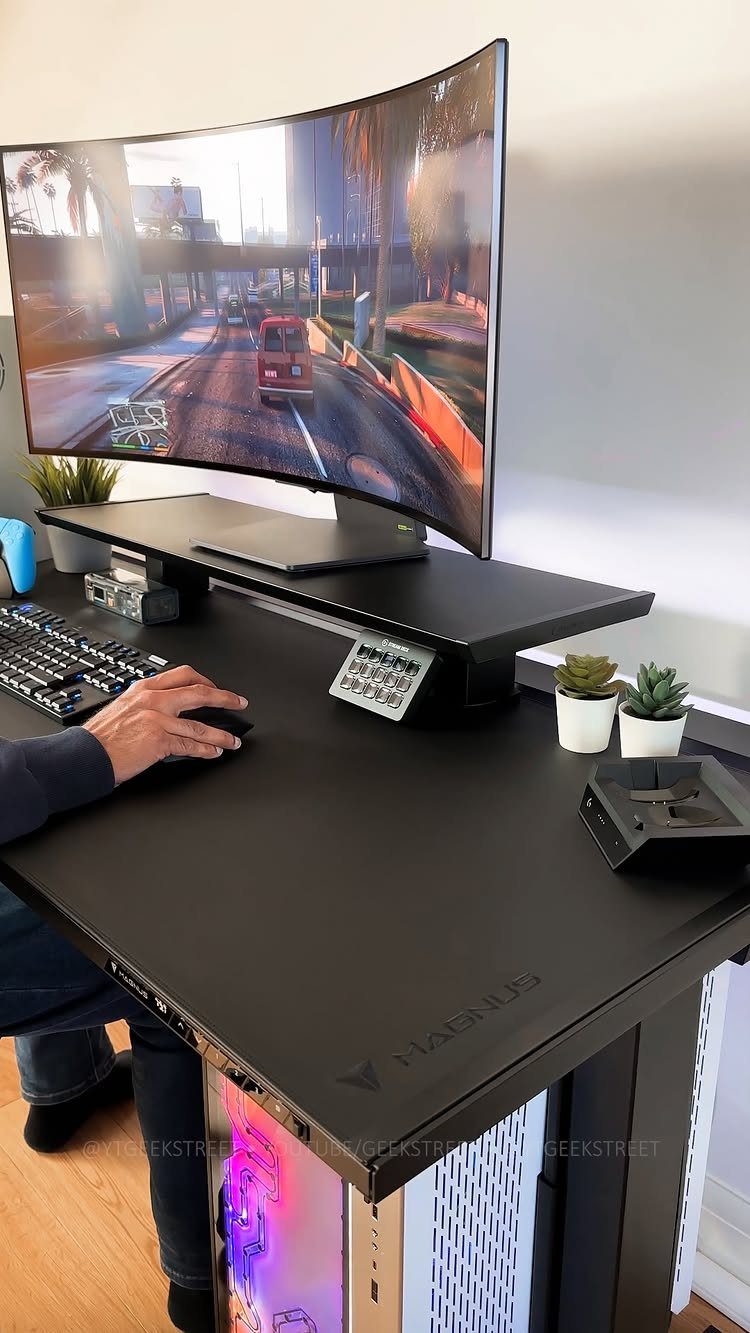
One curved ultrawide monitor on a riser can replace a two-screen setup, and the curve wraps a game like a city street scene around your side vision. There is no bezel splitting the view down the middle.
The riser lifts the screen to eye level and gives the keyboard a spot underneath when you’re not playing. Set the monitor so the top edge sits at or just below your eyes.
A black desk keeps the screen as the brightest thing in the room, which I like.
15. Racing Simulator Setup
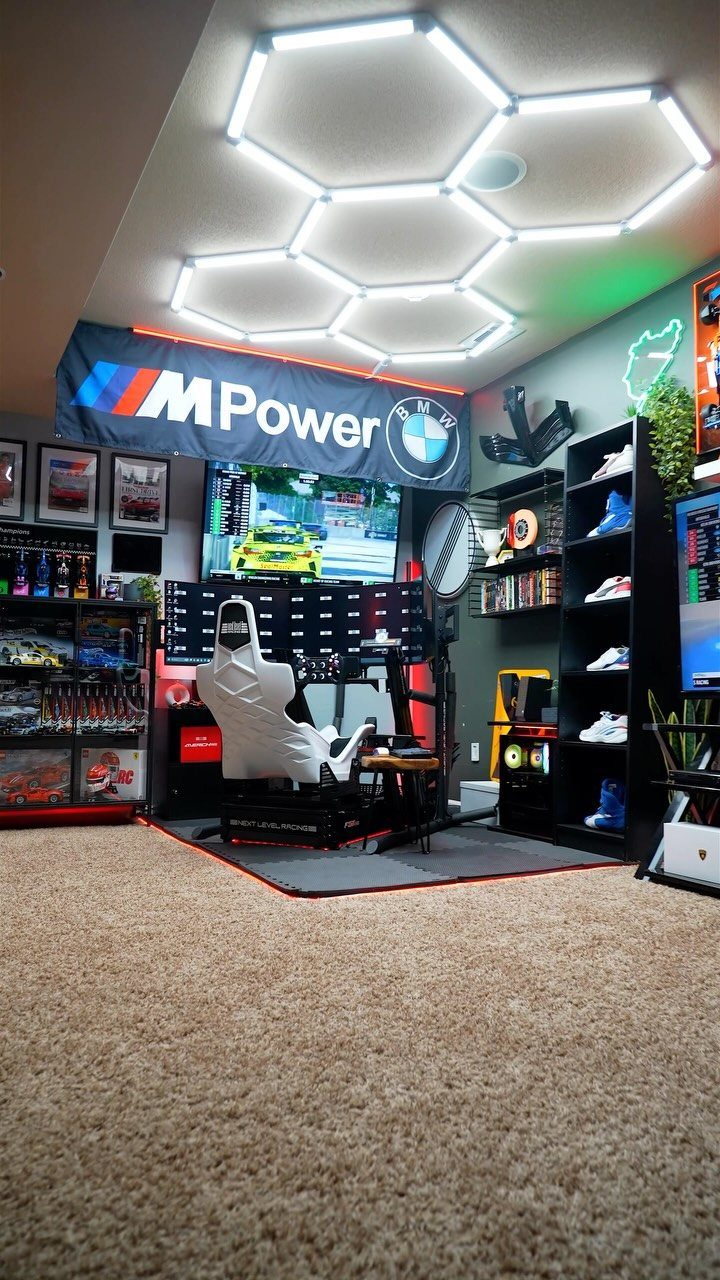
A bucket seat bolted into a rig, with 3 monitors wrapped around it, is the closest a bedroom gets to a cockpit. 3 screens widen your view of the track, so corners are easier to judge.
Pick one car brand and let the wall follow it: a banner, a few automotive posters, and little else.
BMW works well for this, and the restraint keeps a sim corner from looking like a dealership. I would stop there, because a rig plus a crowded wall looks cluttered.
Leave room around the seat to climb in and out.
16. Basement Game Lounge with Pool Table
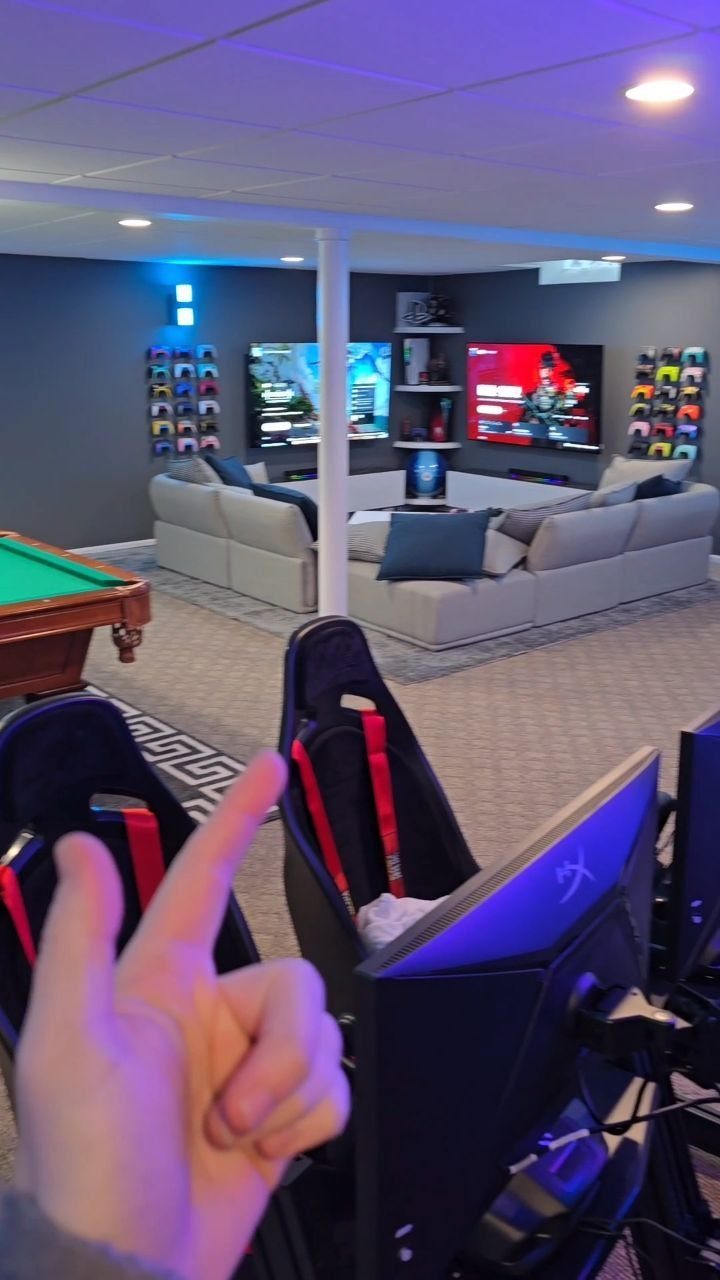
A pool table anchors a basement game lounge, and a big sectional gives the people not playing somewhere to sit and watch. Measure the room first, since a pool table needs clear floor on every side for cue swings.
Blue mood lighting suits a basement with no windows, and wall-mounted screens save floor space for the table. I would buy the table first and fit the seating around it, not the other way round.
Gaming chairs can sit along the wall for overflow.
17. Dual Monitor Console Setup
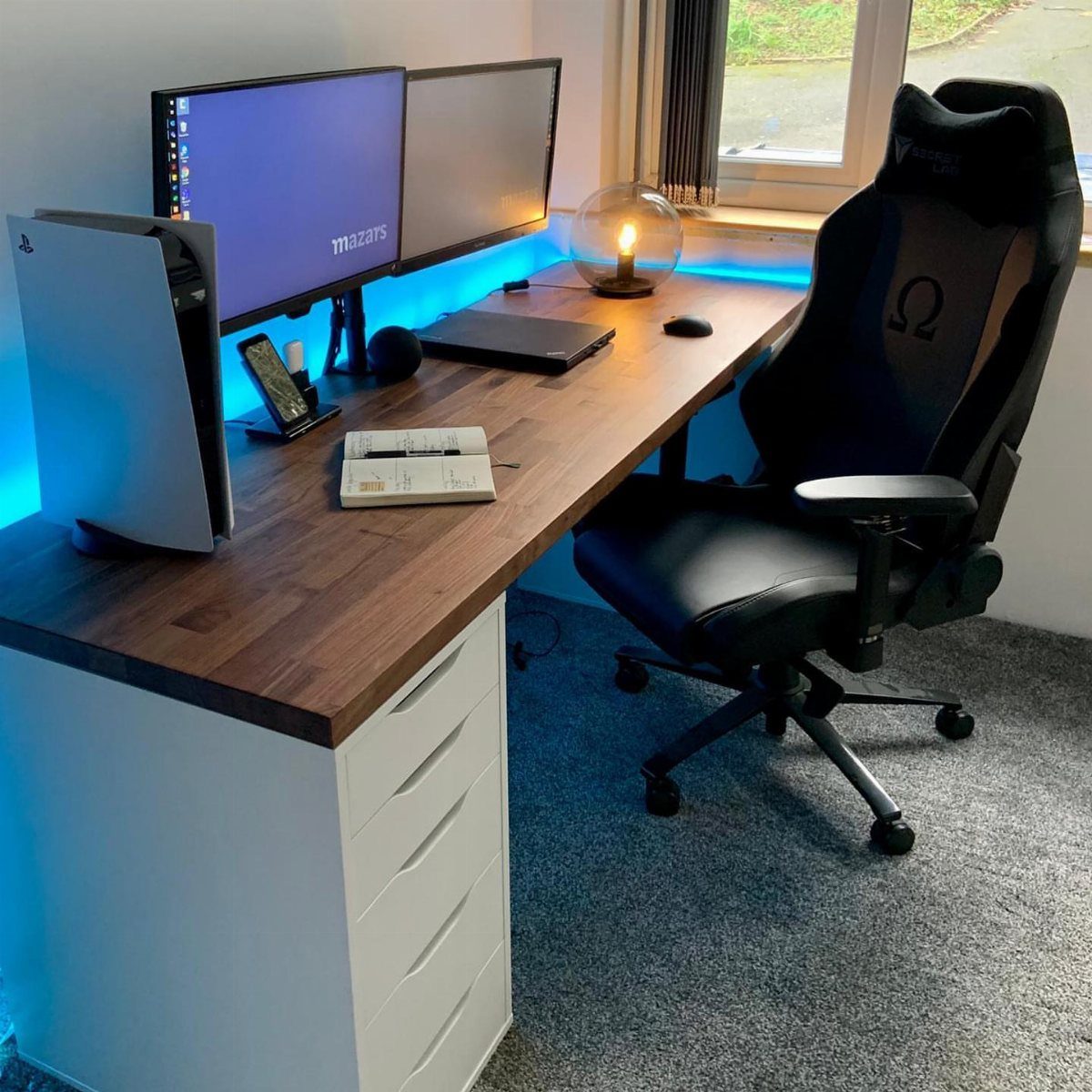
A PlayStation 5 and two monitors on one desk lets you game on one screen and keep a stream, guide or chat open on the other. A wooden desktop warms up the black gear.
Put the console where its vents stay clear and the controller cable reaches your hand. Blue LED lighting on either side of the setup adds glow without buying more lamps.
I would keep both monitors the same size so the screens line up evenly and nothing looks lopsided.
18. Wall-Mounted Pegboard Gear Organizer
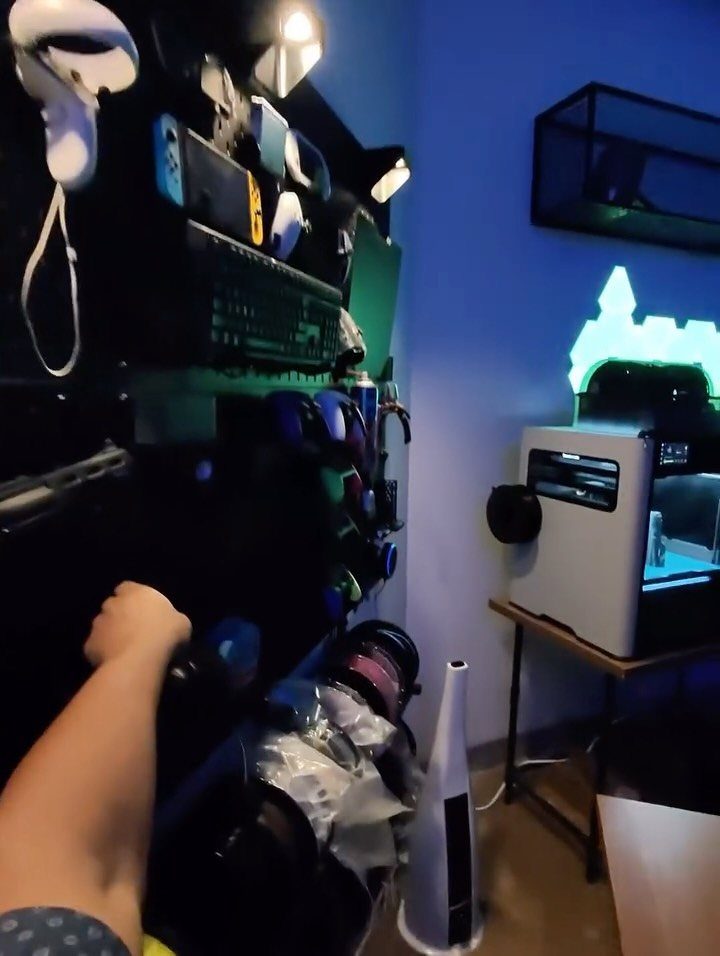
A black pegboard on the wall holds a VR headset, controllers and a keyboard where you can grab them, and it frees the desk surface. Hanging gear on hooks also keeps cords from tangling in a drawer.
Give each item its own hook and group the pieces you use together, so a headset and its controllers hang side by side. Mount the board within arm’s reach of the desk.
Choose hooks that match what you own before buying a big set, and add more as the collection grows.
19. Console Gaming Sofa Lounge
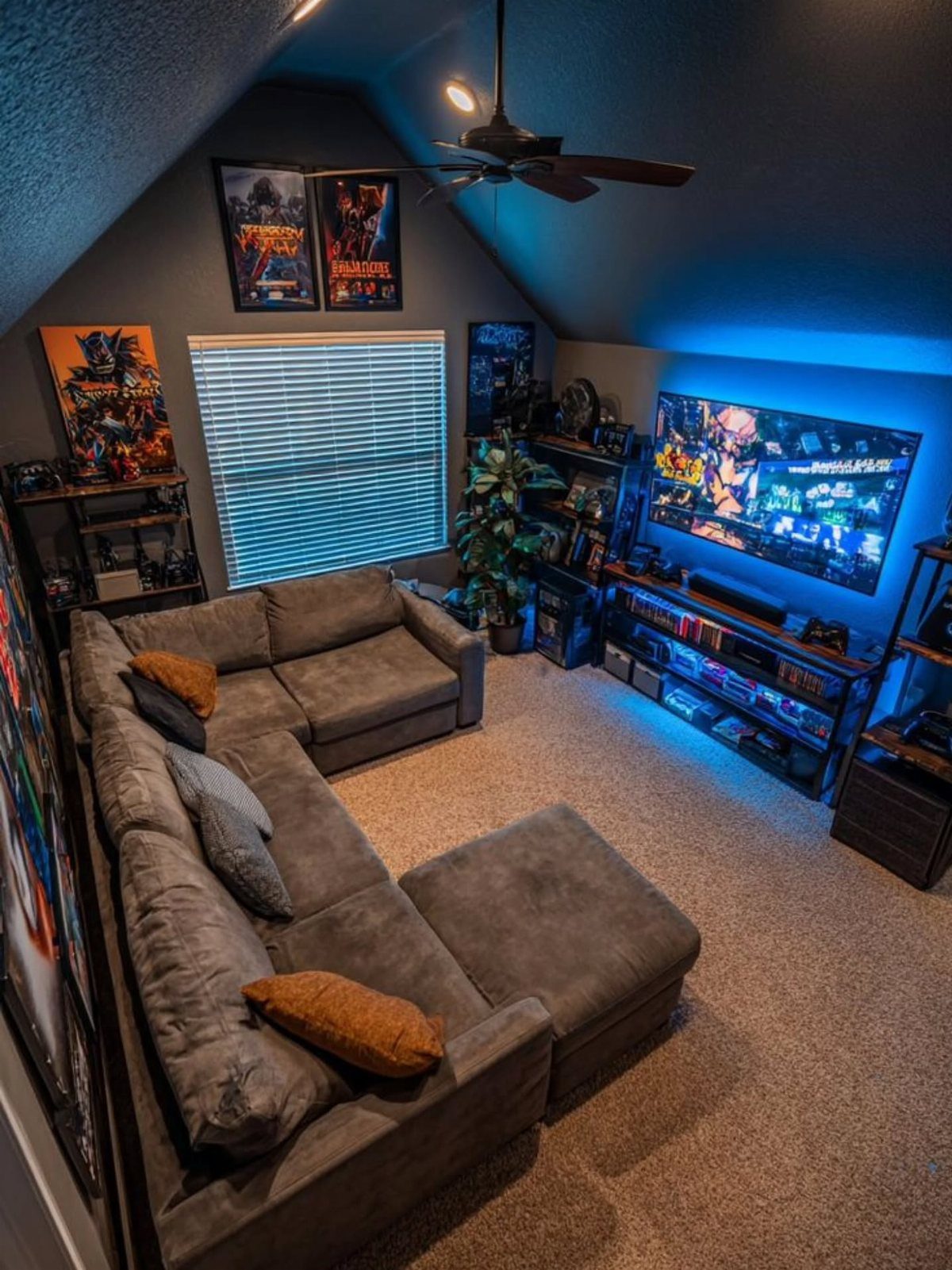
Slanted ceilings make a sectional the right call, because the low side of the room suits a seat while the tall side keeps the TV and posters in clear view.
A grey sectional faces the wide screen, and a family or a group of friends can all sit with a clear sightline.
Blue backlighting behind the TV softens the contrast between a bright screen and a dark wall, which is easier on the eyes during a long session.
Keep the consoles on a low stand under the screen so the cables stay short.
I would pick the sectional first and size the TV to the wall after.
Lighting Considerations
2 kinds of light do different jobs, so plan both.
Ambient light sets the mood for the whole room, while task light sits close to where you actually look or reach: a desk lamp, a small clip light over a shelf.
Put the ambient layer on a dimmer switch or app-controlled bulbs. A bright room suits a party game, and a dim one suits a horror title, so being able to change it in seconds beats any fixed setup.
Adjustable LEDs or smart bulbs let you save a few presets, such as one for co-op nights and one for solo play. In a rental, bulbs that screw into existing lamps need no wiring and move with you.
Set the task light first, then add the ambient layer and lower it until the screen reads clearly.
Space Optimization
Small rooms get bigger when the floor stays clear, so go up the wall. Wall-fixed shelves can hold consoles, games and accessories off the floor, and they cost far less than a big storage unit.
Furniture that does 2 jobs pays off next. A desk that folds away, or a gaming chair with built-in storage, gives the space back when you’re not playing.
An under-stairs area is worth a look if you have one. Built-in shelves, good lighting and a narrow desk fit the space without crowding it, which matters when the room is small or shared.
Measure the ceiling height and the depth before buying anything, since low spots under stairs limit what fits.
Personalization Tips
Start with the games you play most, and let them pick the style. Sci-fi, medieval fantasy and retro arcade each lead to a different look, so choose the one you would still like in a year.
Posters, pictures and collectibles carry the theme. If you can’t settle on one game, blend a few for a multi-game look, but give the room a lead.
Pick one franchise or look to anchor the design, then add two or three smaller nods to other interests. That keeps the room cohesive instead of busy.
You control how far to go: a few subtle nods suit a shared room, and a fully themed space suits a room that is yours alone.