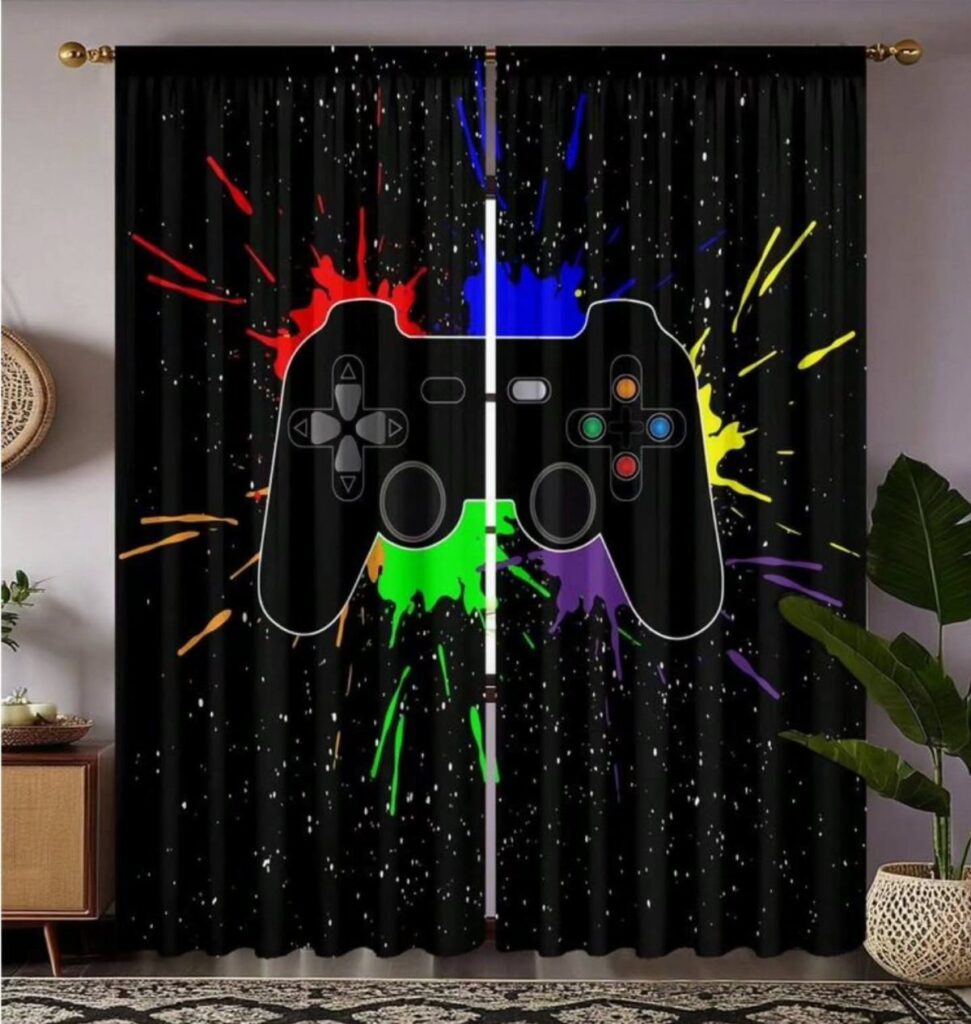
The ideas here run from a minimalist setup with one accent color to a weekend-long DIY cloud ceiling, and the cheapest changes are game-themed posters, a controller wall clock or a gaming rug.
What picks yours is whether you can touch the walls: a renter who can’t paint should lean on posters hung with removable strips, gaming-themed bedding, a controller wall clock or a gaming rug, while an owner can commit to floating wall shelves or acoustic panels.
Either way, stay with one color family so the room matches your screen glow.
1. Minimalist Setup
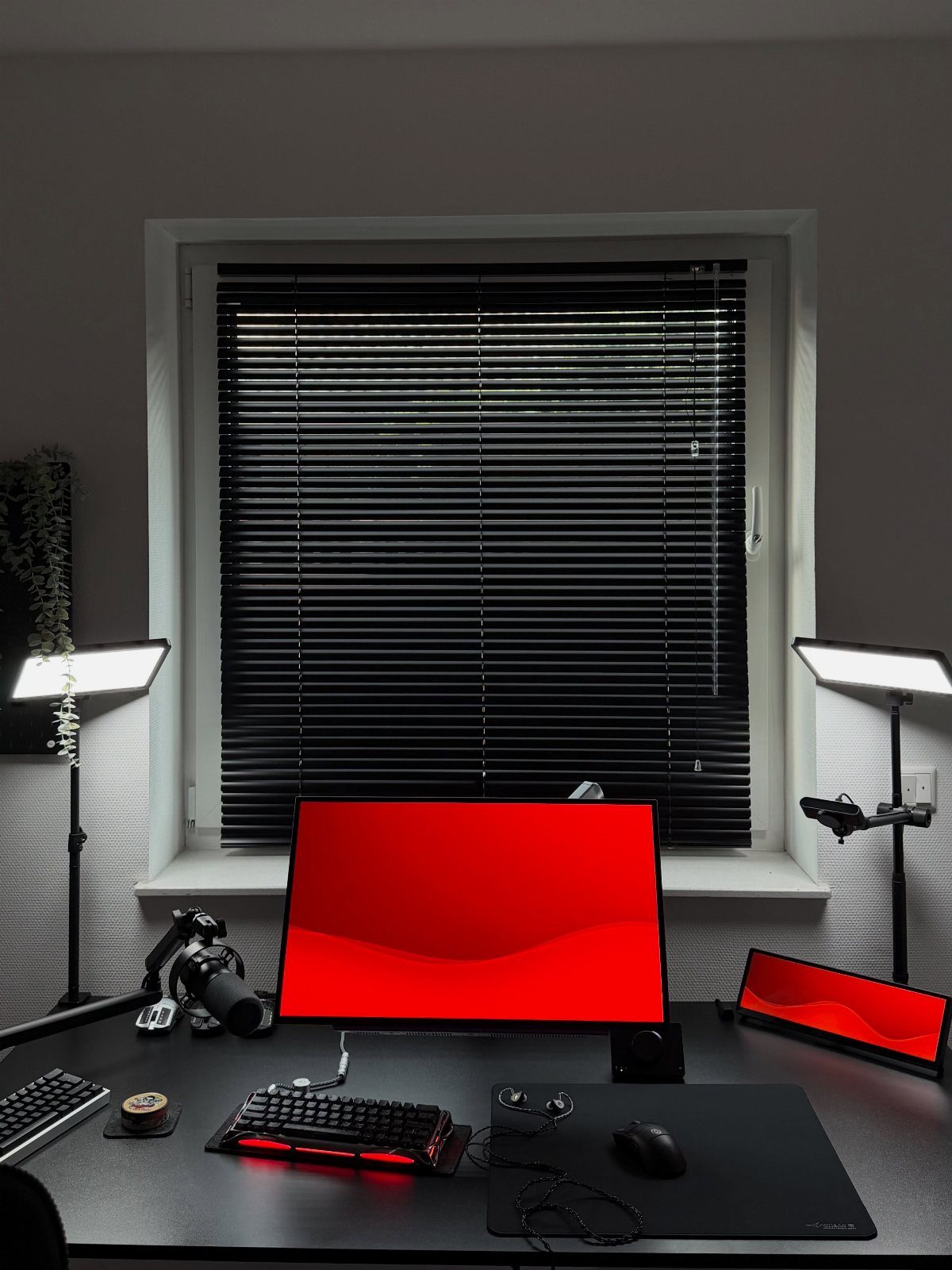
Keeping to a single accent color is what makes a setup read as minimal instead of just empty.
Limit the desk to the pieces you touch every session: monitor, keyboard, mouse, mic.
2 lights flanking the screen give you glow without clutter, and a backlit keyboard adds a little more. Anything else can live in a drawer.
2. Retro Arcade Corner
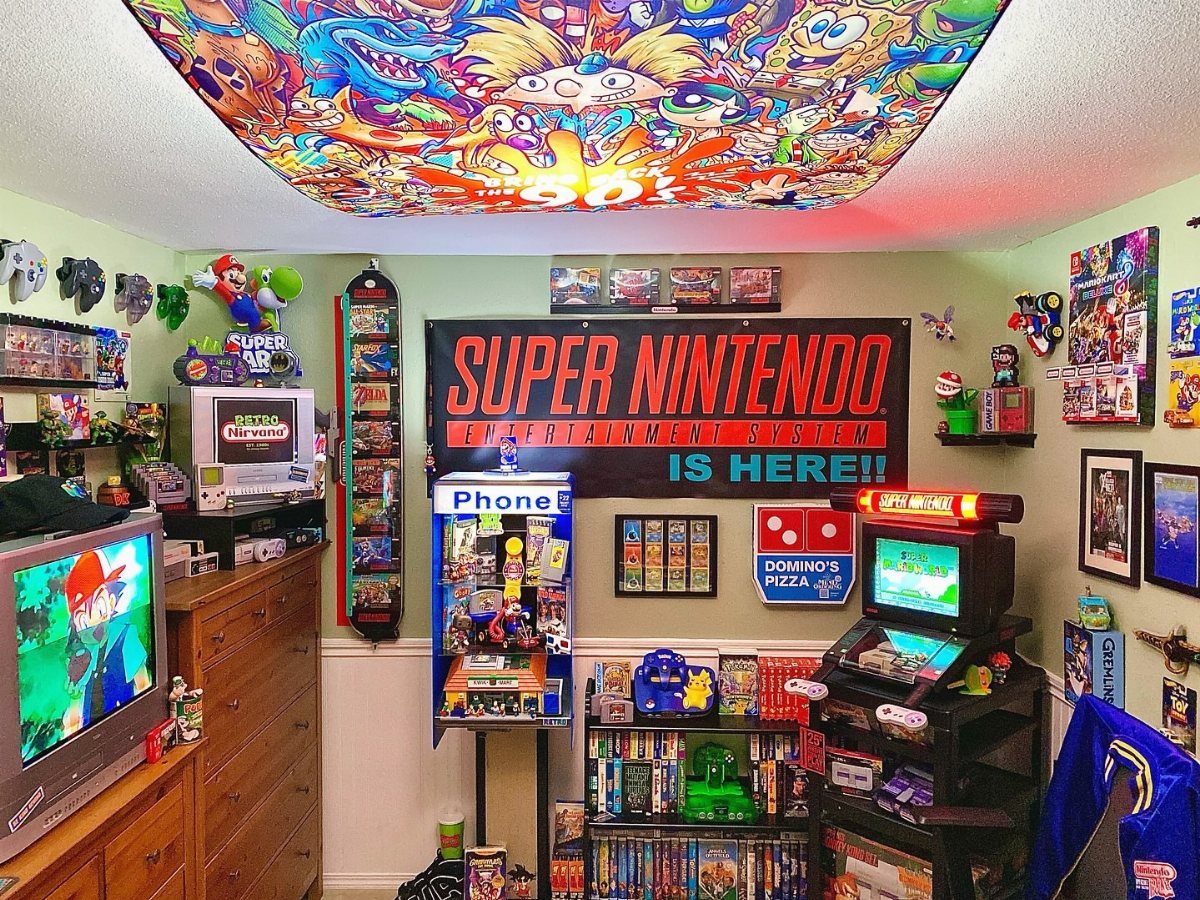
A corner is enough room for an arcade shrine, and a banner is the cheapest way to start one.
I would pick one console generation and stay with it.
Collectibles on one shelf look intentional; mixed eras look like a garage sale. The painted ceiling mural is a bold touch, and it keeps the walls free for the banner and the machine.
3. RGB Lights
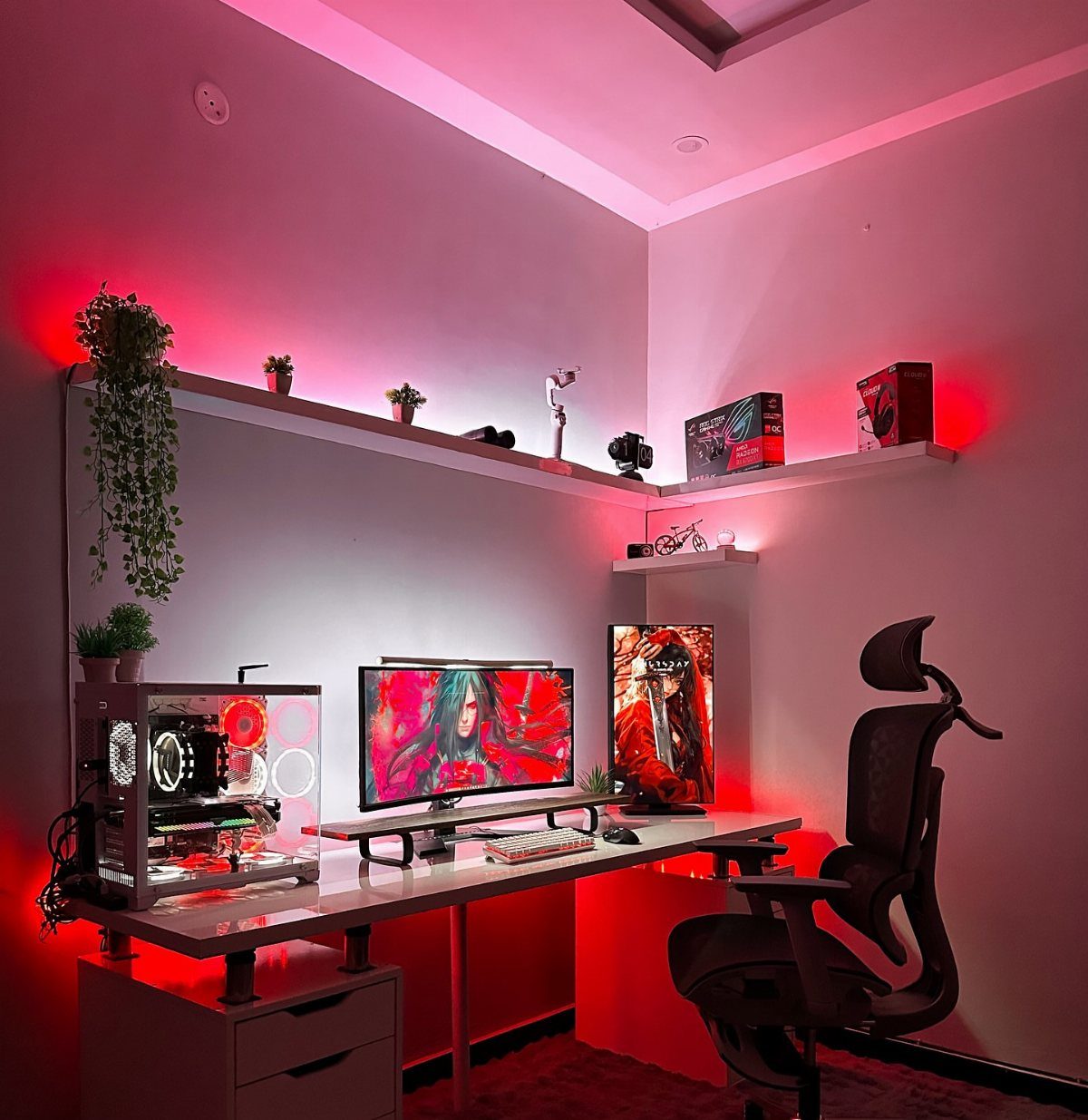
Red light on a desk wall changes the mood faster than any other single purchase, and a one-color scheme looks more deliberate than a rainbow cycle. Stick with red if the monitors and chair are dark.
White floating shelves bounce that glow around the room, and plants and storage boxes on them soften the look. Put the strips behind the desk or shelves so you see the light, not the bulbs.
4. Game-Themed Decor
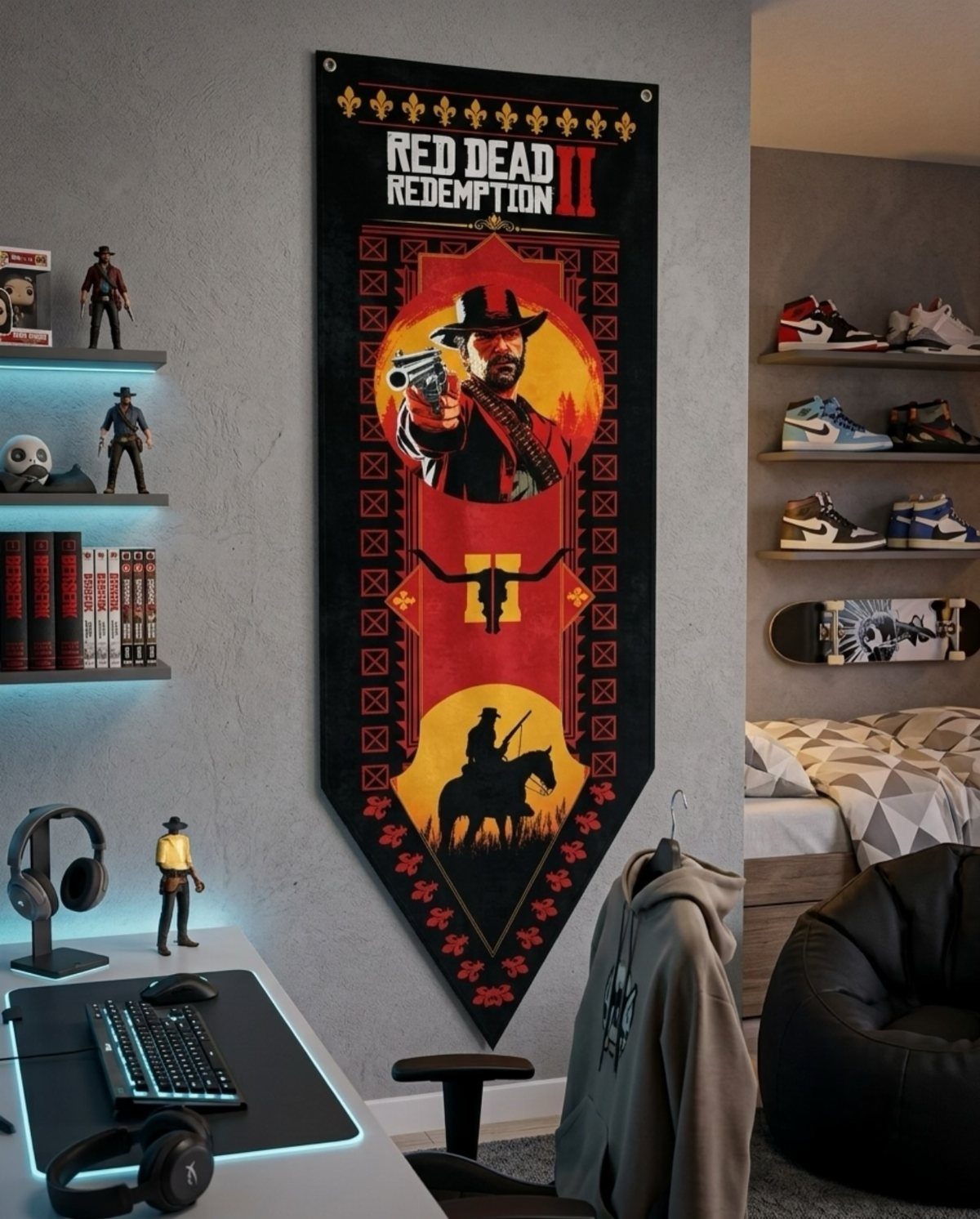
A single game is enough to theme a whole room, so choose the one you know best and repeat its colors, characters and logos on the walls and shelves.
A big Red Dead Redemption II wall scroll gives the bedroom a focal point, and the figurines and sneakers can echo it without competing.
Hang the scroll behind the desk so it frames you on screen and in the room.
I like keeping the rest of the wall plain. Themed pieces only work when something quiet sits around them.
5. Custom Neon Signs
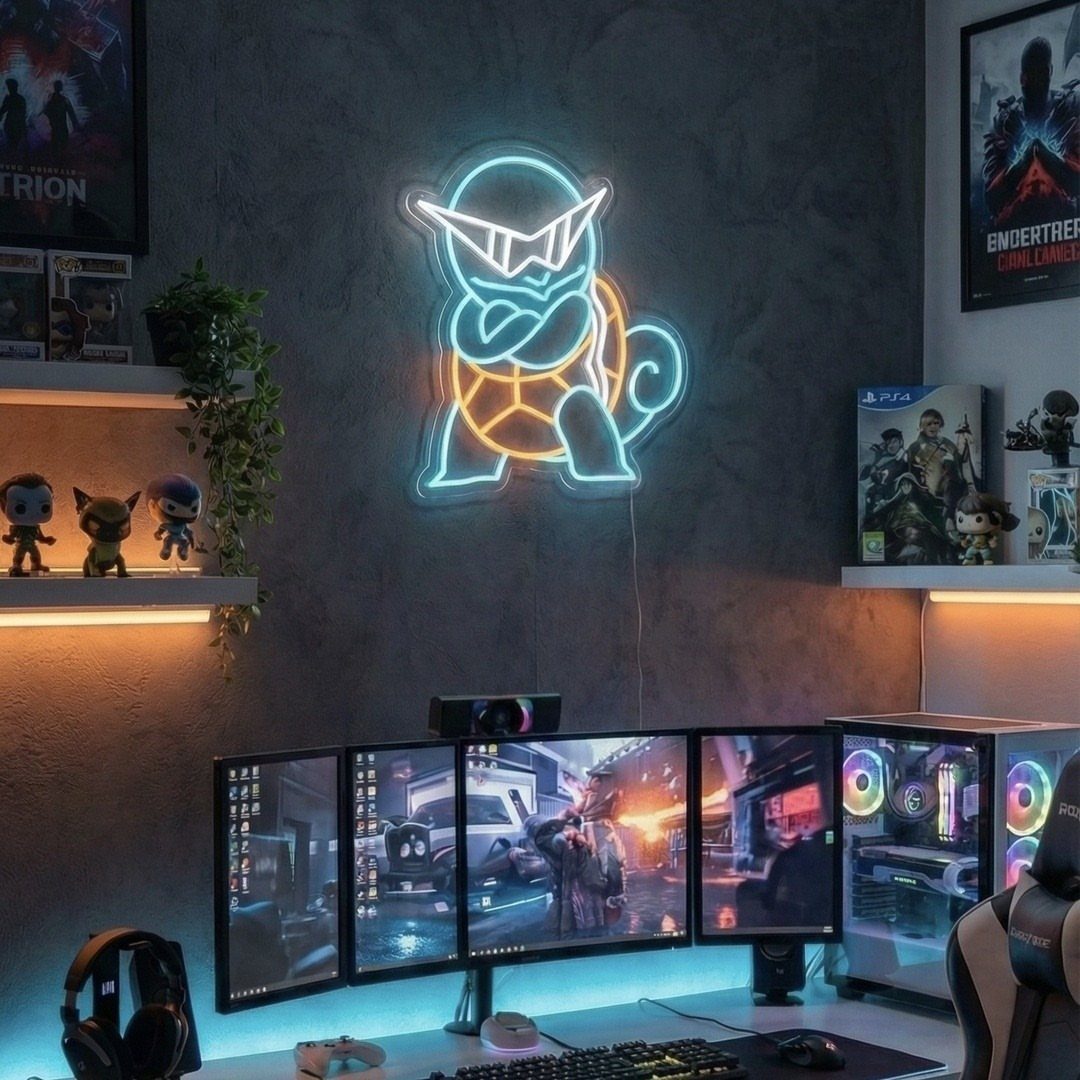
A neon sign shaped like your favorite character does the job of a poster and a lamp at once. Pick a dark wall, because the glow reads strongest there.
Mount it above the monitors where you can see it from the chair.
A character sign, like the Squirtle here, is more personal than plain lettering. A neon sign costs well above a poster or print, so pick a character you won’t get tired of.
6. Floating Wall Shelves
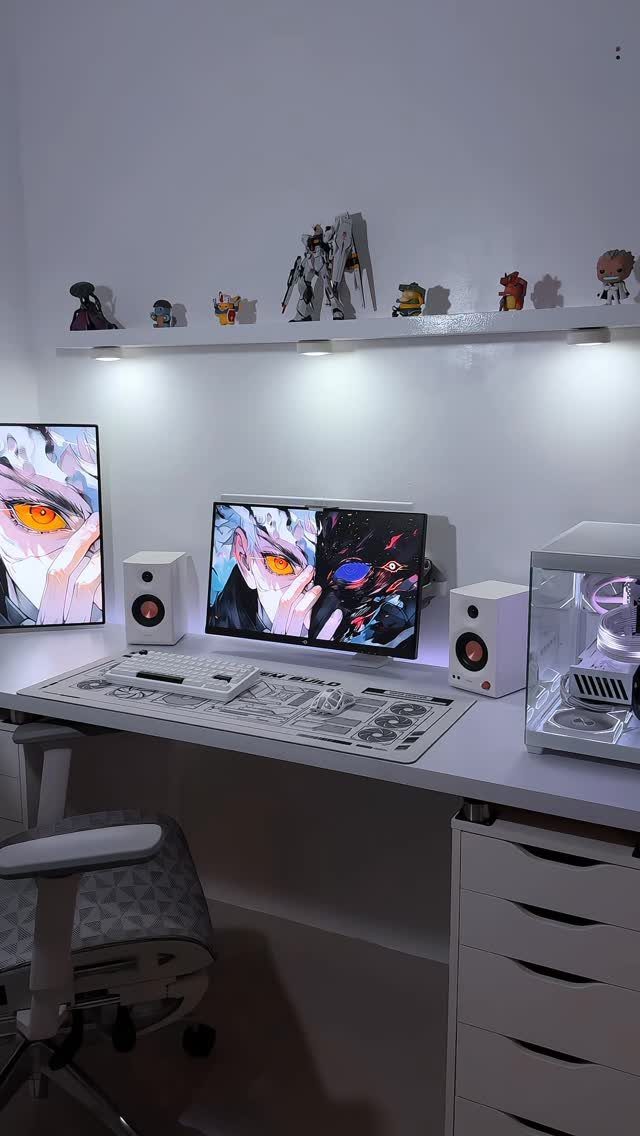
Shelves above the desk give collectibles a home without eating floor space. A single white floating shelf over a white desk keeps the whole wall light.
Line figurines up in one row rather than stacking them, and keep the tallest ones at the ends.
Anchor into studs or use proper wall anchors, since a shelf full of figures is heavier than it looks. Leave a little gap above the monitors.
7. Acoustic Panels
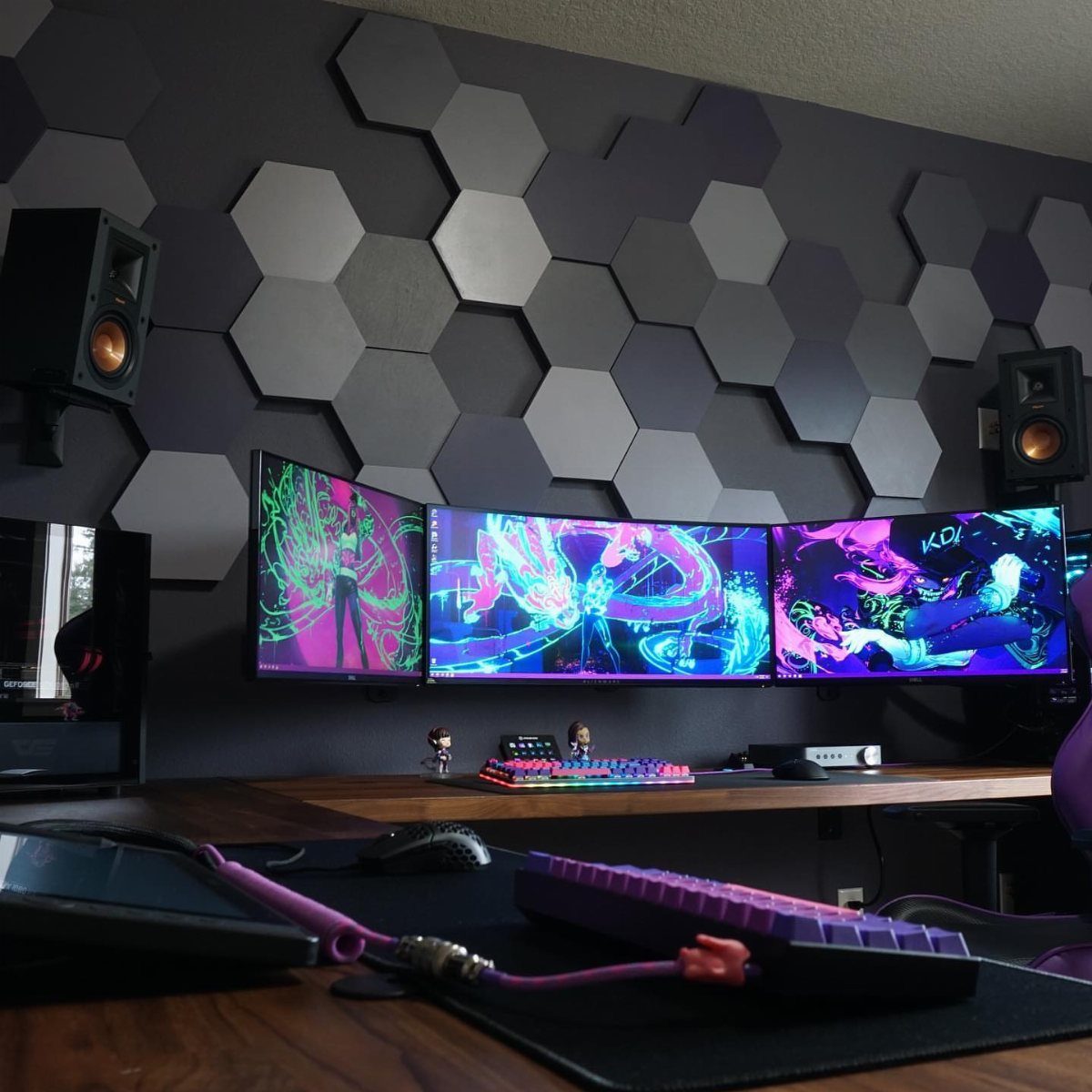
Hexagonal panels behind the monitors fill a bare wall and tie it into the setup. Grey keeps them quiet next to the screens and the 2 studio speakers.
Mount them at the first reflection points on the side walls, and behind the speakers too, since that is where sound bounces back at you.
A honeycomb pattern lets you cover a patch instead of the whole wall, which suits a small room and a small budget. Leave a gap between panels if you want the shape to read.
8. Game-themed Posters
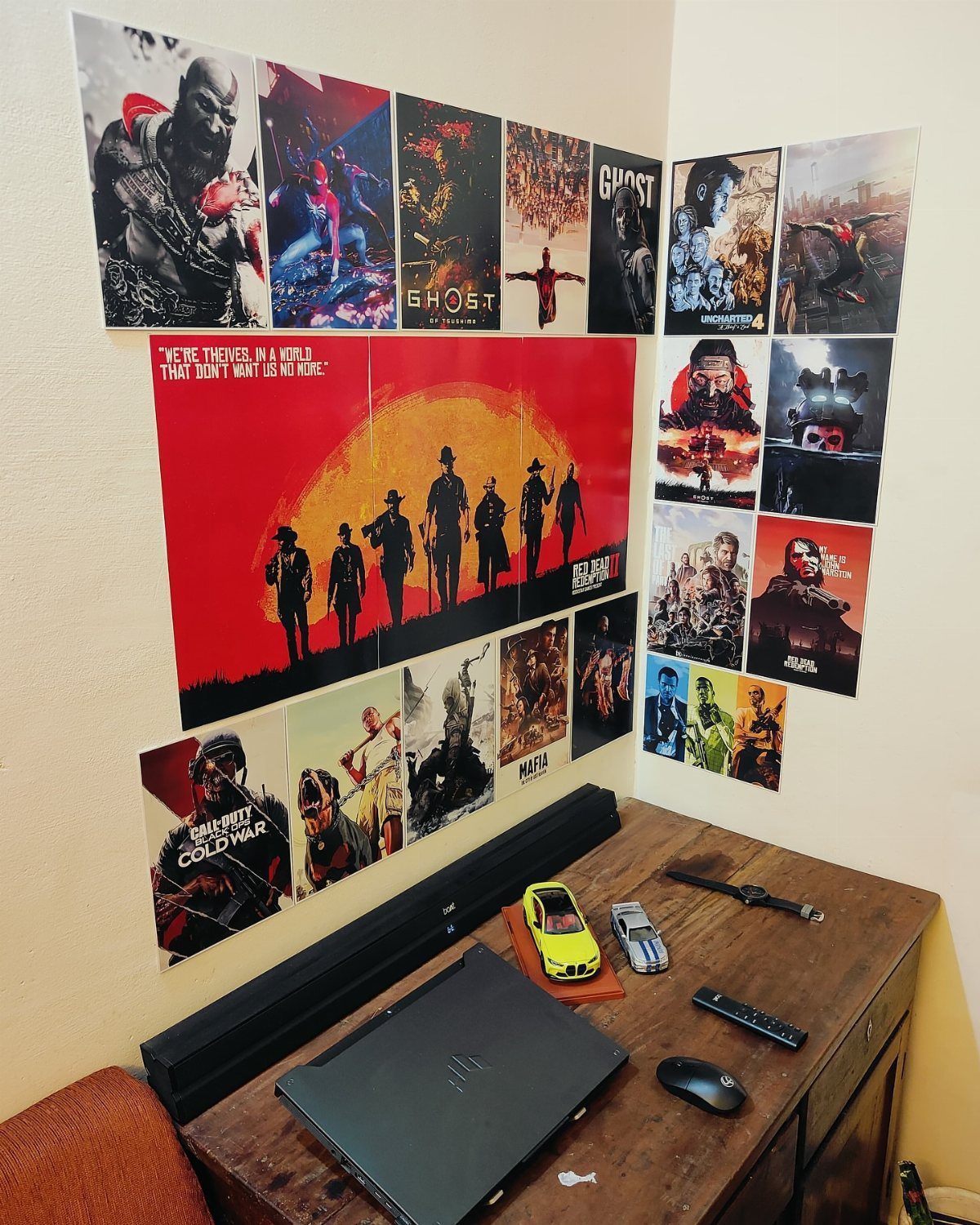
Posters are the cheapest way to give a wall a personality, and a grid of them reads as one piece. Red Dead Redemption next to Call of Duty works because both lean on dark, gritty color.
Pick titles you have actually played, and keep the frames or the edges consistent.
Line the bottom row up with the top of the desk area so the wall feels planned. Tape or removable strips save a rental’s paint.
9. DIY Decor Projects
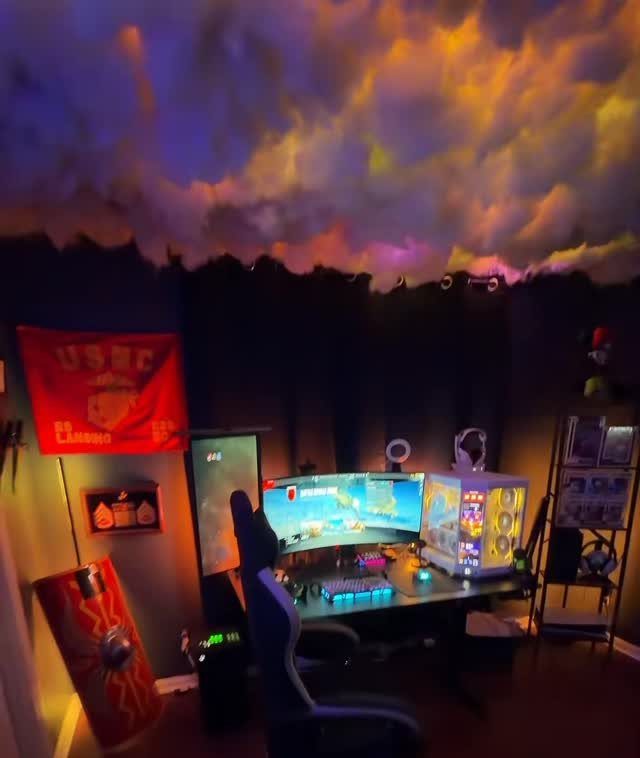
Paired with a flag and a shield on the wall, it makes a plain room feel like someone’s own.
Choose one big project and leave the rest of the room simple.
Lighting does most of the work here, so spend your time on where it sits. Expect a weekend, and pick colors that match your screen glow.
10. Headphone Stands
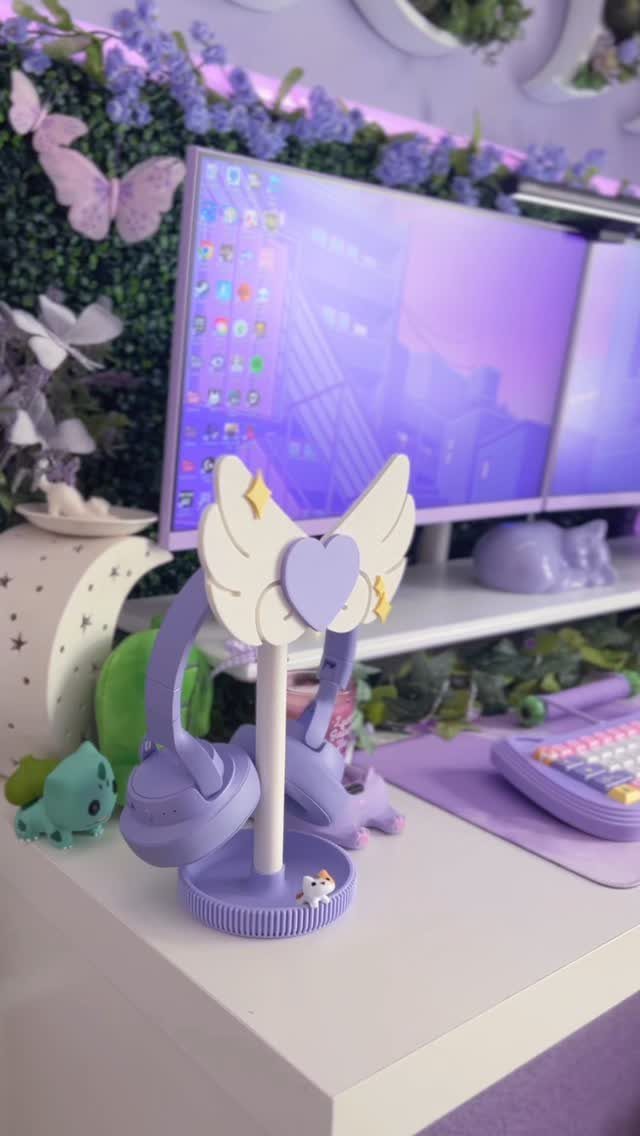
A winged stand gives headphones a place to sit that looks like decor instead of a cord pile. I like the purple pair on a matching stand, because the color ties into the monitor.
Set it at the edge of the desk, within arm’s reach, so you actually hang them up. Match the stand to your main accent color, and the desk stays tidy without extra effort.
11. Gaming Rugs
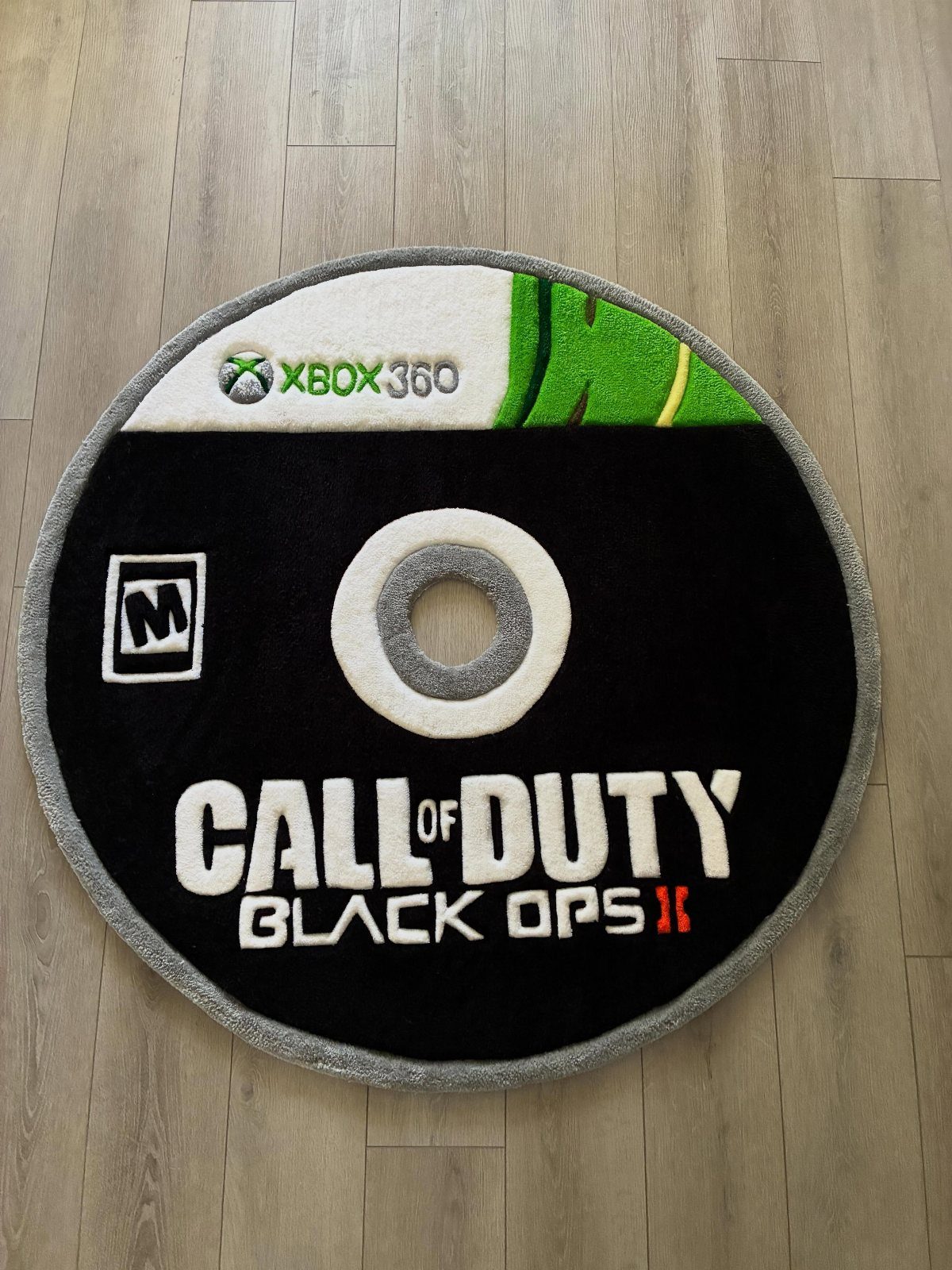
On light wood, the dark design stands out sharply.
Place it under the chair so the circle frames where you sit.
Keep it to one rug; a second would fight it. Choose a title you love, since a rug this specific is hard to swap out later.
12. Lava Lamps
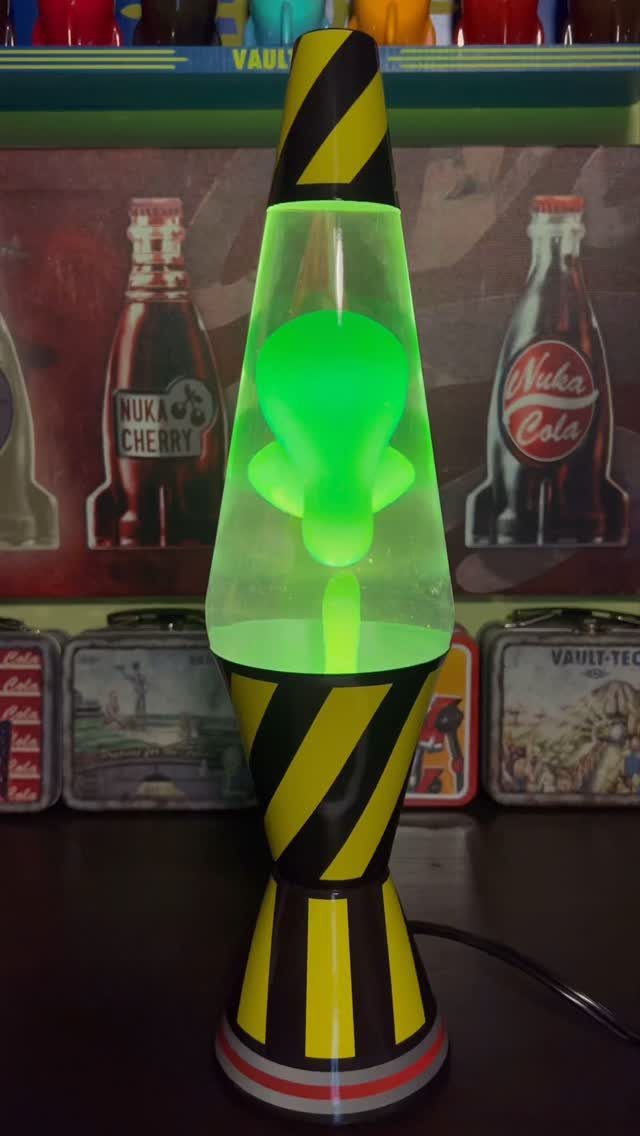
A green lava lamp with hazard stripes brings a slow, warm glow that suits a shelf of Fallout memorabilia. Set in front of the Nuka-Cola and Vault-Tec pieces, it works as both a lamp and a prop.
Put it on a shelf or desk corner where you can see it from the chair.
One lamp is enough. Match its color to the game theme and it reads as a deliberate piece.
13. 3D Hexagonal Lights
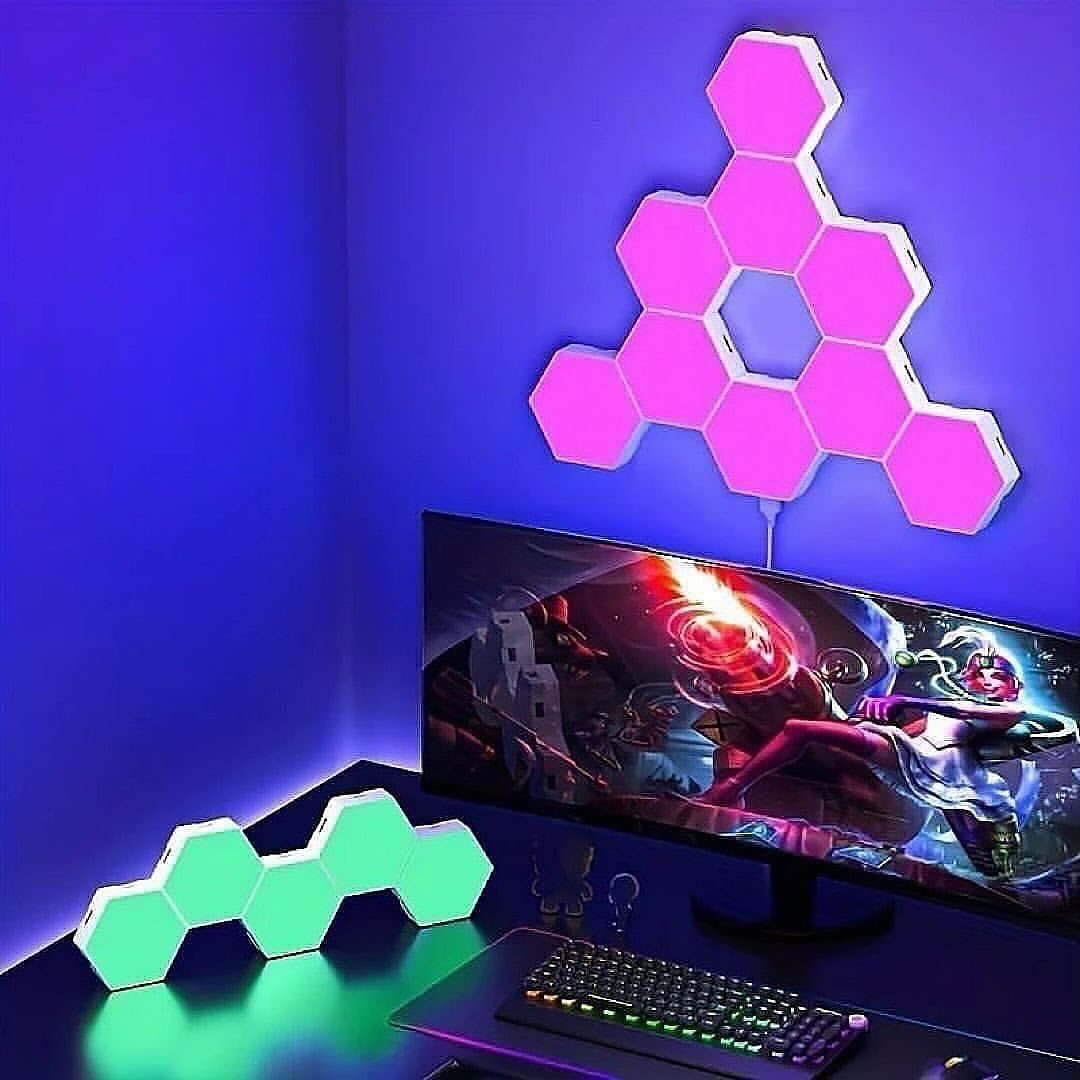
Hexagonal lights make the wall look dimensional, so a small cluster does more than a flat strip would.
Keep the cluster near the monitor, where the glow frames the screen.
I would leave the rest of the wall bare, since the lights are the pattern. The desk pieces work best kept low, so they don’t glare into the screen.
14. Fantasy RPG Hideaway
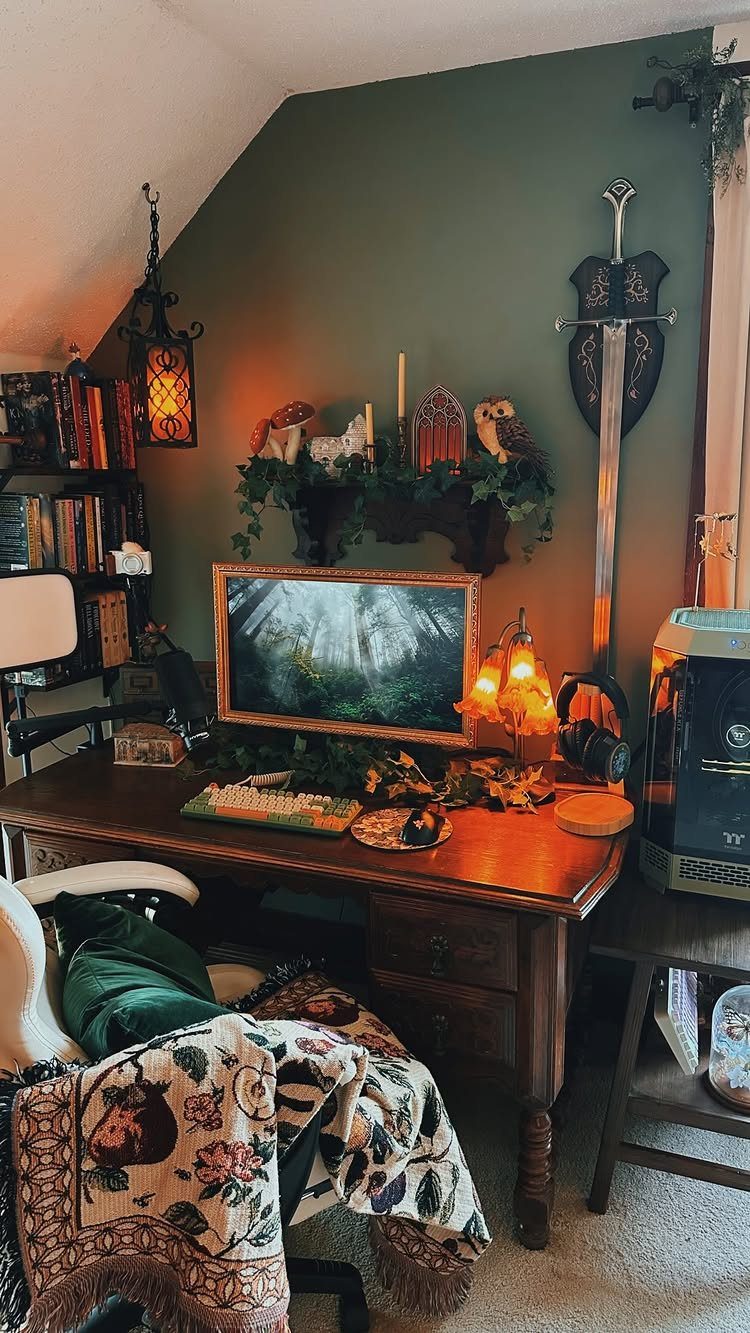
A dark green wall is the backdrop that makes a sword, lanterns and an owl look like a hideaway instead of a shelf of props. Wood on the desk warms it up.
Keep the props to a few and group them at the edges of the monitor.
Lanterns give the soft, low light a fantasy corner needs, so skip the bright overhead bulb while you play. Paint is the cheapest part of this idea, and one wall is plenty.
15. Dual-Streamer Suite
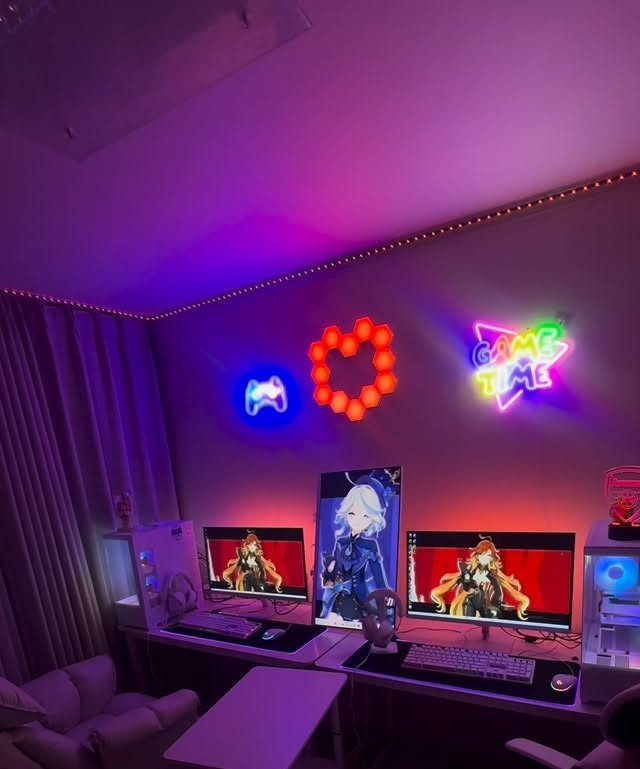
2 identical-height monitors side by side let multiple streamers share the same wall without the layout feeling crowded. Purple ambient light ties both stations together, so neither looks like an afterthought.
Put a neon sign above each station, as with the heart and "GAME TIME" here, so each person has a spot that is theirs.
I would keep the lighting to one color family. Mixed colors on camera get busy fast.
16. Character Controller Holder
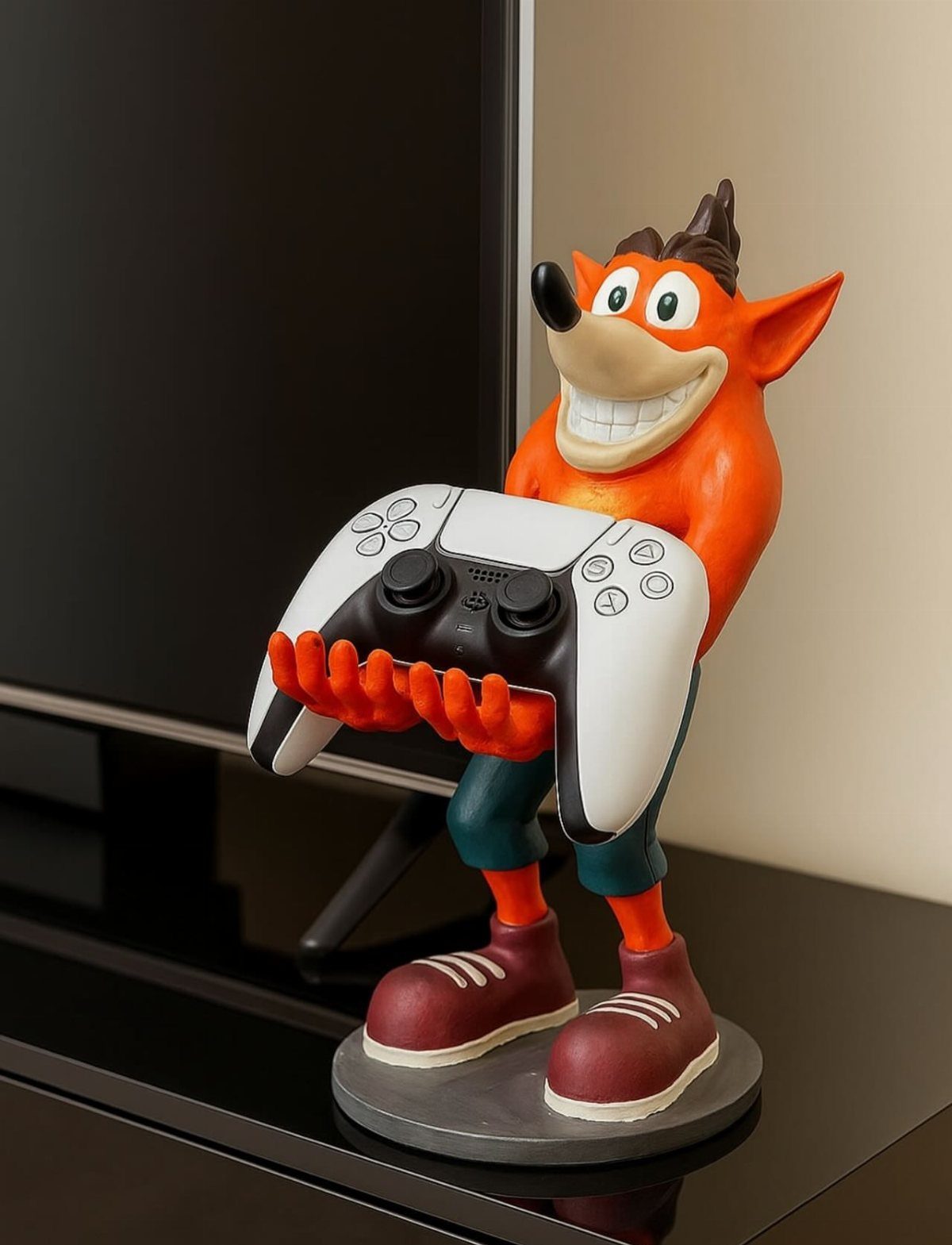
A figure that holds a controller gives the controller a home and the shelf a character. A Crash Bandicoot statue cradling a white PS5 controller is the kind of piece that looks like decor even while it works.
Set it on the console shelf beside the TV, within reach of the couch.
Choose a character you would display anyway, since the stand is a permanent fixture. Match the controller color to the surface so the figure stays the focus.
17. Projector Gaming Lounge
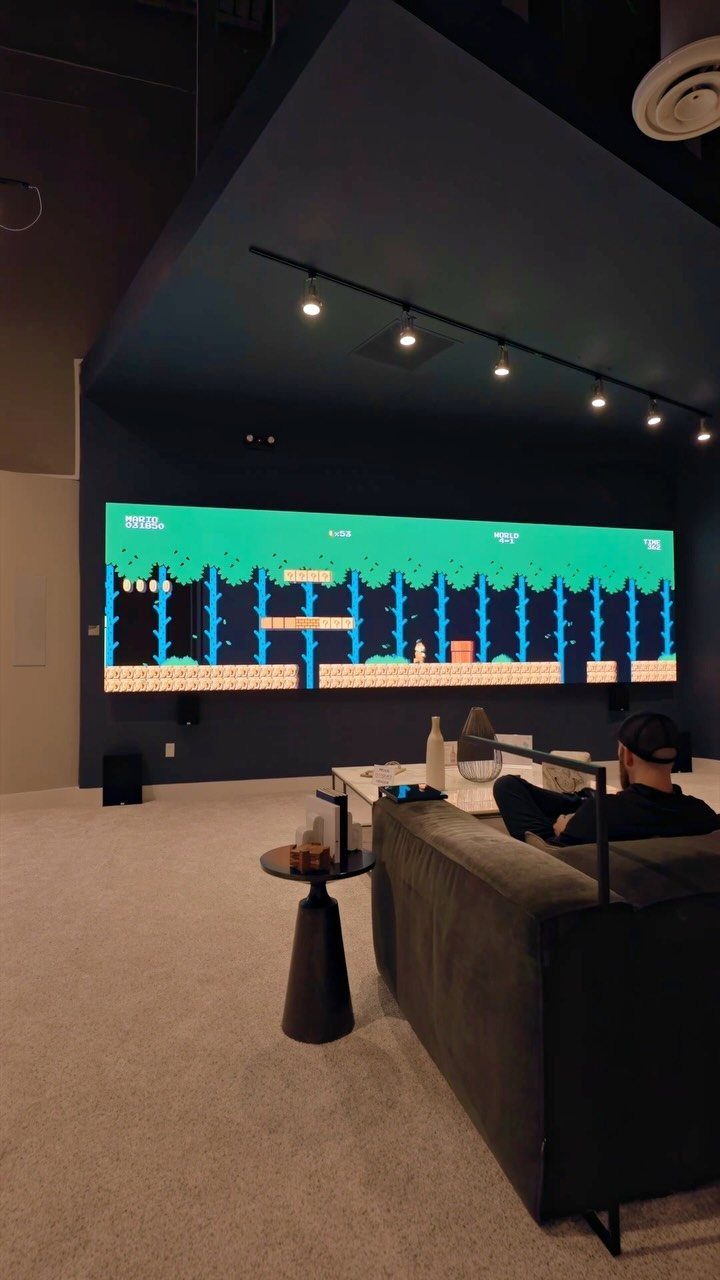
A projector turns a blank wall into a screen far bigger than most TVs, and a grey sofa facing it is all the furniture the room needs. Super Mario Bros. looks enormous at that size, which is half the fun.
Keep the room dark for the best picture, and use track lighting for dim light between sessions.
A small side table holds a drink and a controller. Skip heavy decor; the screen is the focal point, and extra clutter only competes with it.
18. Pastel Gaming Desk Setup
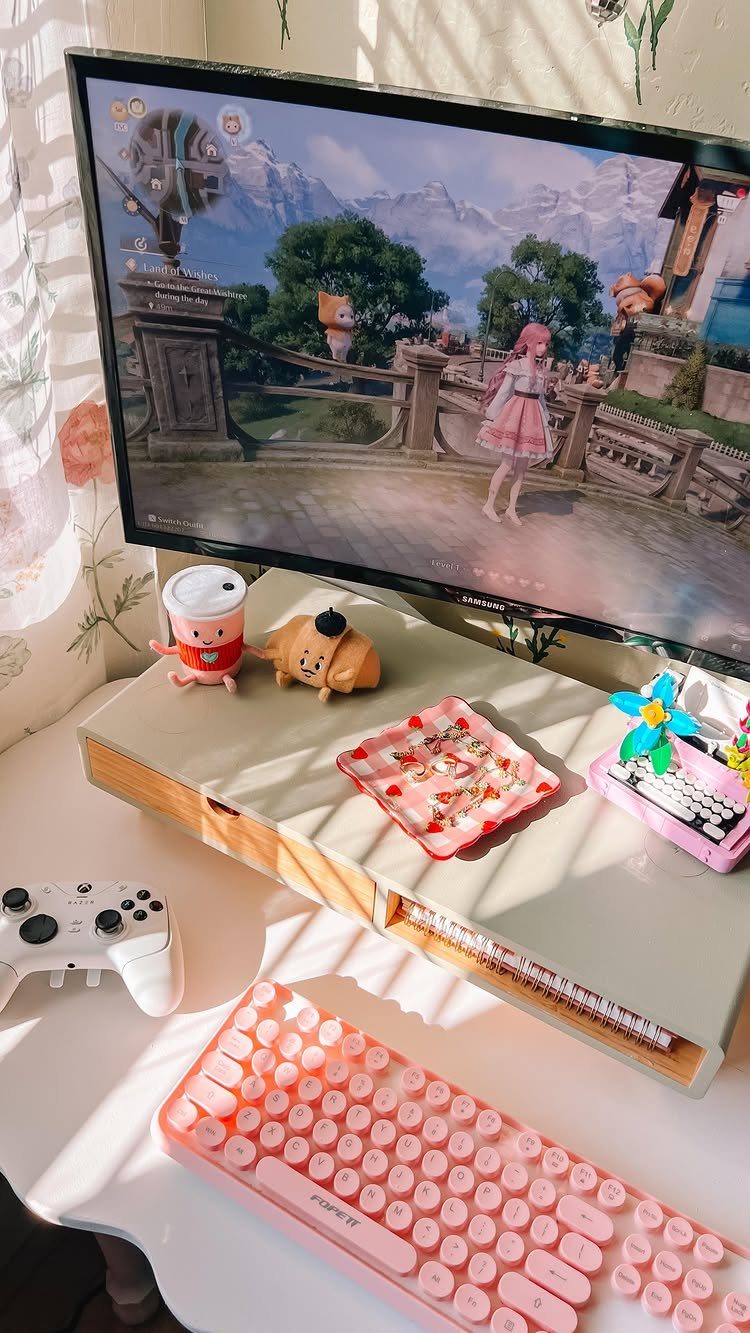
A pink mechanical keyboard sets the palette, and everything else on the desk can follow it in white and soft tones. The white controller and a strawberry-themed tray make the setup feel cohesive without a single loud piece.
Add the figurines last, in small groups next to the monitor. A keyboard swap is the cheapest way to start.
19. DIY Cloud Ceiling
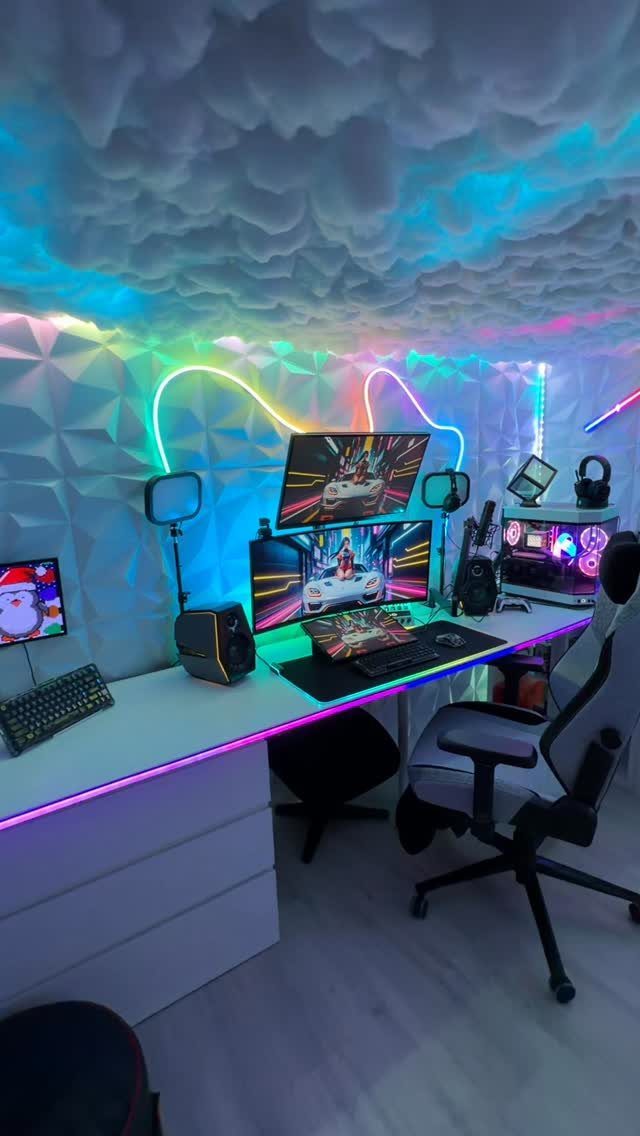
A cloud ceiling with colored LEDs behind it gives a gaming room a glow from overhead, so the walls can stay plain.
Here the white desk and 3D wall panels already carry the room, which leaves the ceiling free to be the loud part.
Keep the light in one color family so it matches the monitor glow.
Colors that clash with the screen get tiring over a long session. Plan on a weekend, and test the lights before you close anything up.
20. Wall-Mounted Game Case Displays
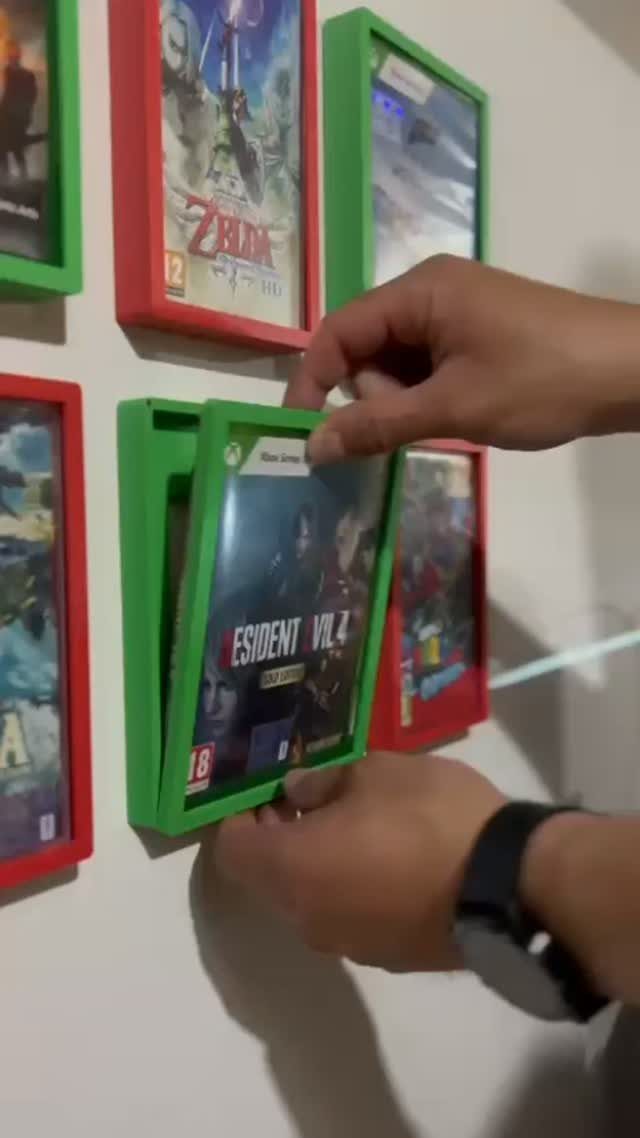
Framed holders turn a game collection into a wall display, and the cases stay as playable as they were on a shelf.
Red and green frames against white, with Resident Evil and Zelda slotted in, make the cases read as art.
Pick 2 frame colors and stick to them. Slide games in and out as your rotation changes, which is the real advantage over a poster.
Hang each case in a straight row with the same 2-inch space between them, and the display reads as a deliberate grid instead of a pile of covers.
21. Controller Wall Clock
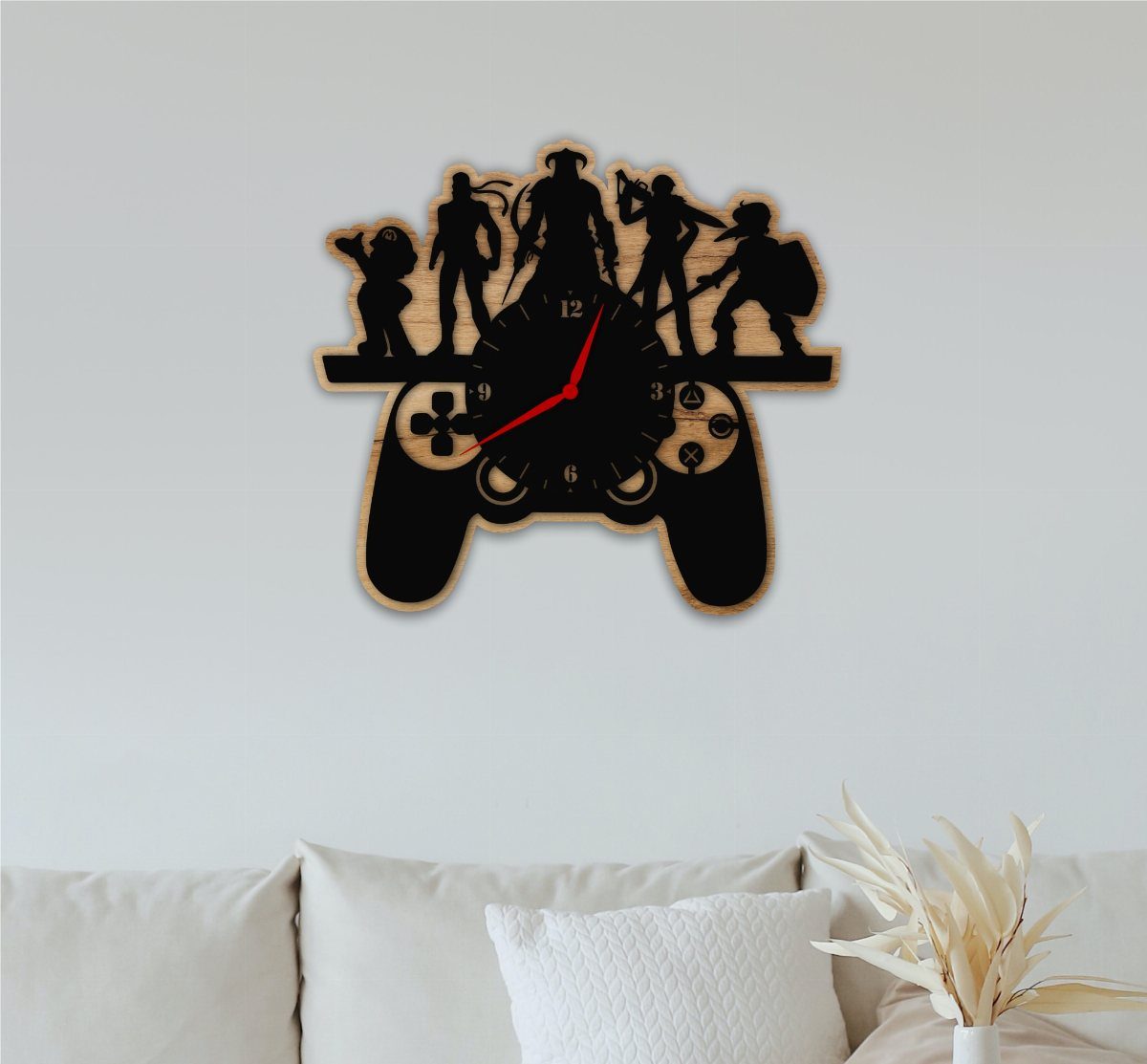
A wooden controller-shaped clock puts a game reference on the wall without looking like a poster. Mounted above a beige sofa, the character silhouettes on top give it a playful edge, and the wood keeps it warm.
Center it over the sofa so it anchors the seating.
I would leave the wall around it empty, because a clock this graphic wants room. It is a small buy, so it suits a renter who can’t paint.
22. Crystal Console and Controller Stand
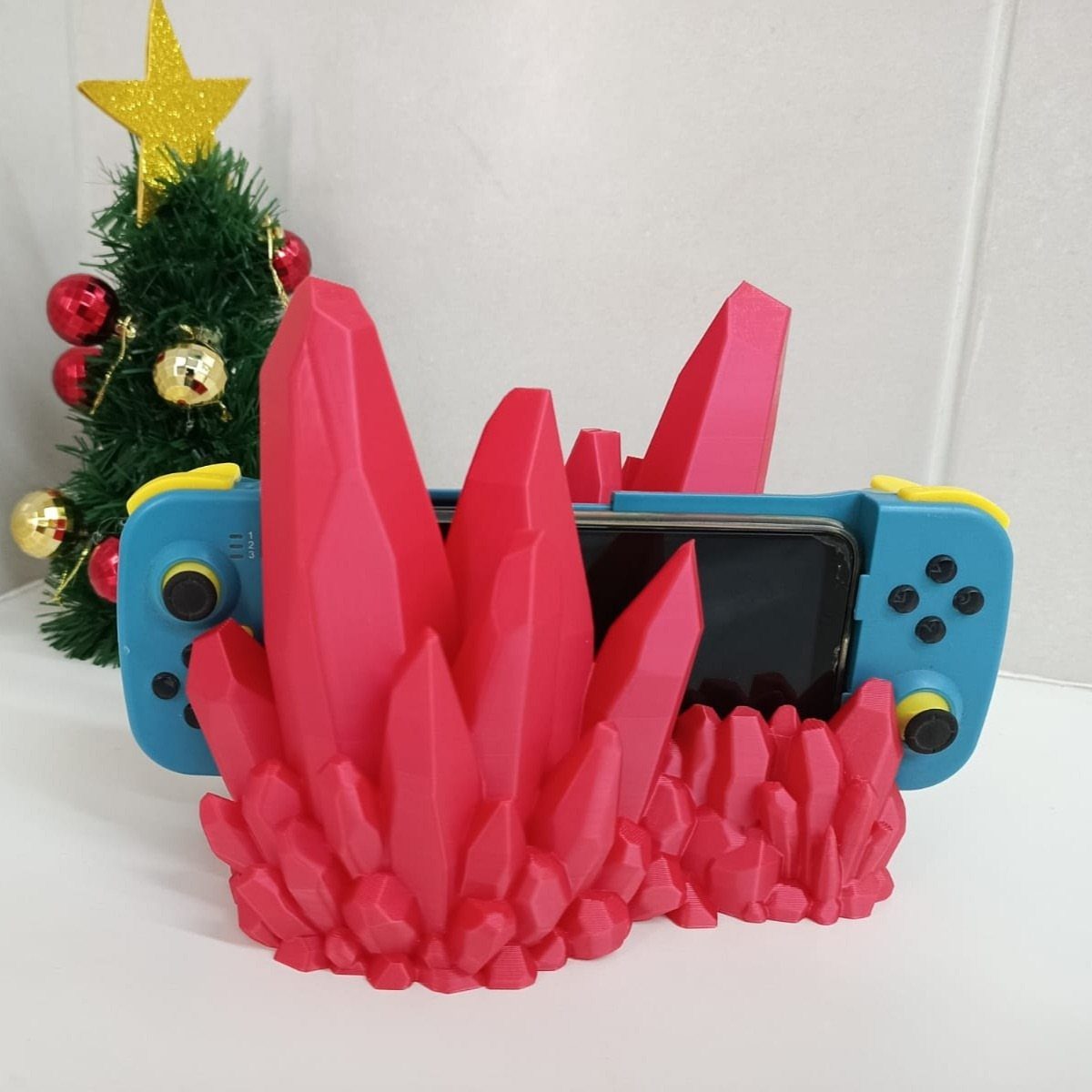
A pink crystal stand holding a blue Switch makes the console look like a display piece instead of a gadget left on a shelf. The 2 colors play off each other, and a white wall keeps them clean.
A 3D-printed stand is a good fit if you have a printer or a friend who does.
Choose a stand color that contrasts with your console. Small seasonal pieces beside it, like the little Christmas tree here, are an easy extra.
23. Gaming-Themed Bedding
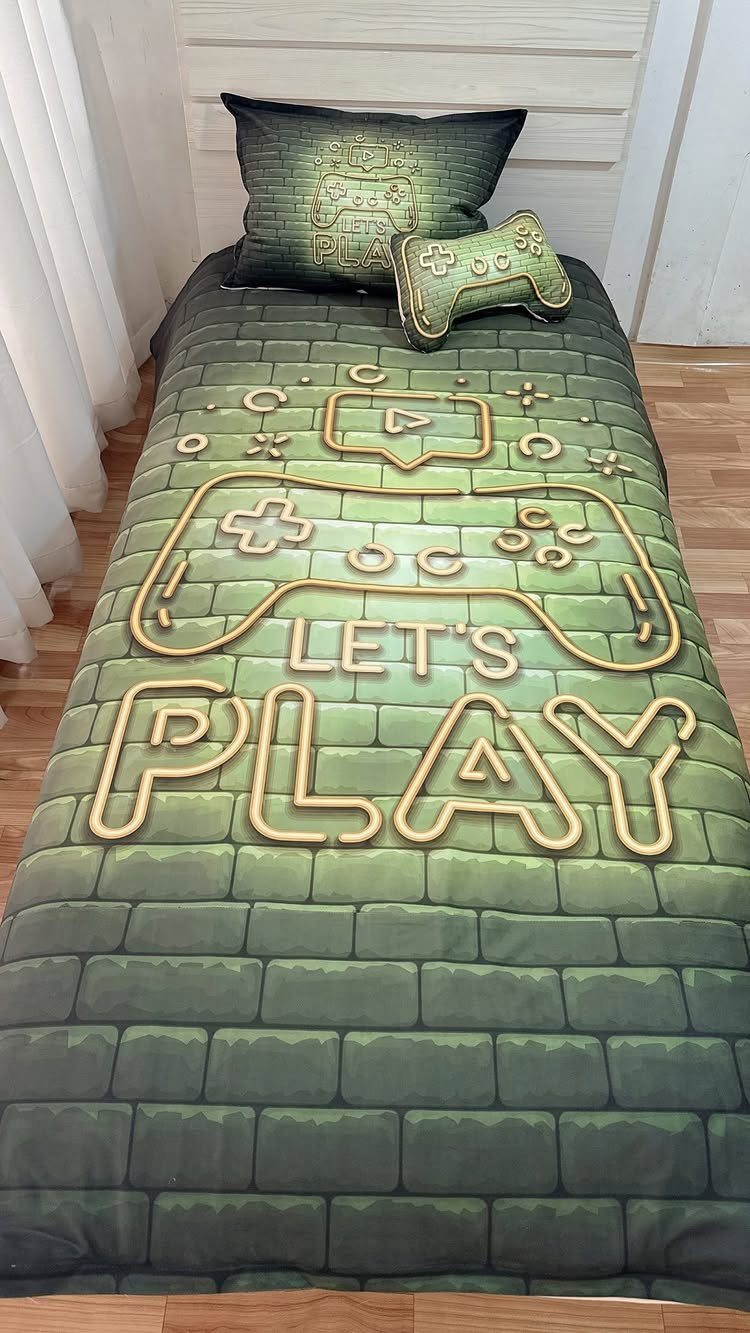
Bedding is the quickest way to theme a bedroom without touching a wall. A green brick-pattern comforter with a "LET’S PLAY" pillow and a controller-shaped pillow says gamer, and it all comes off the bed in minutes.
Paint the walls a quiet neutral and skip extra patterns, so the bedding is the only loud thing in the room.
The controller pillow is a fun extra, and it doubles as something to hug during a long session. A set costs far less than repainting.
24. Ergonomic Gaming Chair with Footrest
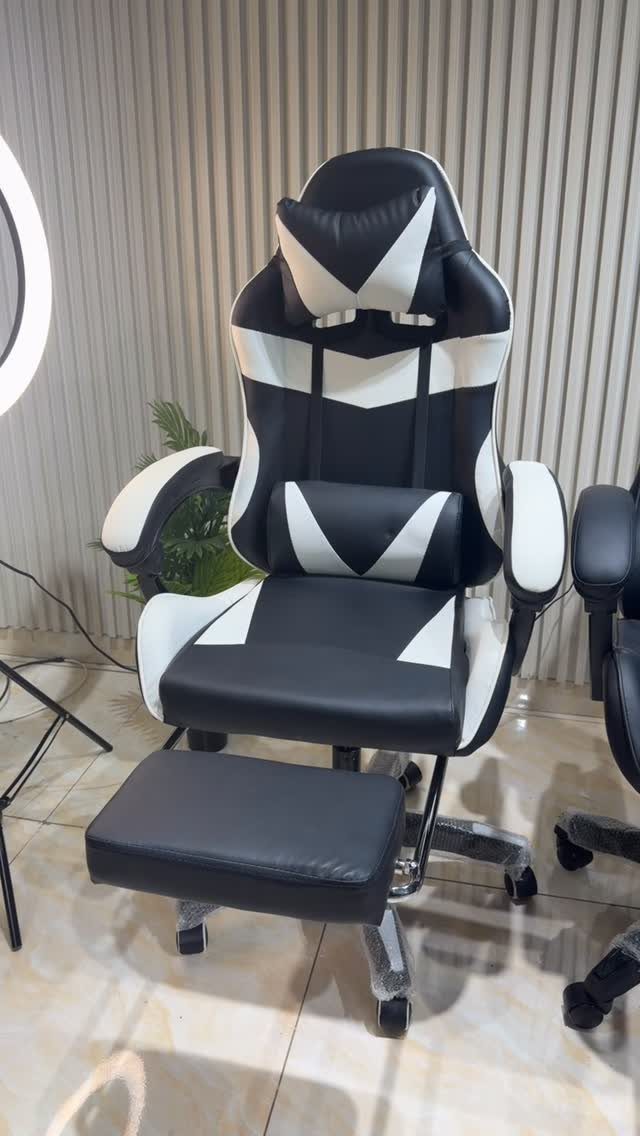
A pull-out footrest is what separates a chair you sit in from one you can settle into for a long session.
The black and white two-tone finish looks sharp against a white ribbed wall, so the chair can be the one bold piece in the room.
Tuck the footrest away when you stand so it doesn’t catch your feet.
I would spend on this before any decor, since you sit in it every day. Try it for comfort before you buy.
Furniture and Ergonomics
A sturdy desk deep and wide enough for 2 monitors, a console and a keyboard comes before anything else, since a surface that rocks or runs out of room gets irritating within a week.
Check that the height can be adjusted, or that it suits you at a normal sitting posture.
For the chair, look for adjustable lumbar support, a headrest and an adjustable recline angle. A premium gaming chair isn’t required; an ergonomic office chair with gaming-style features gives the same back support for less money.
Hours in a chair wear on your back, neck and wrists, so I treat seating and desk height as health decisions rather than extras. Adjustable backrests and lumbar cushions help reduce strain and improve posture.
Any floor space left over is a good spot for a low couch or a pair of bean bags, which gives friends a place to sit and gives you somewhere to land when you leave the desk.
Lighting and Atmosphere
Use lighting with a job for each type.
Dimmer switches or app-controlled bulbs give you the flexibility to change the room to match the game you’re playing. Smart bulbs can even follow the on-screen action for flashier effects.
Mount a bias light strip on the back of each screen; the soft glow behind the display eases the contrast that tires your eyes. They’re cheap, and you notice the difference in a dark room.
Vertical light bars are a simple, low-cost way to start. Look for a dial controller and effects you can adjust to your gaming style and decor, so one purchase covers both the glow and the control.
Tech Setup
Choose a PC or console that matches the games you actually play, rather than buying the top spec for its own sake.
Sound matters as much as picture: loud, clear speakers or good headphones make the room feel real.
Keep your internet reliable. A wired Ethernet cable gives the steadiest connection; if you can’t run one, a fast Wi-Fi router is the next best choice.
Cable clips, sleeves or a under-desk tray keep cords out of sight so the setup doesn’t collapse into a knot.
A charging station for controllers and phones plus a mini-fridge stocked with drinks and snacks gives you fewer reasons to leave the room. If friends play with you, keep extra controllers and charging docks ready.